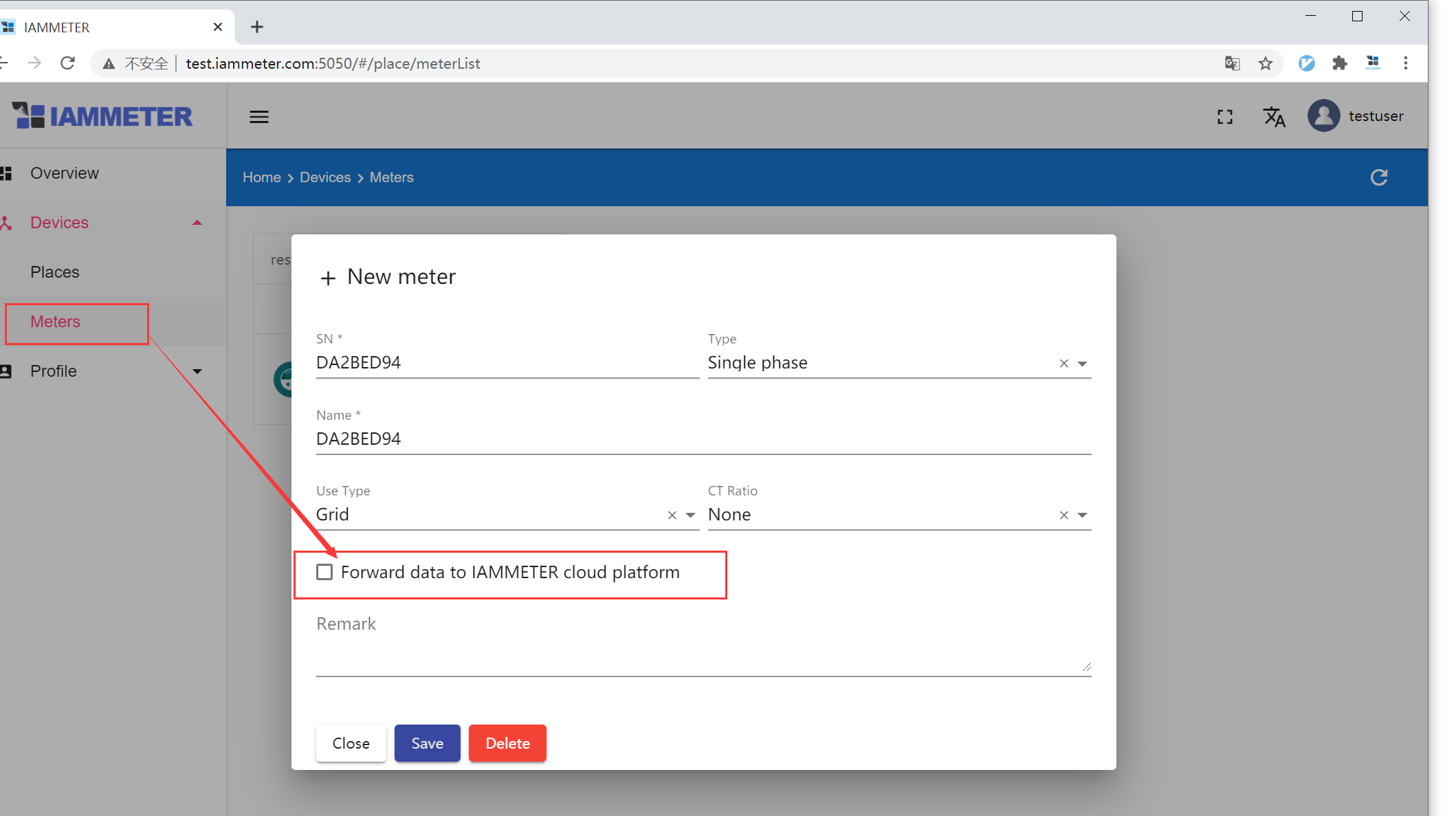
IAMMETER Local and IAMMETER Cloud can use the same meter data, but they solve different operational problems.
Choose IAMMETER Cloud when you want the quickest route to remote access, ready-made solar and energy reports, billing analysis, mobile access, and less infrastructure to maintain. Choose IAMMETER Local, meaning IAMMETER-Docker in this guide, when you want the monitoring server and day-to-day energy history on hardware you control, need LAN operation during an internet outage, or want local REST API and MQTT access for another system.
For many serious monitoring projects, the best answer is not either/or. IAMMETER-Docker can collect locally and optionally forward data to IAMMETER Cloud. That hybrid design keeps a local data path while preserving convenient hosted reports.
The short answer
| Your main requirement | Better starting point |
|---|---|
| Fast setup and low maintenance | IAMMETER Cloud |
| Remote access without operating a server | IAMMETER Cloud |
| Solar, import/export, billing, and savings reports out of the box | IAMMETER Cloud |
| Data stored on your own Docker host | IAMMETER Local |
| Monitoring that continues on the LAN without internet access | IAMMETER Local |
| Local REST API, MQTT, or a private integration path | IAMMETER Local |
| Local resilience plus cloud reports | Hybrid: IAMMETER Local with optional cloud forwarding |
| Only live readings for Home Assistant, Node-RED, a PLC, or a script | Direct meter API or Modbus may be enough |
The last row matters. A self-hosted server is useful when you need storage, dashboards, and a local service. If another platform already provides those functions, reading the meter directly may be simpler than installing IAMMETER-Docker.
What “IAMMETER Local” means here
IAMMETER offers more than one local data path. This comparison uses IAMMETER Local to mean IAMMETER-Docker, the vendor's self-hosted monitoring service.
The current official Docker guide describes a container that can:
- receive data directly from IAMMETER meters
- store historical electricity and solar data on persistent local storage
- provide a browser dashboard on the local network
- expose REST API documentation
- provide MQTT for advanced integrations
- operate as an offline data logger
- optionally forward data to IAMMETER Cloud
That is different from reading a meter's local HTTP API or Modbus TCP registers. Direct reading gives an application live measurements, but the application must provide its own history, dashboards, backups, and reporting.
This creates three realistic architectures:
- Cloud-first: meter to IAMMETER Cloud.
- Local-server: meter to IAMMETER-Docker on your LAN.
- Direct integration: application reads the meter locally without a separate IAMMETER server.
A fourth, hybrid architecture combines the first two.
What IAMMETER Cloud is best at
IAMMETER Cloud is the simpler choice when monitoring should behave like a managed service rather than a small IT system.
According to IAMMETER's current user guide, the hosted platform provides real-time monitoring, daily and monthly energy reports, solar PV analysis, billing analysis, mobile access, and support for multiple places. Those functions matter when the goal is to understand a site quickly rather than design the data pipeline.
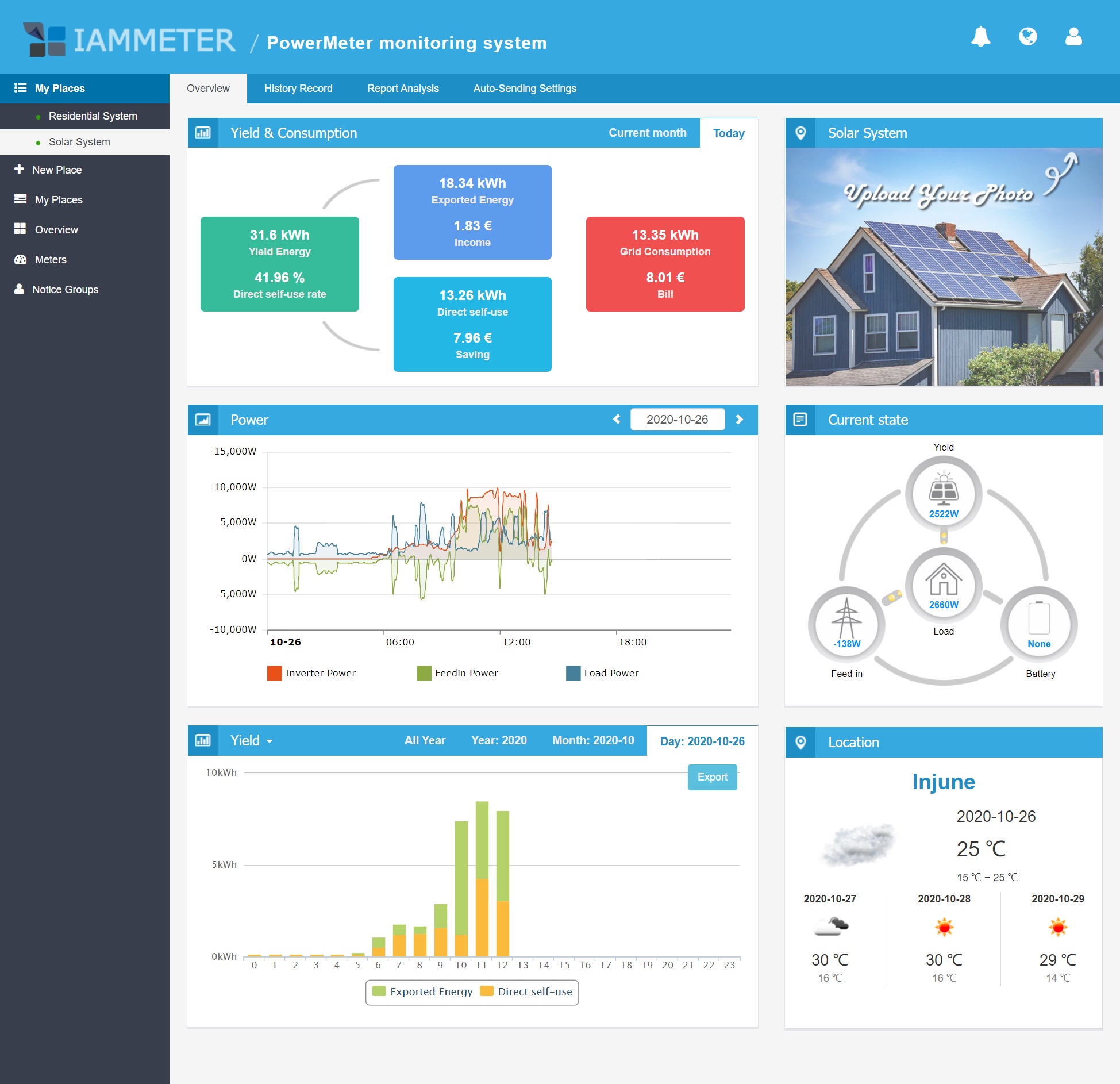
The cloud dashboard turns grid, solar, export, and self-consumption measurements into a ready-made operational view.
Cloud-first is usually the better starting point when:
- the household wants a dashboard that works with little ongoing administration
- an installer or owner needs access while away from the site
- tariff and bill-style reporting are more important than custom integrations
- several homes, workshops, or small sites need to be reviewed together
- nobody wants responsibility for Docker updates, local storage, backups, and network security
The trade-off is dependence on a hosted service and internet path for the complete cloud experience. The meter may still offer local interfaces, but cloud reports and remote access rely on the cloud data flow.
What IAMMETER Local is best at
IAMMETER-Docker is a better fit when the site needs a monitoring service under local control.
The official deployment guide supports Docker hosts such as a Linux server, NAS, Raspberry Pi, or compatible router. The host needs persistent storage, a stable local address, and the correct timezone. IAMMETER currently documents port 5050 for the web application and API and port 1883 when the built-in MQTT service is used.
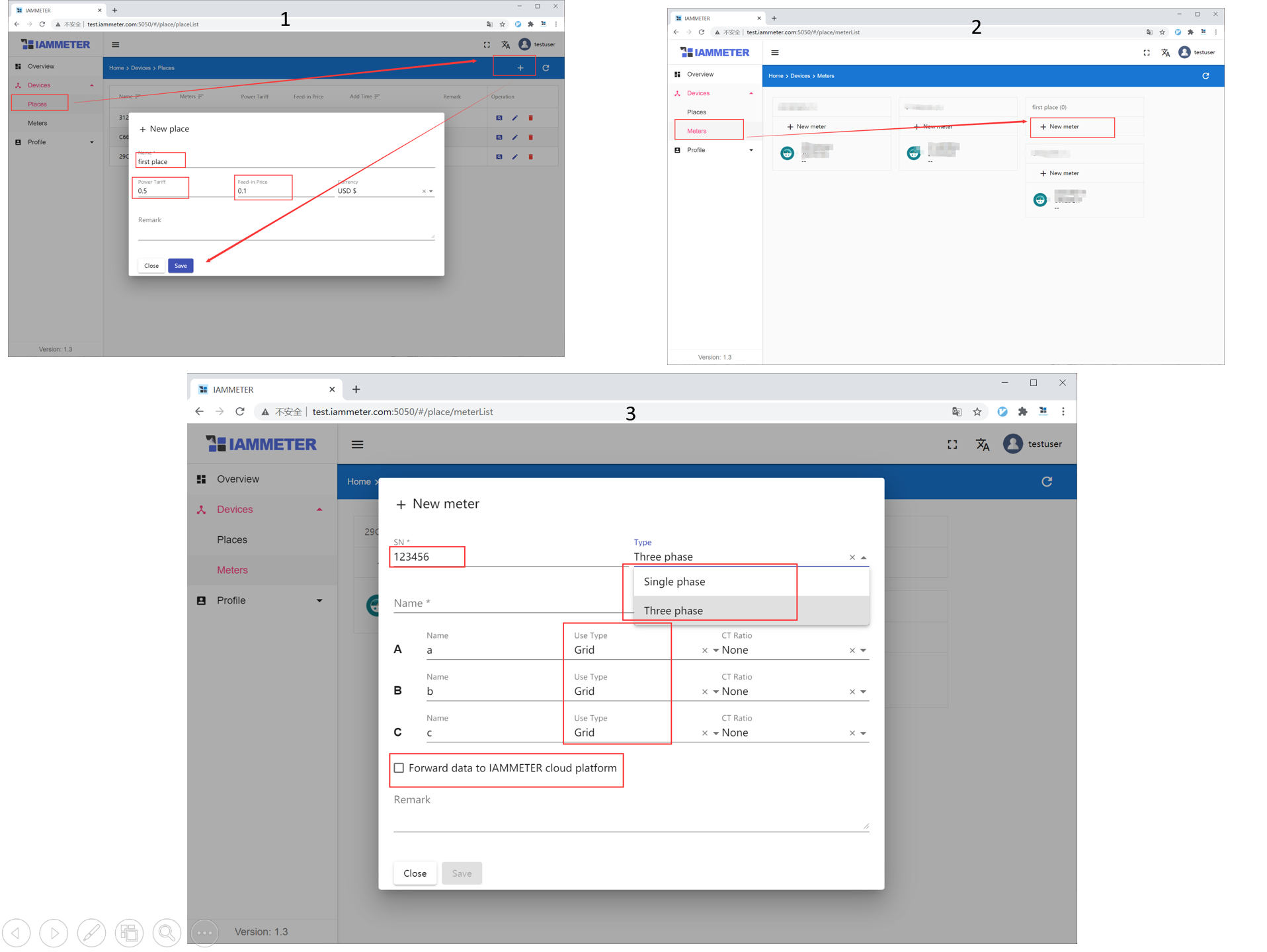
Local monitoring still depends on correct meter, place, timezone, and channel assignments. Self-hosting does not repair bad measurement boundaries.
Local-first is usually worthwhile when:
- energy data must remain available on the LAN during an internet outage
- a project has data residency, privacy, or customer-control requirements
- a local application needs API or MQTT access to stored measurements
- the site is remote, has unreliable internet, or needs offline logging
- an integrator wants a private backend without developing the whole monitoring service
- the owner is comfortable maintaining a Docker host and backups
The official guide also makes an important limitation clear: IAMMETER-Docker does not reproduce every feature and report available in IAMMETER Cloud. Local control is not automatically feature parity.
The difference that matters most: who operates the system
The visible difference is cloud versus local. The more important difference is operational responsibility.
With IAMMETER Cloud, the vendor operates the hosted service. You still need correct meter installation, CT direction, phase mapping, credentials, and sensible account security, but you do not maintain the reporting server.
With IAMMETER-Docker, you become the operator. That means owning:
- host availability and power
- Docker image updates
- persistent volume configuration
- disk capacity and storage health
- backups and restore tests
- local IP addressing
- firewall and remote-access design
- password changes and account security
- monitoring after upgrades
Self-hosting is a control decision, not a way to eliminate maintenance. A local dashboard that has not been backed up or updated can be less dependable than a cloud service.
Feature comparison
| Decision area | IAMMETER Cloud | IAMMETER Local / Docker |
|---|---|---|
| Initial setup | Lower effort | Requires Docker host and network setup |
| Remote access | Built in through hosted service | Requires VPN or another secure access design |
| Local operation without internet | Limited to local meter interfaces | Strong when meter and host remain on the LAN |
| Data storage | Hosted platform | Persistent storage on your host |
| Solar and energy reports | More complete out of the box | Useful local dashboard, but not full cloud feature parity |
| Billing analysis | Ready-made cloud function | More limited; verify required reports before choosing |
| REST API | Cloud API with documented limits | Local server API plus direct meter options |
| MQTT | Available through supported workflows | Built-in local MQTT option documented |
| Multi-site convenience | Stronger default | Possible, but you operate the infrastructure |
| Maintenance responsibility | Vendor operates service | You operate host, container, storage, and backups |
| Best fit | Convenience, reporting, remote review | Control, resilience, local integration |
Do not choose only from this table. Start with the measurement and decision you need the system to support.
Data ownership is not the same as data usefulness
Keeping data locally can improve control, but it does not automatically make the data complete or useful.
A reliable energy dataset still needs:
- the correct meter on the correct electrical boundary
- import and export direction configured correctly
- phase and channel roles mapped consistently
- a stable site timezone
- persistent storage
- enough history for the decisions you want to make
- documented units and sampling intervals
- a tested backup and restore process
For solar monitoring, a reversed CT or wrong Grid/Inverter/Load assignment can produce convincing but incorrect charts. The same problem affects cloud and local dashboards.
Before comparing reports, verify a simple physical event. Turn on a known load and confirm that grid import or household load increases in the expected direction. During strong solar production, confirm whether export becomes positive in the convention used by the selected platform.
When direct meter access is simpler than IAMMETER Local
Not every local-first project needs IAMMETER-Docker.
IAMMETER's official development guide lists several paths:
- local HTTP API for LAN dashboards and scripts
- Modbus TCP for faster local polling and industrial-style integration
- MQTT or HTTP upload to another server
- IAMMETER-Docker for ready-made local storage, dashboards, and APIs
- IAMMETER Cloud APIs when an application should reuse cloud data and services
Use direct meter access when another platform already stores history and presents dashboards. Home Assistant, Node-RED, a building management system, or a custom application may only need the measurements.
Use IAMMETER-Docker when you want a separate, vendor-supported local monitoring layer that can remain useful even if the automation platform changes.
The hybrid option is often the most practical
A hybrid setup can provide local continuity without giving up cloud convenience.
In this design:
- the meter uploads to IAMMETER-Docker on the local network
- the Docker service stores and exposes the data locally
- cloud forwarding is enabled only when the hosted reports are wanted
- local applications use the LAN API or MQTT path
- remote users use IAMMETER Cloud for convenient review
This approach can serve two audiences. A homeowner may use the cloud app for quick daily checks, while an integrator uses the local API for automation or diagnostics.
It also creates more moving parts. Test each path separately, document which system is the source of truth, and avoid assuming that two dashboards will have identical totals. Timezones, sampling, rounding, missing intervals, and calculation rules can create small differences.
Security and reliability checks for a local deployment
IAMMETER's official Docker documentation warns against exposing ports 5050 or 1883 directly to the public internet without appropriate protection. Treat that as a baseline requirement.
Before relying on a local deployment:
- change the documented default credentials immediately
- give the Docker host a stable IP address or DHCP reservation
- mount the application data directory to persistent storage
- set the site timezone before collecting production history
- keep the host and container updated
- restrict local ports with a firewall
- use a VPN or controlled reverse proxy for remote access
- back up the persistent data directory
- test a restore before the history becomes business-critical
- record meter serial numbers and channel assignments
- check free disk space and container health periodically
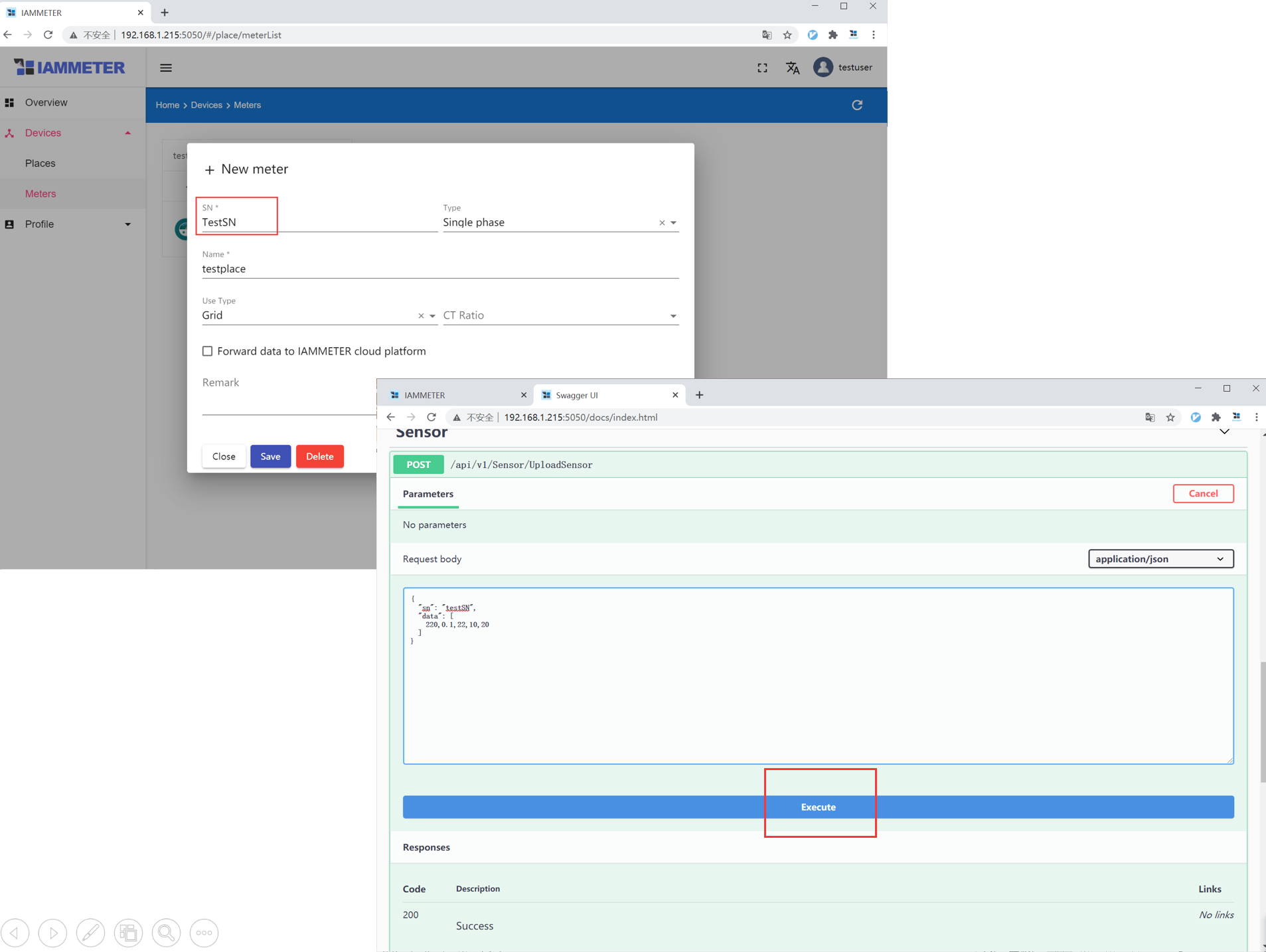
The built-in API is useful for integration, but every exposed interface also needs deliberate access control and documentation.
For a commercial site, add an owner for updates and recovery. “The installer set it up” is not an operating model.
Cost: compare labor and risk, not only subscription price
The financial comparison is broader than a service-plan price.
A cloud-first setup may include:
- service-plan cost where applicable
- internet dependence
- lower local maintenance effort
- faster deployment
- less need for backup and server administration
A local setup may include:
- Raspberry Pi, NAS, server, or router capacity
- storage media and replacement
- backup destination
- electricity for the host
- setup and troubleshooting time
- secure remote-access infrastructure
- periodic maintenance
If self-hosting is already part of your environment, the incremental cost may be small. If nobody currently maintains a server, the labor cost can outweigh a modest hosted-service fee.
For business use, price the recovery scenario: how long can the monitoring service be unavailable, and who restores it after a failed disk or upgrade?
Which setup fits your situation?
Choose IAMMETER Cloud first if:
- you want results quickly
- remote access and mobile use are routine
- bill, tariff, solar, and multi-site reports are the main value
- the users are not interested in operating infrastructure
- local automation is secondary
Choose IAMMETER Local first if:
- local data control is a defined requirement
- the monitoring site must work without reliable internet
- you need a local API or MQTT service with stored history
- you already operate Docker reliably
- you can own backups, updates, and security
Choose a direct meter integration if:
- Home Assistant, Node-RED, a PLC, or a custom system already provides storage and dashboards
- you only need local live data
- another full monitoring server would duplicate functions
Choose hybrid if:
- local resilience and hosted reporting are both valuable
- different users need different interfaces
- you can document and maintain both paths
- you understand that cloud forwarding means selected data still leaves the local network
A deployment checklist before you commit
Ask these questions before choosing:
- What decision will the data support? Bill review, solar self-consumption, automation, alarms, compliance, or troubleshooting?
- Where must history remain available? Only online, on the local site, or both?
- Who maintains the system? Name a person or team, not just a product.
- How will remote access work? Hosted login, VPN, or another controlled method?
- Which reports are essential? Verify them in the chosen platform before migrating.
- What is the source of truth? Meter, local database, or cloud report?
- How will data be backed up and restored?
- What happens during an internet outage, host failure, or router replacement?
- Do you need a full local server, or only direct meter readings?
- Will optional cloud forwarding meet or conflict with the data policy?
A short pilot is better than an architecture chosen from screenshots. Run the intended data path for at least a normal weekday and weekend, compare daily totals, simulate an internet interruption, and verify that the people responsible can retrieve and restore the data.
Bottom line
IAMMETER Cloud is the better default for users who value managed reporting, remote access, mobile convenience, and low maintenance. IAMMETER Local is the stronger choice when local storage, LAN resilience, private APIs, or integration control are real requirements and someone is prepared to operate the server.
The most balanced architecture is often hybrid: collect and retain data locally, then forward it to IAMMETER Cloud when cloud reports and remote access add value. But hybrid should be a deliberate design, not a checkbox enabled without understanding the data path.
Choose from the operational outcome backward. If the project only needs live local readings, use the meter's direct interfaces. If it needs a ready-made private backend, use IAMMETER-Docker. If it needs convenient hosted analysis, use IAMMETER Cloud.
Related EnergyMeterHub pages
- IAMMETER Local integration profile
- IAMMETER Cloud integration profile
- IAMMETER-Docker on Raspberry Pi: A Practical Guide
- IAMMETER Cloud Review
- IAMMETER Cloud vs Home Assistant
- Who Should Keep Their Energy Data Local?
- How to Choose an Energy Meter for Data Access