If you use an IAMMETER meter, the choice is not really "IAMMETER Cloud or Home Assistant forever." The better question is which platform should become your daily monitoring layer first, and which one should sit behind it as the system grows.
IAMMETER Cloud is better when you want a hosted, meter-led dashboard with solar self-consumption views, billing-style reports, alerts, and multi-site management. Home Assistant is better when you want a local, mixed-brand dashboard that can combine meters, inverters, batteries, EV chargers, tariffs, and automations in one smart-home system.
Many homes eventually benefit from both. Use IAMMETER Cloud when the meter should be easy to review from anywhere. Use Home Assistant when the energy data needs to trigger actions locally, merge with other brands, or remain useful outside a vendor app.
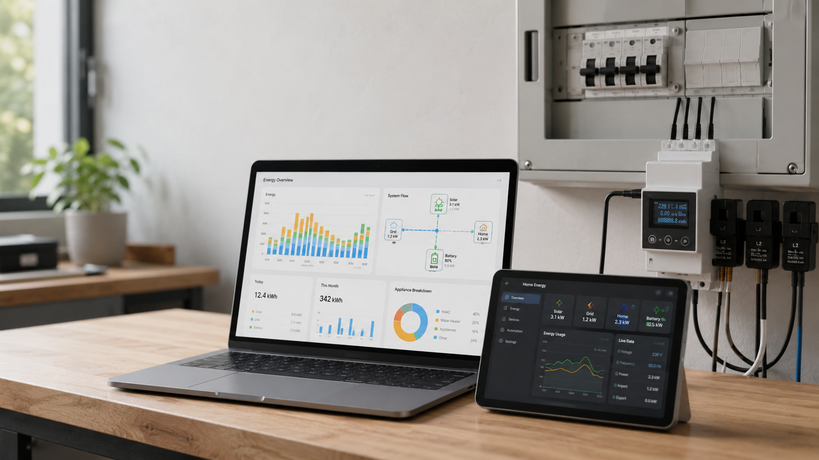
The decision is less about which dashboard looks nicer and more about where energy decisions will happen: in a hosted meter platform, in a local automation system, or in both.
The short answer
Choose IAMMETER Cloud first if you want:
- a hosted dashboard with minimal maintenance
- solar import, export, self-use, and load views
- tariff-style billing and savings reports
- multi-site or multi-place monitoring
- email, webhook, or MQTT alert workflows from the cloud tier
- a platform that a non-technical household member can open without learning YAML, entities, or integrations
Choose Home Assistant first if you want:
- a local dashboard that can combine many brands
- automations based on solar surplus, tariffs, battery state, or grid import
- dashboard control beyond the vendor app
- local-first operation where practical
- one place for energy, lighting, HVAC, EV charging, and smart plugs
- long-term flexibility when you may change meters, inverters, batteries, or chargers
Choose both if IAMMETER is your trusted meter source but Home Assistant is your broader home automation layer. In that pattern, IAMMETER provides reliable measurement and cloud reporting, while Home Assistant turns those readings into context and action.
What each platform is really for
IAMMETER Cloud is a monitoring service built around IAMMETER devices and metering scenarios. It is strongest when the meter is the center of the story: grid import/export, solar production, load, tariff reports, alerts, and site comparison.
Home Assistant is not just an energy dashboard. It is a home automation platform that happens to have a strong energy model. Its energy documentation is built around distinct flows such as grid consumption, return to grid, solar production, batteries, gas, water, and individual devices. That structure is useful because real homes are mixed systems, not single-vendor diagrams.
| Need | IAMMETER Cloud | Home Assistant |
|---|---|---|
| Simple hosted monitoring | Strong | Possible, but requires local setup |
| Solar self-consumption reporting | Strong when IAMMETER is measuring the right points | Strong if the entities are configured correctly |
| Billing and tariff-style reports | Stronger out of the box | Possible, but more custom work |
| Local automations | Limited compared with a smart-home platform | Strong |
| Multi-brand dashboard | Limited to what the platform receives | Strong |
| Multi-site management | Stronger, especially with Virtual Site style workflows | Possible, but not the natural default |
| Data ownership and local control | Depends on cloud/local choices | Stronger if devices expose local data |
| Family-friendly setup effort | Easier | More technical |
The practical conclusion is simple: IAMMETER Cloud is a better reporting layer; Home Assistant is a better control and integration layer.
When IAMMETER Cloud is the better first step
IAMMETER Cloud makes the most sense when the main job is understanding the meter data clearly without building your own stack.
That is common in these situations:
- You want solar self-consumption and export visibility quickly.
- You want cost, savings, and tariff context rather than raw power values only.
- You manage more than one site, rental, workshop, branch office, or monitored property.
- You want alerts if a site goes offline or a threshold is crossed.
- You want a dashboard that can be checked from anywhere without maintaining a local server.
- You are not ready to build Home Assistant dashboards and automations.
IAMMETER Cloud also suits users who want the meter to remain the source of truth. If the meter is installed at the grid boundary or around the solar circuit, the cloud dashboard can show the measurement from that boundary consistently. For ordinary users, that is often more useful than a smart-home dashboard that has many integrations but unclear measurement boundaries.
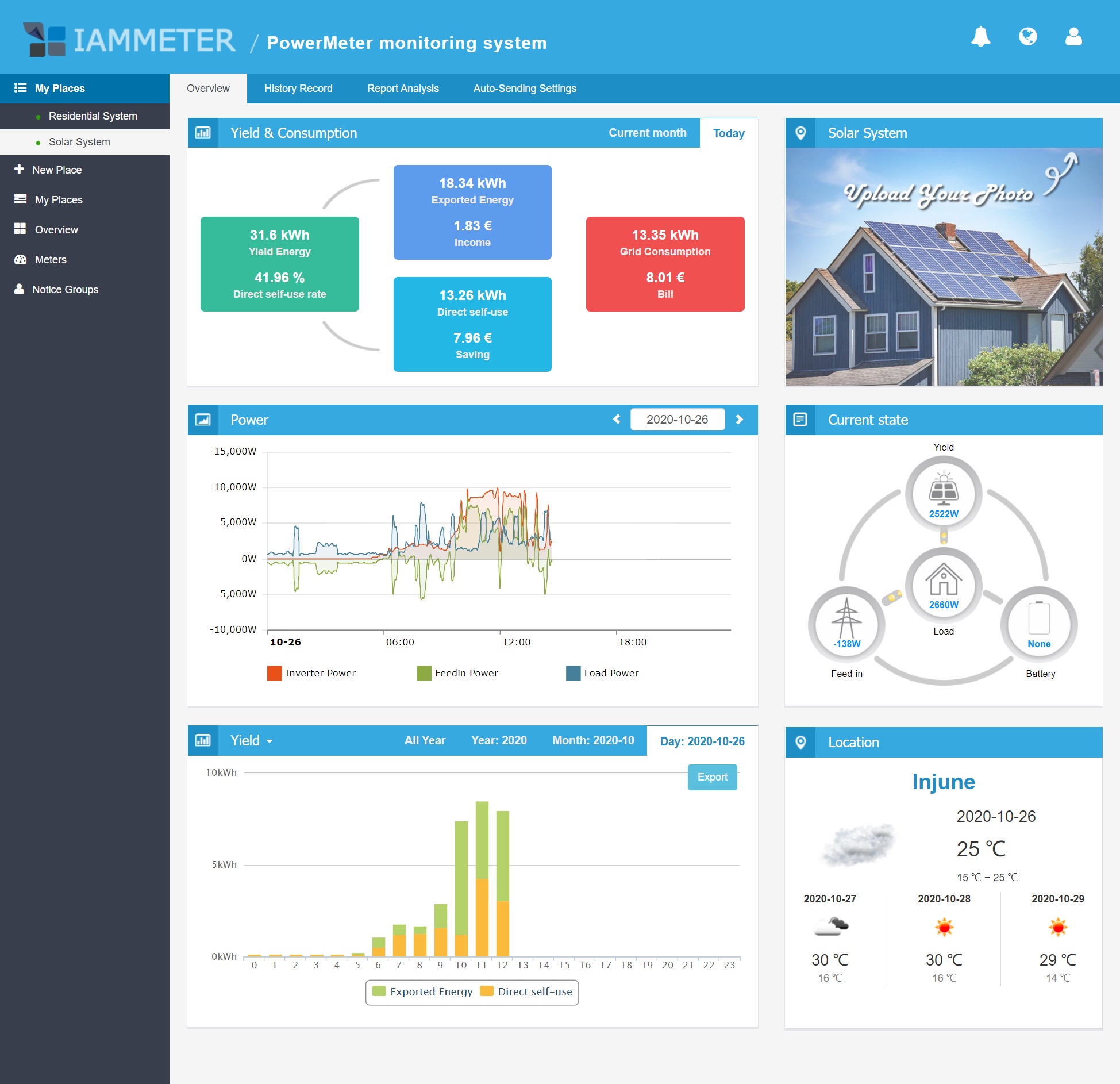
IAMMETER Cloud is strongest when the important question is: what did the meter see, and what does that mean for solar use, export, and cost?
When Home Assistant is the better first step
Home Assistant is the better first step when energy data is only one part of a larger control system.
It is a strong fit when:
- You already use Home Assistant for lights, HVAC, smart plugs, or security.
- You want solar surplus to trigger a charger, relay, water heater, or notification.
- You need to combine an IAMMETER meter with a different inverter, battery, EV charger, thermostat, or plug monitor.
- You want dashboards that include live power, long-term energy, device-level loads, and automations together.
- You prefer local integrations and do not want every decision to depend on a cloud app.
- You are comfortable checking entity units, state classes, and import/export direction.
The setup risk is that Home Assistant is only as clear as the data you feed it. A wrong unit, reversed CT clamp, reset-prone energy counter, or mixed import/export sensor can make a beautiful dashboard misleading. Home Assistant gives you more freedom, but it also gives you more ways to configure the same data incorrectly.
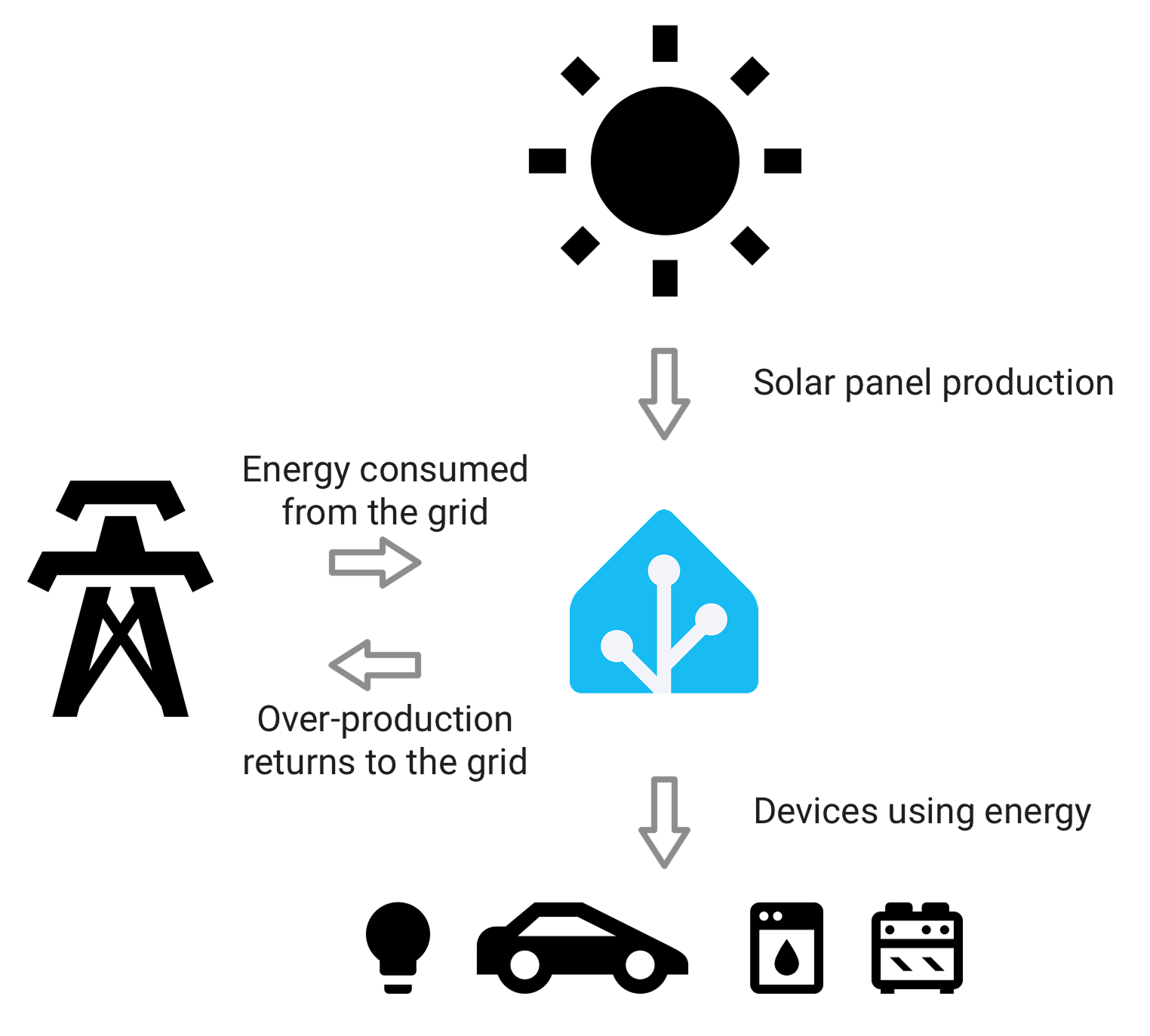
Home Assistant works best when each energy flow is represented by the right sensor type, unit, and direction. The dashboard is the last layer, not the source of truth.
The key difference: reporting vs automation
The easiest way to choose is to ask what you want to do after seeing the data.
If the answer is "review, compare, report, forecast, and explain," IAMMETER Cloud is often the cleaner choice. It is made for metering reports, solar monitoring views, cost context, and cloud access.
If the answer is "trigger, coordinate, combine, and control," Home Assistant is usually the better layer. It can turn energy readings into automations, notifications, dashboard cards, and device actions.
A solar home is a good example. IAMMETER Cloud may tell you how much solar was exported today and how that affected the bill. Home Assistant may use live export power to start an EV charger, boost a hot water load, or delay a dishwasher until the house is exporting enough.
Both jobs matter. They are not the same job.
A practical growth path
For many IAMMETER users, the best path is staged rather than either/or.
Stage 1: Make the meter data trustworthy
Before choosing a dashboard, confirm the measurement points. Know whether the meter is measuring:
- grid import/export
- solar generation
- household load
- EV charger load
- battery charge/discharge indirectly or directly
- single-phase or three-phase totals
If these boundaries are wrong, neither IAMMETER Cloud nor Home Assistant will fix the interpretation.
Stage 2: Use IAMMETER Cloud for quick value
Start with IAMMETER Cloud if you want immediate visibility. Check whether the solar, load, import, and export views make sense across a normal day. Use the cloud reports to understand whether the system is exporting too much, importing at expensive times, or behaving differently from the inverter app.
This stage is especially helpful for non-technical users because the dashboard is already shaped around energy monitoring.
Stage 3: Add Home Assistant when decisions need automation
Add Home Assistant when you need actions, not just reports. Typical triggers include:
- start charging when export power stays above a threshold
- notify when grid import exceeds a limit
- compare tariff periods with device behavior
- show battery, EV charger, inverter, and meter data on one screen
- keep a local view even when cloud apps are slow or fragmented
Stage 4: Keep both if they serve different users
A household can use IAMMETER Cloud for simple energy review and Home Assistant for the technical dashboard. An installer or site manager can use IAMMETER Cloud for multi-site reporting while a local owner uses Home Assistant for daily control.
That split is healthy. It avoids forcing one platform to do every job.
Common mistakes to avoid
The first mistake is choosing Home Assistant only because it is powerful. If nobody in the home will maintain it, the system can become fragile. A simple cloud dashboard that people actually use beats a perfect local stack that nobody trusts.
The second mistake is choosing cloud-only monitoring when you clearly want local control. If the goal is solar surplus automation, fast load response, or multi-brand coordination, a hosted dashboard alone will feel limiting.
The third mistake is mixing live power and cumulative energy. Live power is useful for direction and automation. Cumulative energy is needed for daily, monthly, and long-term totals. Treating one like the other can break reports.
The fourth mistake is using net grid power as the only long-term energy value. For dashboards and bills, grid import and return-to-grid export usually need separate energy counters.
The fifth mistake is assuming an inverter app, IAMMETER Cloud, and Home Assistant should always match exactly. They may use different measurement points, update intervals, rounding, and sign conventions. Differences are not automatically errors, but large or persistent differences deserve a wiring and configuration check.
Which setup fits which buyer?
Choose IAMMETER Cloud if you are a homeowner who wants a clear solar and grid dashboard without maintaining a local system.
Choose IAMMETER Cloud if you manage multiple places and need reporting, alerts, and comparison more than custom automations.
Choose Home Assistant if you already run a smart home and want energy data to affect device behavior.
Choose Home Assistant if your home is mixed-brand and the vendor apps do not tell a complete story together.
Choose both if IAMMETER is the measurement layer and Home Assistant is the action layer.
Avoid both as a first project if the actual problem is basic measurement quality. Fix CT placement, phase mapping, import/export direction, and meter boundaries before building dashboards.
Decision checklist
Before deciding, answer these questions:
| Question | If yes, lean toward |
|---|---|
| Do you want a hosted energy dashboard with minimal maintenance? | IAMMETER Cloud |
| Do you need tariff, billing, or savings-style reporting? | IAMMETER Cloud |
| Do you manage more than one monitored site? | IAMMETER Cloud |
| Do you want solar surplus to trigger devices locally? | Home Assistant |
| Do you need to combine several brands in one view? | Home Assistant |
| Do you already maintain Home Assistant? | Home Assistant |
| Do non-technical users need a simple daily view? | IAMMETER Cloud |
| Do advanced users need automations and local dashboards? | Home Assistant |
| Do both groups use the same system? | Both |
Bottom line
IAMMETER Cloud and Home Assistant are not direct substitutes. IAMMETER Cloud is the easier reporting layer for IAMMETER-led energy monitoring. Home Assistant is the more flexible local integration and automation layer.
If you are starting from zero, make the meter data trustworthy first, then use IAMMETER Cloud to understand the site. Add Home Assistant when you need the energy readings to control other devices or join a broader smart-home picture.
The best long-term setup is often not a single platform. It is a clear division of responsibility: IAMMETER measures and reports; Home Assistant integrates and acts.
Related EnergyMeterHub pages
- IAMMETER Cloud
- IAMMETER Local
- Home Assistant
- IAMMETER Cloud Review: What It Does Well for Solar Monitoring, Billing, and Multi-Site Tracking
- How to Choose an Energy Meter If You Care More About Data Access Than App Design
- Who Should Keep Their Energy Data Local and Who Probably Does Not Need To
- Home Assistant Energy Dashboard: Complete Setup Guide for Smart Meters