If your energy meter already speaks Wi-Fi, Ethernet, or a well-supported cloud API, you probably do not need an RS485 to Ethernet gateway. But if you have a DIN-rail meter with Modbus RTU over RS485, and you want reliable access from Home Assistant, a BMS, a local server, or an energy dashboard elsewhere on the network, a gateway can be the cleanest way to make the meter useful.
The key is not whether RS485 is old or new. RS485 is still common in energy meters because it is robust, inexpensive, and well suited to electrical cabinets. The real question is where your monitoring software lives, how far it is from the meter, and whether you need multiple systems to read the same data without depending on one small computer sitting beside the switchboard.
The short answer
Use an RS485 to Ethernet gateway when the meter is in the electrical panel, the monitoring platform is on your LAN, and you want the meter to appear as a network-accessible Modbus device.
Skip the gateway when a USB-RS485 adapter beside the monitoring computer is simpler, when the meter already has native Ethernet or Wi-Fi, or when you only need occasional manual reads.
A good rule of thumb:
| Situation | Gateway worth it? | Why |
|---|---|---|
| DIN-rail Modbus RTU meter in a switchboard, Home Assistant in another room | Usually yes | Ethernet keeps the monitoring server away from the panel and makes the meter reachable over the LAN. |
| One meter next to a Raspberry Pi or industrial PC | Often no | A USB-RS485 adapter may be cheaper and easier. |
| Several RS485 meters on one bus | Often yes | A gateway can expose the whole bus to a Modbus TCP client if addressing, timing, and wiring are correct. |
| Meter already supports Modbus TCP, Ethernet, Wi-Fi, or a local API | Usually no | Native network access removes the main reason for a gateway. |
| You need billing-grade official settlement data | Not by itself | A gateway moves data; it does not make an installation billing-grade or revenue-certified. |
What an RS485 to Ethernet gateway actually does
Most RS485 energy meters with Modbus use Modbus RTU on a two-wire serial bus. A monitoring system sends a query to a meter address, the meter replies, and the software turns register values into voltage, current, power, energy, import, export, and sometimes power-factor readings.
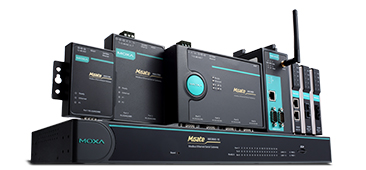
An RS485 to Ethernet gateway sits between that serial bus and your IP network. Depending on the device and mode, it may act as a transparent serial server, a Modbus RTU over TCP bridge, or a Modbus TCP to Modbus RTU protocol converter. Industrial gateway vendors describe this class of product as a way to convert between Modbus RTU/ASCII and Modbus TCP networks, which is exactly the home-energy use case in smaller form.
For energy monitoring, the practical result is simple: instead of plugging RS485 directly into the computer running your dashboard, the dashboard connects to an IP address and port on your LAN.
That matters because electrical panels are rarely the best place to keep a Raspberry Pi, NAS, mini PC, or Home Assistant server.
Why this comes up with energy meters
Many accurate DIN-rail meters are built around RS485. That includes common single-phase and three-phase meters used for solar import/export monitoring, EV charger sub-metering, heat-pump metering, tenant allocation, and small commercial energy dashboards.
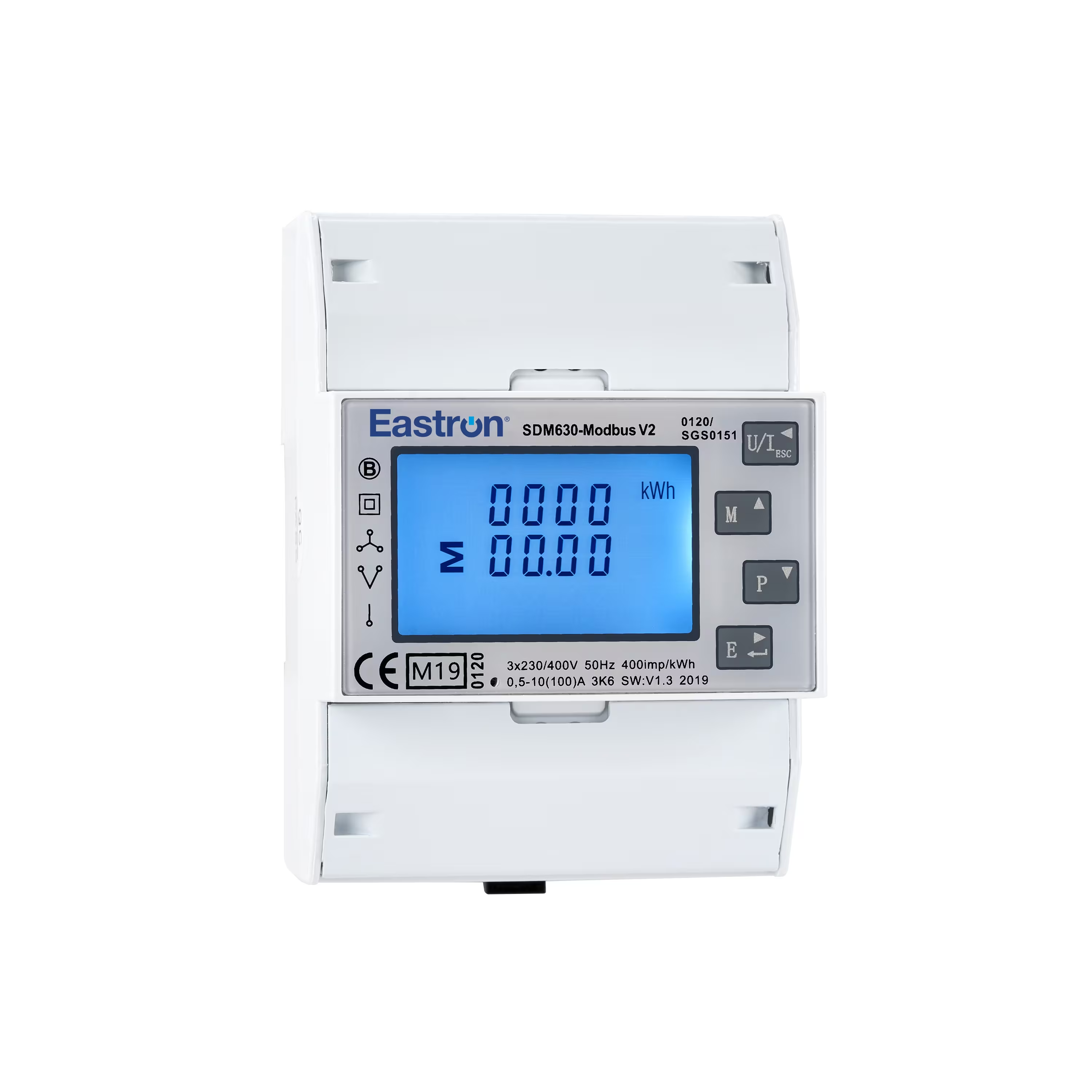
The Eastron SDM630 Modbus documentation, for example, describes a two-wire RS485 interface, daisy-chained A/B connections, optional termination depending on topology and cable length, and per-device Modbus addresses. It also notes the familiar RS485 scale limits: long cable runs can be possible, but topology, termination, shielding, node count, baud rate, and installation quality all matter.
Those details are why a gateway is not just a convenience accessory. It can make the difference between a tidy long-term monitoring setup and a fragile one that only works when a USB dongle, cable, and computer stay exactly where they are.
When a gateway makes sense
1. Your monitoring server is not near the switchboard
This is the most common reason. A DIN-rail meter lives in the electrical panel, but Home Assistant, Node-RED, InfluxDB, Grafana, a BMS server, or an energy management system often lives somewhere safer and easier to maintain.
Running Ethernet from the panel area to the network cabinet is usually more practical than running USB. It is also easier to troubleshoot with normal network tools.
2. You want Modbus TCP instead of a local serial port
Home Assistant's Modbus integration supports serial, TCP, and UDP connections. That means a gateway can let Home Assistant read a serial Modbus RTU meter through a TCP connection, provided the gateway mode and register configuration match the meter.
This is useful when you want Home Assistant to treat the meter like a stable network device instead of depending on a USB adapter path that may change after reboots or hardware replacement.
3. You are monitoring more than one meter
A single RS485 bus can connect multiple Modbus slave devices if each has a unique address and the bus is wired properly. This can be useful for a main grid meter, solar production meter, EV charger sub-meter, heat pump meter, or tenant meters.
The gateway does not remove the need for correct Modbus addressing and timing. It simply gives your network software a way to reach that RS485 bus.
4. You need a cleaner industrial or small-commercial setup
For a house, a USB adapter may be acceptable. For a small plant room, workshop, strata utility area, farm building, commercial tenant space, or energy audit panel, a DIN-rail gateway with a proper power supply, isolation, status LEDs, and documented operating modes is often easier to maintain.
This is especially true when the monitoring system may later move from a hobby dashboard to a BMS, SCADA, or site energy management platform.
5. You want the meter to survive platform changes
If your energy meter is only connected through one USB adapter to one home automation box, replacing that box can become a monitoring outage. With a gateway, the meter bus has a network identity. You can move dashboards, update servers, or test a second platform with less rewiring.
When you probably do not need one
Your meter already has native network access
Some meters and monitors already support Ethernet, Wi-Fi, MQTT, cloud APIs, local HTTP APIs, or native Modbus TCP. In those cases, adding an RS485 to Ethernet gateway may only add another box to configure.
A native network meter is often cleaner when you are starting from scratch and have not already committed to an RS485 meter.
The monitoring computer is right beside the meter
If a small industrial PC is already installed in the same enclosure or a nearby low-voltage cabinet, a USB-RS485 adapter can be perfectly reasonable. The shorter and simpler the serial path, the less a gateway adds.
You only need one simple reading
If the goal is occasional manual meter reading, monthly export, or a one-off commissioning check, a permanent gateway can be overkill. A handheld reader, temporary adapter, or vendor app may be enough.
You are trying to fix bad measurement design
A gateway cannot fix wrong CT direction, wrong meter location, mixed import/export boundaries, duplicated battery data, or a dashboard that adds solar production and grid import incorrectly. It improves communications, not measurement logic.
If the numbers are conceptually wrong, fix the metering boundary first.
RS485 wiring details that decide whether the setup behaves
Most frustrating gateway problems are not caused by the gateway itself. They come from serial-bus basics.
Check these before blaming the dashboard:
| Check | What to confirm | Why it matters |
|---|---|---|
| A/B polarity | The meter and gateway use matching RS485 A/B wiring | Reversed polarity can produce no response or unstable communication. |
| Unique slave address | Each meter has a different Modbus address | Two devices with the same address can corrupt replies. |
| Baud rate and parity | Gateway and meter match speed, data bits, parity, and stop bits | Modbus RTU is unforgiving when serial settings differ. |
| Topology | The bus is daisy-chained rather than star-wired where possible | Poor topology can create reflections and intermittent errors. |
| Termination | Long or noisy buses use appropriate termination at the ends | Incorrect termination can hurt reliability, especially over distance. |
| Shielding and routing | Cable avoids noisy power runs where practical | Electrical noise can turn good hardware into a random-failure problem. |
| Register map | The dashboard reads the correct registers and data type | Communication can be fine while the displayed value is wrong. |
For energy meters, the register map is just as important as the gateway. Many meters report values as 32-bit floating-point numbers across two Modbus registers. If the dashboard reads only one register, uses the wrong word order, or treats an import/export value as unsigned when it should not, the graph may look convincing but still be wrong.
Gateway modes: the part buyers often miss
A product page may say "RS485 to Ethernet," but that can mean several things.
Look for these modes before buying:
| Mode or feature | Why it matters for energy monitoring |
|---|---|
| Modbus TCP to Modbus RTU gateway | Usually the cleanest mode when a Modbus TCP client reads RTU meters. |
| Transparent TCP server/client | Useful in some setups, but the monitoring software must support the expected framing. |
| Multiple TCP clients | Important if more than one system will query the meter, though bus timing still matters. |
| Web configuration | Makes field setup easier than serial-only configuration tools. |
| Isolation | Helpful in electrical environments where ground differences and noise are concerns. |
| DIN-rail mounting | Cleaner for panel-adjacent installs. |
| Static IP or DHCP reservation support | Prevents dashboards from losing the gateway after network changes. |
The METZ CONNECT example for Modbus RTU energy meters in an IP network describes a gateway used as a protocol converter so a Modbus RTU meter can be integrated with a Modbus TCP master. That is the exact pattern to look for if your monitoring platform expects Modbus TCP.
How this looks in Home Assistant
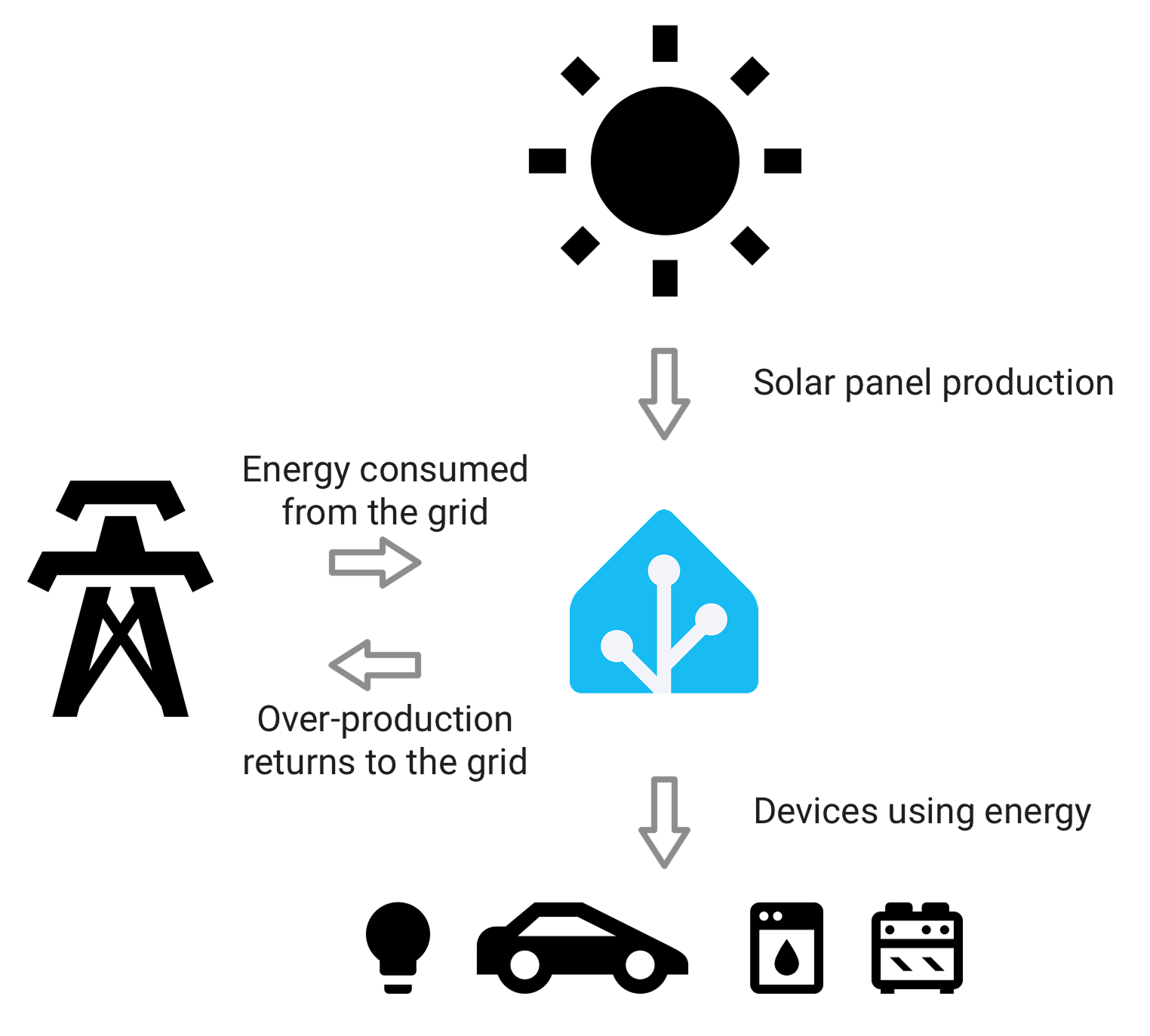
In Home Assistant, the gateway normally appears as a TCP host and port. You still need to define the meter's slave address, registers, data type, scale, unit, and scan interval. The gateway does not automatically know that register 0 is voltage or that another register is imported energy.
This has two practical consequences:
First, choose a meter with available register documentation. A meter with accurate Modbus documentation is easier to integrate than a cheaper meter with unclear or incomplete register tables.
Second, keep your polling interval realistic. Energy dashboards do not need every register every second. Fast polling across a slow serial bus can create timeouts, delayed replies, or stale values, especially with multiple meters.
For many home setups, reading key power values every 5 to 15 seconds and cumulative energy values less aggressively is more useful than trying to pull every available register continuously.
Best-fit examples
Solar home with a three-phase Modbus meter
A three-phase solar home may need import/export visibility per phase, total power, net energy, and clear load calculation. If the meter is in the switchboard and the monitoring server is elsewhere, a gateway is a strong fit.
The gateway gives Home Assistant or another local dashboard stable network access, while the Modbus meter remains in the correct measurement position.
EV charger sub-metering
If you have a DIN-rail meter on the EV charger circuit, an RS485 gateway can expose that charger load to the rest of the energy system. This helps separate household load from EV charging and makes solar-aware charging analysis more credible.
It is most useful when the charger app data is not detailed enough, not local enough, or not easy to combine with solar and grid data.
Small commercial tenant allocation
For a small site with several sub-meters, a gateway can let a BMS or energy dashboard read all meters without walking up to the panel. In this case, use more conservative industrial hardware, documented addressing, labeled wiring, and a change log for meter addresses and register maps.
Hobby dashboard with one nearby meter
If the meter is beside the Home Assistant box and the environment is simple, use a USB-RS485 adapter first. You can always move to a gateway later if the physical layout or reliability requirements grow.
What to buy: a practical checklist
Before choosing a gateway, write down the answers to these questions:
- Does the meter use Modbus RTU over RS485, or does it already support Modbus TCP?
- How many meters will share the bus?
- What are the meter addresses, baud rate, parity, stop bits, and register maps?
- Does the monitoring software support Modbus TCP, RTU over TCP, or only serial Modbus?
- Will the gateway live near mains equipment, and does it need DIN-rail mounting or isolation?
- Do you need more than one software client to access the data?
- Can you reserve a stable IP address for the gateway?
- Who will maintain the configuration after installation?
If you cannot answer those questions, pause before buying. The gateway is usually not the expensive part. The expensive part is installing a system that produces numbers nobody trusts.
Common mistakes to avoid
Do not buy a gateway only because the meter says RS485. Some energy meters are easier to replace with a network-native model if you have not installed anything yet.
Do not assume every RS485 to Ethernet device behaves as a true Modbus TCP gateway. Read the operating modes carefully.
Do not run a long, messy RS485 star topology and expect Ethernet to clean it up. The serial side still has to be electrically sound.
Do not poll every register too quickly. A slow serial bus, multiple devices, and aggressive dashboards are a bad mix.
Do not skip the meter documentation. The gateway can deliver packets perfectly while the dashboard displays nonsense because the register map is wrong.
Do not treat gateway data as revenue-grade billing evidence unless the entire metering installation, device certification, and data chain are designed for that purpose.
Bottom line
An RS485 to Ethernet gateway is worth it when it turns a good DIN-rail Modbus meter into a reliable network data source. It is especially useful for solar homes, three-phase panels, EV charger sub-metering, battery-aware dashboards, and small commercial energy monitoring where the meter is in the right electrical location but the software is somewhere else.
It is not automatically required. If your meter already has local network access, or if a USB adapter beside the monitoring box is simple and stable, spend your effort on correct measurement boundaries and register mapping first.
The best setup is the one where the electrical measurement point is right, the communication path is boring, and the dashboard numbers are easy to explain six months later.
Further reading and source notes
- Moxa Modbus TCP gateway product category - used to confirm the general RTU/ASCII to Modbus TCP gateway role.
- Home Assistant Modbus integration - used to confirm Home Assistant support for serial, TCP, and UDP Modbus connections.
- Eastron SDM630 Modbus protocol documentation - used for RS485 wiring, topology, address, and register-format considerations.
- METZ CONNECT note on connecting Modbus RTU energy meters in an IP network - used to cross-check the Modbus RTU meter to Modbus TCP master pattern.