Most homeowners do not buy an energy meter because they dream about protocols. They buy one because they want clearer answers: why the bill changed, whether solar is really covering the house, which load is eating power, or whether a future EV charger or battery will complicate everything.
That is why the difference between an open energy meter and a closed app matters more than it first appears. It is not a hobbyist argument. It changes whether your meter remains useful after your first dashboard stops being enough.
In this article, open means the meter gives you practical ways to reuse your data outside one vendor app, such as local APIs, MQTT, Modbus, HTTP endpoints, CSV or JSON export, or clean third-party integrations. Closed does not automatically mean bad. It usually means the main experience stays inside the vendor's own app and cloud workflow.
The short version
An open energy meter usually gives you more freedom to:
- send data to platforms like Home Assistant
- build local dashboards or keep data on your own network
- mix whole-home and device-level monitoring over time
- automate loads based on live energy conditions
- switch software later without throwing away the hardware
A more closed app-centric meter is often still fine if your only goal is:
- check usage in one app
- get a few alerts
- see whether bills are trending up or down
- avoid any setup beyond the vendor ecosystem
The question is not which philosophy is morally better. The question is whether you want a meter that stays useful when your monitoring needs become more specific.
What “open” actually changes in real life
A meter does not become valuable just because it exposes a protocol on paper. It becomes valuable when that openness lets you answer more questions, with fewer dead ends.
Here are the practical differences that usually matter most.
1. You can use the data in more than one place
With a closed app, the vendor dashboard is often the whole experience. If the app is good, that can be enough for a long time. But if you later want a wall tablet, a family dashboard, a local automation server, or a different analytics flow, you may discover the meter cannot easily leave its original ecosystem.
An open meter gives you more than one destination.
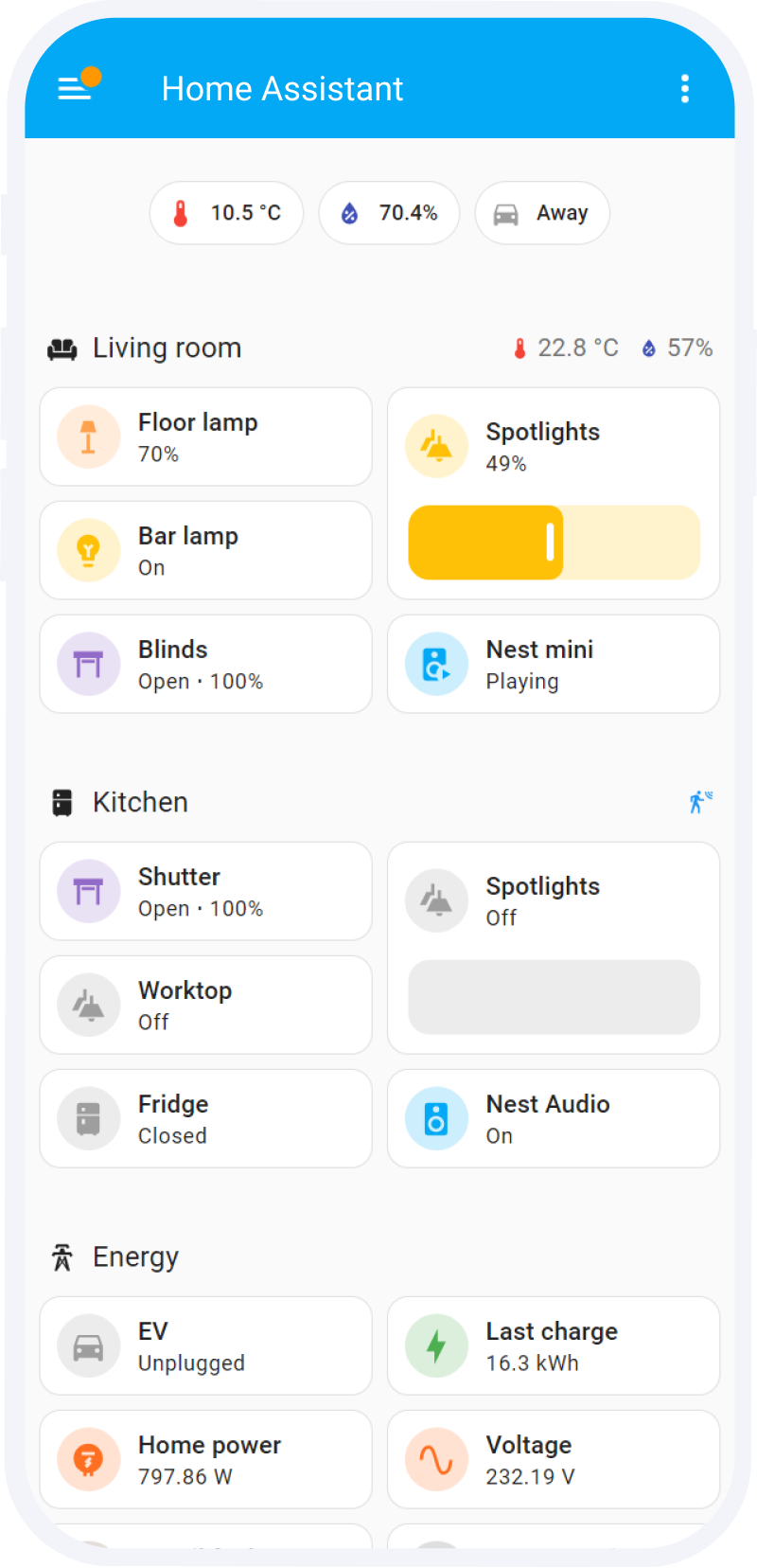
For example, Home Assistant's energy system is built as an open platform rather than a hardware-locked one, and its documentation explicitly supports combining grid, solar, battery, and individual-device energy data. That flexibility matters because it lets the meter become part of a broader monitoring design instead of a single branded screen.
This is one reason readers comparing meters often end up on guides like Which Smart Energy Meter Works Best with Home Assistant?. They are not only comparing measurement accuracy. They are comparing future options.
2. You can keep working even if you outgrow the original app
A lot of homeowners start simple and become more specific later.
At first, they only want to know:
- how much the house uses overnight
- whether solar export is too high
- whether one appliance is unexpectedly expensive
Later, the questions become more demanding:
- can I separate EV charging from the rest of the house?
- can I compare heat-pump use against solar surplus periods?
- can I keep data local?
- can I feed the same data into automations and reports?
A closed app can be perfectly good at the first stage and frustrating at the second.
An open meter is more likely to survive that upgrade path because the hardware and the software are not tied quite so tightly together. The meter can keep measuring while your dashboards, automations, or storage strategy evolve around it.
That is why this topic sits naturally beside EnergyMeterHub's recent guide on How to Add Consumption Monitoring to a Solar Home That Only Has Inverter Data. The long-term problem is rarely “I do not have an app.” It is “my current app cannot answer the next question.”
3. Local data and local control become possible
For some homes, cloud-only monitoring is fine. For others, it becomes the limiting factor.
A more open meter may offer one or more of these:
- data visible on the local network
- local logs stored on the device
- local APIs for polling current and historical values
- MQTT or Modbus for integration into other systems
- automation paths that still work even if the vendor cloud is slow or unavailable
Shelly's current EM Gen3 positioning is a good example of why this matters. Its published feature set includes local data storage, JSON export through RPC, and protocol support such as MQTT, HTTP, WebSocket, and RPC. That combination gives the meter more life outside the default mobile app.
IAMMETER positions the same idea from another angle. Its single-phase meter materials emphasize an open API and direct integration paths for Home Assistant, MQTT, Modbus, HTTP, and third-party servers. In practical terms, that means the meter can sit inside a vendor app, a self-hosted stack, or a mixed workflow instead of forcing you to choose only one.
If local-first ownership matters more than app polish, device pages such as Shelly EM, IAMMETER WEM3080, and the IAMMETER Local integration page are the kinds of paths worth comparing.
4. Automation becomes more useful, not just more possible
People often hear “open” and think of advanced users writing scripts for fun. The more practical value is simpler than that.
If your meter data can leave the app cleanly, you can build actions around real conditions such as:
- pause charging when imports spike
- heat water when surplus solar appears
- alert when a background load stays above normal overnight
- separate one circuit's behavior from the whole-home total
- trigger different actions depending on tariff windows
That does not mean every homeowner should build a complicated automation stack. It means that open data gives you the option to act on the measurement instead of only looking at it.
This matters more in solar homes, electrified homes, and mixed-load homes where one decision affects another. An EV charger, battery, hot-water system, and heat pump can all be reasonable on their own while still creating a messy total picture together.
5. Open meters are usually better for mixed systems
A closed vendor app is often strongest when most of the important hardware comes from the same ecosystem.
That can work well if your setup is simple and stable.
But mixed systems are common:
- one brand of inverter
- another brand of meter
- a separate EV charger
- a battery added later
- a local dashboard or automation layer on top
The more mixed the system becomes, the more valuable openness usually gets.
That is because openness reduces the chance that one part of the system becomes a visibility island. You are less dependent on one brand's idea of what should be visible, exportable, or controllable.
When a closed app is still the better choice
It is worth saying this clearly: open is not always better for every buyer.
A closed or more app-centric monitor may still be the smarter buy if:
- you want the easiest setup and almost zero tinkering
- the vendor app already answers your main questions well
- you do not care about local dashboards, APIs, or third-party integration
- no one in the household wants to maintain a broader monitoring stack
- your likely future is “check the app sometimes,” not “build a more capable system later”
In other words, a closed system is often enough when convenience matters more than flexibility.
The mistake is not choosing a closed app. The mistake is choosing one without noticing that your real use case is already heading toward deeper monitoring.
A practical way to decide
Before buying, ask these five questions.
1. Do I only want a dashboard, or do I want reusable data?
If all you want is one decent app, a closed system may be fine.
If you want your meter to feed other dashboards, exports, or automations later, openness matters a lot more.
2. Do I expect my setup to become more complex?
Future solar, a battery, an EV charger, submetering, or a Home Assistant setup all strengthen the case for an open meter.
3. Do I care about local visibility or data ownership?
If yes, look closely for concrete capabilities such as local APIs, local logs, MQTT, Modbus, or export functions. Do not assume every Wi-Fi meter automatically gives you those in a usable way.
4. Is the app itself the main value, or is the measurement the main value?
Some products win because the app is polished. Others win because the data is easy to reuse.
You do not always get both equally.
5. What happens if I change software later?
A good meter should not become disposable just because your preferred dashboard changes.
That is one of the clearest real-world benefits of open hardware-plus-data design.
Common buying mistakes
Confusing “works with cloud” with “open”
A meter can upload to the vendor cloud and still be fairly closed if the data is hard to reuse elsewhere.
Confusing “has an API” with “practically usable”
The useful question is whether the API, export path, or protocol actually supports the workflow you want.
Choosing the app first and the measurement model second
If the meter cannot measure the right boundary or the right circuits, app polish will not save the design.
Ignoring future integrations
Many people do not intend to build a more advanced setup until six months later, when they suddenly want EV charging visibility, better solar accounting, or local automation.
Bottom line
An open energy meter is valuable because it keeps your options open after the first app stops being enough.
It lets the same measurement hardware support more than one destination, more than one style of dashboard, and more than one stage of home electrification. That flexibility is what makes open meters especially attractive for readers who care about solar visibility, local monitoring, Home Assistant, or future expansion.
A closed app-centric meter can still be the right choice when simplicity is the goal. But if you already suspect that one day you will want local data, custom alerts, automation, or mixed-system visibility, it is usually worth choosing a meter whose usefulness is not trapped inside a single app from day one.
References
- Home Assistant: Understanding home energy management
- Home Assistant: Integrating individual device energy usage
- Home Assistant: Integrating your electricity grid
- Shelly EM Gen3 official product page
- IAMMETER single-phase meter official page
- IAMMETER Home Assistant integration guide
- IAMMETER Local integration page on EnergyMeterHub
- IAMMETER Cloud integration page on EnergyMeterHub