Most home energy monitoring setups fail early for a simple reason: they are designed around the first question the owner has, not the next five questions the home will create.
A basic app can tell you whether the house is using 800 W or 3 kW right now. That is useful. But one year later the same home may have rooftop solar, a heat pump water heater, a home EV charger, a battery quote on the table, or a time-of-use tariff that makes the timing of consumption more important than the total. If the original monitoring setup cannot show grid import/export, separate major loads, reliable history, or usable data access, the owner often ends up buying a second system.
The better approach is not to overbuy on day one. It is to choose a monitoring architecture that has a clear upgrade path.
Start with the decisions you want the data to support
Before choosing a meter, clamp, gateway, or dashboard, write down the decisions the system needs to help with. A future-proof setup usually supports at least four kinds of decisions:
| Decision | Data you need | Why it matters |
|---|---|---|
| Lowering bills | Whole-home power, daily kWh, always-on load, tariff periods | Helps identify whether the issue is baseline load, heating/cooling, appliance timing, or plan mismatch |
| Solar self-consumption | Solar production, grid import, grid export, household load | Shows whether solar is being used on site or exported at low value |
| EV and large-load planning | Main supply load, charger load, major appliance overlap | Helps avoid nuisance trips and unnecessary panel upgrades |
| Automation and data ownership | Local API, MQTT, Modbus, Home Assistant support, export options | Keeps the data usable beyond one vendor app |
If your answer is only "I want to see today's usage," a smart plug or utility portal may be enough. If you want to make better upgrade decisions over several years, start with the measurement points.
Build from the main meter outward
The first layer should usually be whole-home visibility at the grid connection or main supply. This is the anchor for every later comparison because it tells you what the home is importing, exporting, and consuming as a total system.
For a non-solar home, whole-home monitoring helps separate real usage from guesswork. For a solar home, it is even more important because inverter production alone does not tell the full story. You need to know whether power is going to the house, to the grid, to a battery, or to a flexible load.
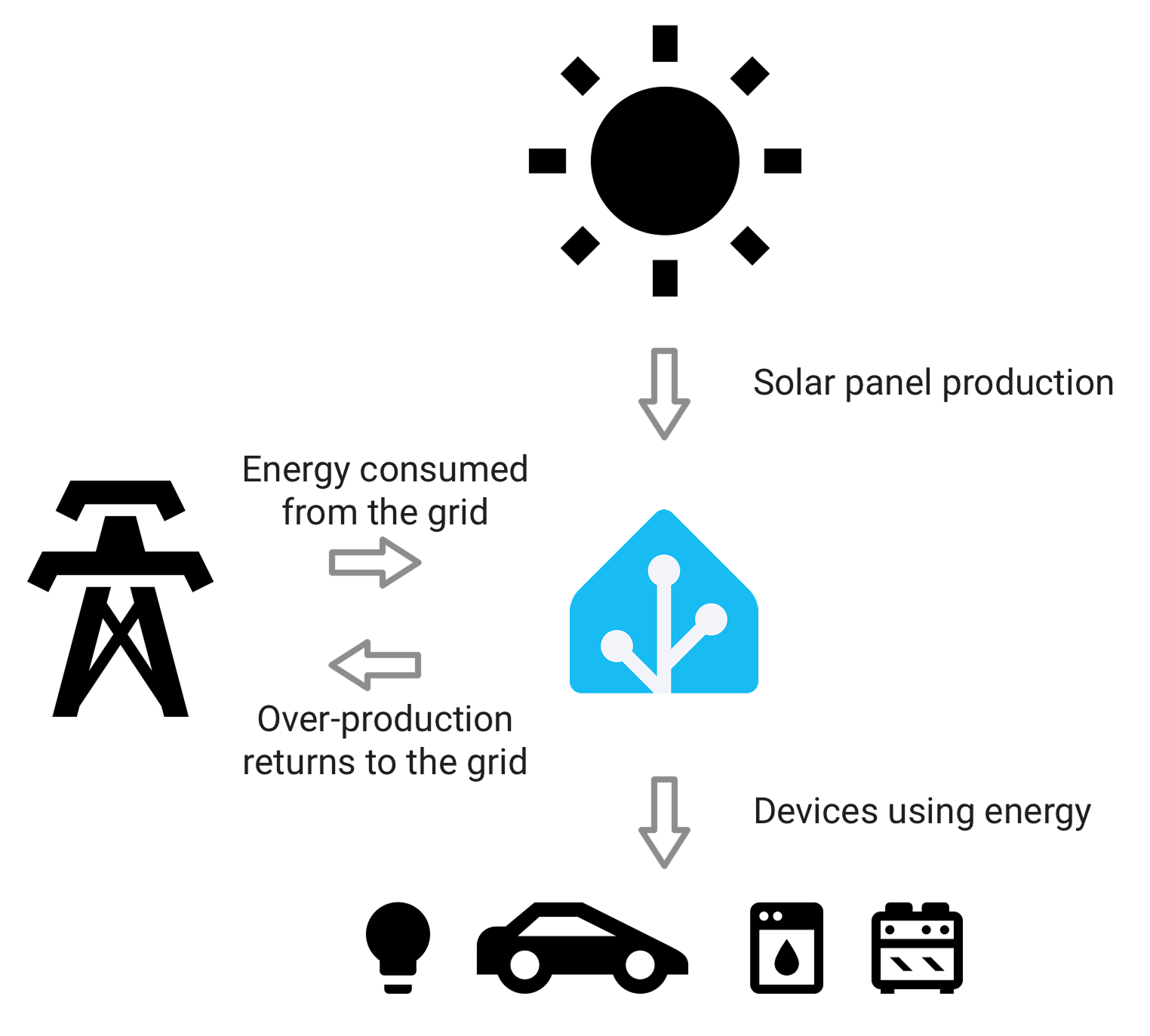
An energy dashboard is only as useful as the measurement boundaries behind it. Start by making grid, solar, and household load definitions clear.
A good first-layer meter should answer these questions:
- What is the house importing from the grid right now?
- What is it exporting, if solar is present?
- Is the reading bidirectional, or does it only count consumption?
- Does it work with your supply type: single-phase, split-phase, or three-phase?
- Can the data be used outside the manufacturer's app?
This is where products such as IAMMETER WEM3080T, Shelly EM, Eastron SDM630, Chint DTSU666, and Fronius Smart Meter 63A-3 sit in different ways. They do not all fit the same buyer. Some are easier retrofits, some are better for inverter-led solar systems, and some are stronger when Modbus or installer-grade metering is the priority.
Add circuit or device metering only where it changes a decision
Circuit-level monitoring is powerful, but it can also become an expensive distraction. The useful question is not "Can I monitor every circuit?" It is "Which separate readings would change what I do?"
The most useful separate loads are usually:
- EV charger
- Heat pump or electric resistance hot water
- Main heating and cooling circuit
- Battery or hybrid inverter circuit, depending on system design
- Pool pump, workshop, outbuilding, or other known large load
- A second fridge, freezer, or always-on appliance group when troubleshooting baseline load
A compact meter can make sense when the load is specific and the installation space is tight. Larger DIN-rail or CT-based meters make more sense when the circuit is high-current, three-phase, or part of a solar/battery control scheme.
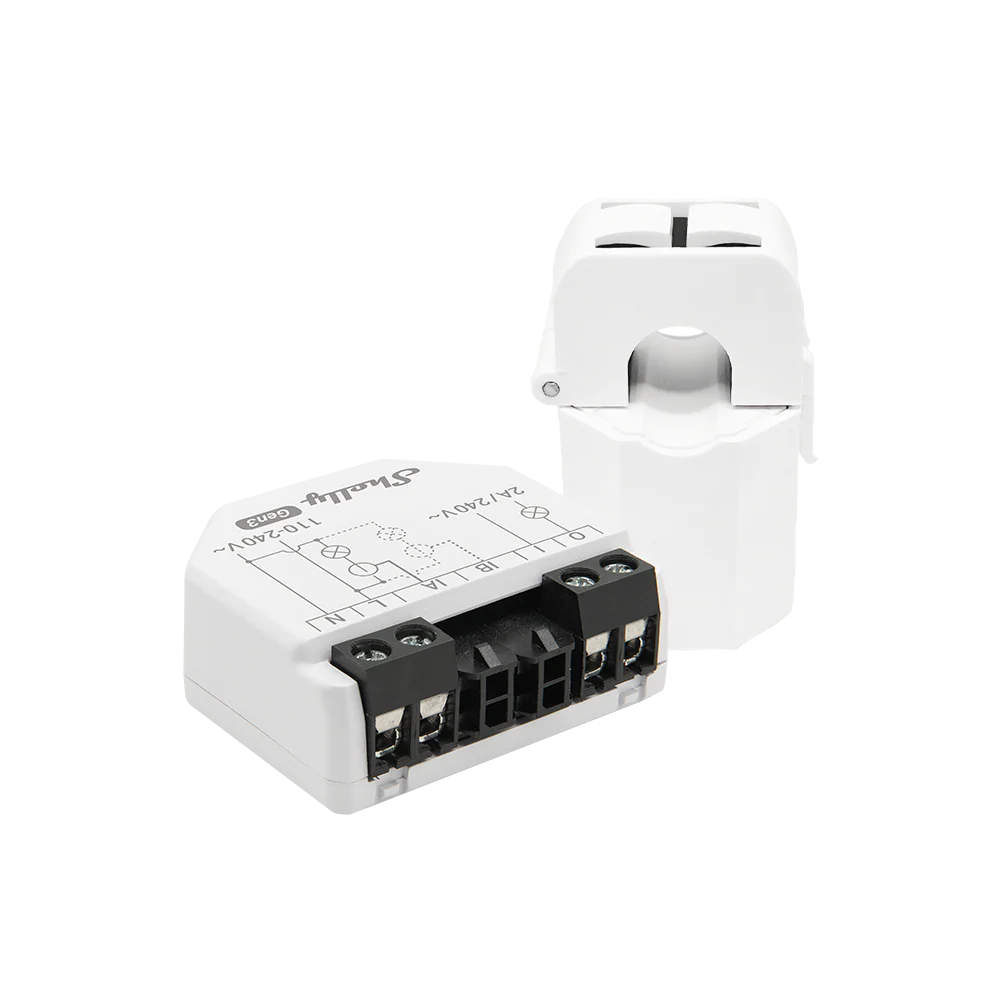
Separate load monitoring is most valuable for circuits that affect tariffs, solar self-consumption, load management, or future upgrade sizing.
If you do not know which circuits matter yet, avoid filling the panel with sensors immediately. Start with whole-home monitoring, watch a few weeks of load shape, then add targeted sub-metering where the data will affect a real action.
Choose a data path before choosing a dashboard
A polished app can be useful, but the data path matters more over time. The key question is whether the meter can still serve you if your preferred dashboard changes.
There are four common data paths:
| Data path | Best fit | Watch out for |
|---|---|---|
| Vendor cloud app | Simple remote access, low setup effort | Limited export, slower updates, possible subscription or service dependency |
| Local API over Wi-Fi/Ethernet | Home Assistant, local automations, custom tools | Requires network reliability and some configuration comfort |
| MQTT | Flexible automation and event-driven integrations | Needs a broker and topic structure discipline |
| Modbus RTU/TCP | Installer-grade meters, gateways, inverters, SCADA-style setups | Needs register mapping and careful wiring/network design |
This does not mean cloud is bad. A cloud platform can be the right answer for normal households that mainly want a usable app and remote access. But if you care about Home Assistant, local automation, historical exports, or long-term independence, a local data path should be part of the purchase decision.
The Home Assistant energy dashboard, IAMMETER Local, Node-RED, and Grafana + InfluxDB all benefit from meters that expose usable local or exportable data. If the meter only shows data inside one app, it may be enough today but limiting later.
Leave room for solar, battery, and EV charger changes
A setup that works for a non-solar home may not work cleanly after solar is added. A solar-only setup may become confusing once a battery or EV charger is installed. The common failure is not the hardware itself; it is a measurement boundary that no longer matches the real energy flow.
Plan for these future questions:
- If solar is added, can the system distinguish grid import, grid export, household consumption, and inverter production?
- If a battery is added, can it show charge/discharge separately from household load?
- If an EV charger is added, can charger load be monitored separately enough for load management or solar charging decisions?
- If tariffs change, can the data be grouped by time period instead of only by daily total?
- If the home moves from single-phase to three-phase equipment, will the monitoring still make sense?
For EV charging, the monitoring system does not always need to control the charger. But it should make the charger visible enough that the owner can answer: "Did this charging session use surplus solar, cheap overnight energy, or expensive peak grid power?"
For batteries, the question is similar: "Is the battery reducing import at valuable times, or just moving energy in a way that looks good on one app but does not improve the bill?"
Do not ignore gateways and protocol bridges
Some of the best long-term monitoring setups use a simple meter plus a gateway or integration layer. This is common when a reliable Modbus meter is already installed but the user wants Ethernet, MQTT, Home Assistant, or a custom dashboard.
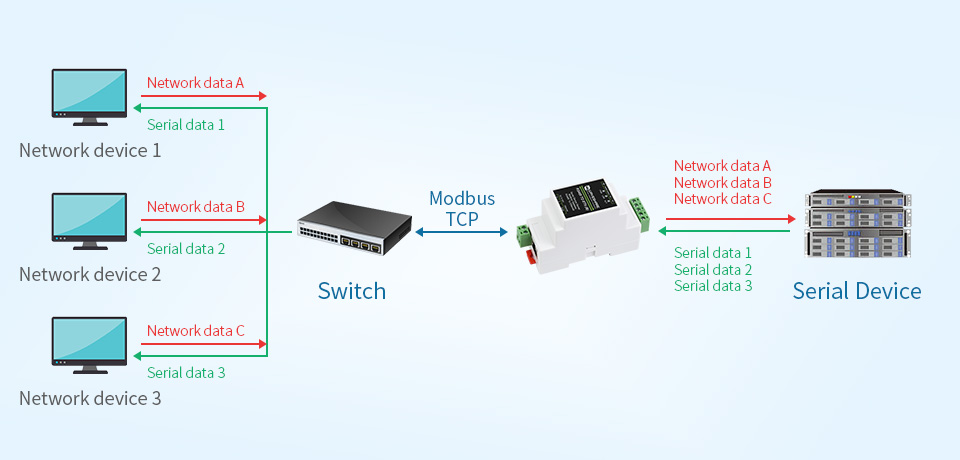
A gateway can extend the life of a Modbus meter by bringing RS485 data into a local network, dashboard, or automation stack.
A gateway-based design can age well when:
- The meter is electrically solid and already installed correctly.
- The protocol is open enough to read the values you need.
- The gateway supports a stable local network path.
- You are comfortable documenting register maps, device addresses, and polling intervals.
It can age badly when the system depends on undocumented registers, fragile Wi-Fi, or a one-off script that nobody in the household understands later. If a gateway is part of the design, document it like a small infrastructure component, not like a disposable accessory.
Keep the dashboard boring and the data reliable
A good dashboard should make decisions easier, not just look impressive. The core views should be simple:
- Now: live household load, grid import/export, solar production, and key large loads.
- Today: kWh by source and destination, peak demand, and tariff-period usage.
- This month: cost trend, solar self-consumption, export, and top flexible loads.
- Exceptions: unusual overnight load, unexpected export, charger sessions, battery behavior, or communication dropouts.
Home energy dashboards become untrustworthy when they silently mix boundaries. For example, a dashboard may show solar production from the inverter, grid import from a utility portal, and appliance data from smart plugs with different update intervals. That can still be useful, but it should not be treated as one perfectly synchronized measurement system.
If you care about accuracy, decide which numbers are authoritative. For billing-like totals, a meter designed for energy measurement is usually a better anchor than a smart plug or app estimate. For behavior change, approximate appliance-level data may be good enough.
A practical upgrade path that does not overbuy
For most homes, a sensible one-year-proof path looks like this:
- Install or activate whole-home monitoring at the main supply or smart meter interface.
- Confirm import/export support if solar is present or likely.
- Choose a meter or reader with at least one usable data path beyond a locked app.
- Add a dashboard layer only after the measurement boundaries are clear.
- Sub-meter the EV charger, hot water, HVAC, or other major load only when it affects a decision.
- Keep notes on CT direction, phase mapping, register settings, API endpoints, and dashboard assumptions.
- Review the setup before adding solar, a battery, or a charger, instead of after the data becomes confusing.
This is a middle path between underbuying and overbuilding. You avoid a dead-end app-only setup, but you also avoid installing a large monitoring system before knowing which data you will actually use.
What to avoid
Avoid buying a monitor only because the app screenshots look good. Screenshots do not tell you whether the data can be exported, whether solar import/export is handled correctly, or whether the system can survive a future battery or EV charger.
Avoid assuming more sensors always mean better insight. Ten poorly labeled circuits can be less useful than one accurate main meter plus two well-chosen sub-meters.
Avoid mixing cloud-only data and local data without understanding the timing. A one-minute inverter update, a five-second local meter, and a daily utility download can all be valid, but they should not be treated as the same kind of signal.
Finally, avoid hiding installation assumptions. CT direction, phase mapping, neutral placement, and meter location are not boring details. They decide whether the dashboard tells the truth.
Bottom line
A home energy monitoring setup that lasts is built around boundaries, data access, and upgrade paths. Start with whole-home visibility. Add circuit-level metering only where it changes a decision. Prefer devices that leave at least one open or local data path. Then connect the system to a dashboard that explains the home clearly instead of locking the owner into one app.
That is how you avoid buying a monitor twice.