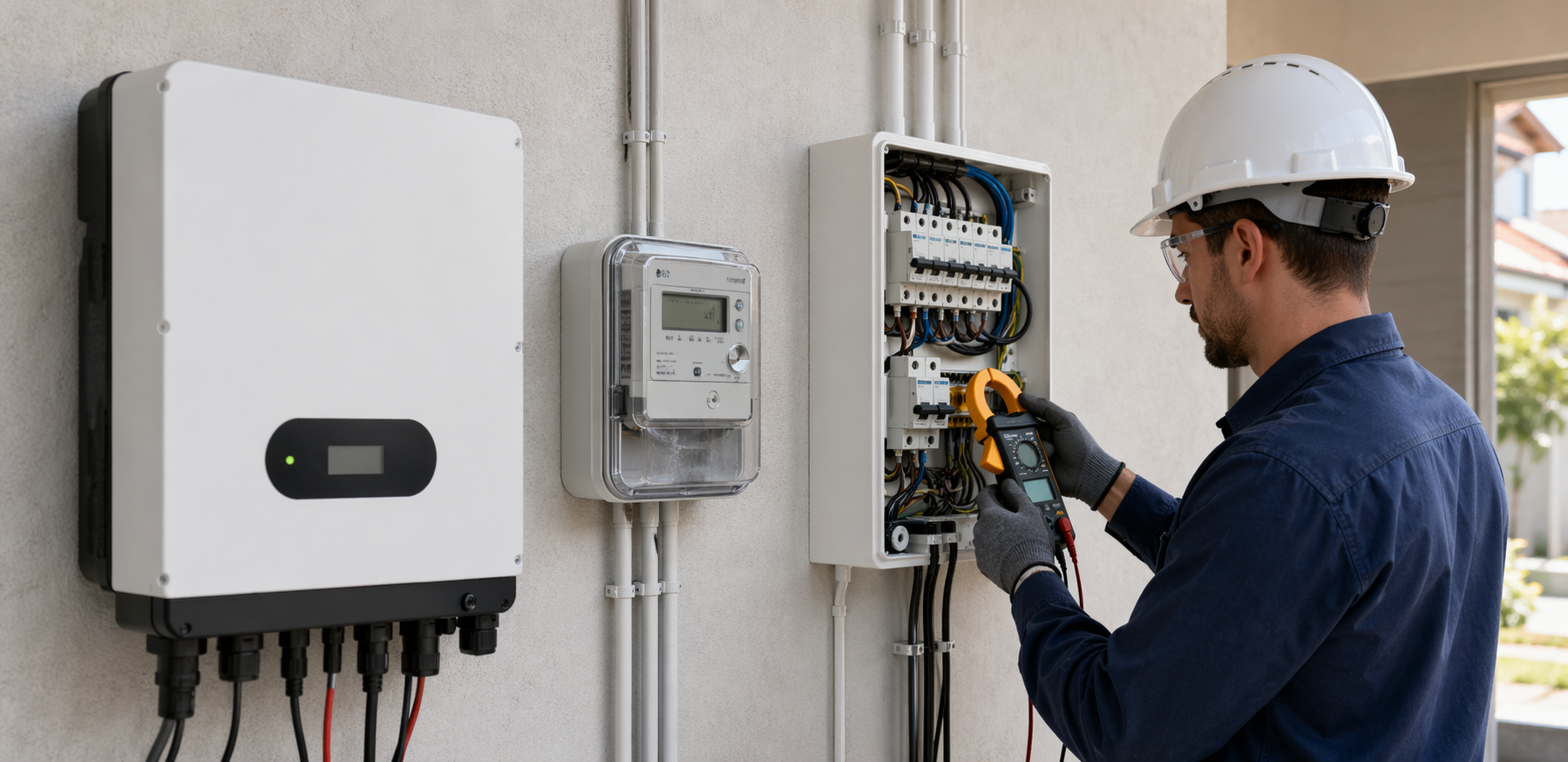
If you are trying to work out which energy number is the “real” one at home, the short answer is this: each meter is usually telling the truth about a different part of the system.
A utility smart meter is the number that matters most for billing and grid import or export. An inverter meter is the number to trust for solar generation. A clamp-based home energy monitor is often the most useful tool for understanding what is happening inside the house in real time. Problems start when people expect all three to match exactly.
That is why one app may say your solar made 24 kWh, your utility portal may show 11 kWh export, and your home monitor may show a very different household load shape on the same day. Those numbers can all be correct at the same time.
| Device | Best used for | Usually the best source for | Common limitation |
|---|---|---|---|
| Smart meter | Utility measurement at the grid connection point | Bills, imports, exports, tariff data | Does not tell you much about appliance-level behavior |
| Inverter meter | Solar system production reporting | PV generation, inverter faults, string or MPPT behavior | Often cannot see whole-home loads properly |
| Clamp monitor | Measuring current on selected circuits or mains | Home load patterns, self-consumption clues, fast troubleshooting | Accuracy depends heavily on placement and setup |
What a smart meter actually measures
A smart meter sits at the grid connection point. Its job is not to explain your whole energy system. Its job is to record what crosses the boundary between your home and the grid.
That makes it the right source when you want to answer questions like:
- How much electricity did I import from the grid?
- How much solar did I export?
- Which tariff period did that usage fall into?
- Why does my bill look different this month?
If your goal is to understand charges on your electricity bill, the smart meter is the first number to trust. That is also why a utility smart meter or interval-data portal is often the best reference point when you are checking whether your inverter app is giving you the full story. If you want a refresher on that mismatch, see Why Your Inverter App Does Not Match Your Power Bill in 2026.
The limitation is that the smart meter only sees the grid edge. It does not directly tell you how much power your oven, air conditioner, EV charger, or heat-pump hot water system used. It also does not tell you how much solar was generated before your home consumed some of it.
What an inverter meter actually measures
Your inverter meter, or inverter app, is mainly there to report what the solar inverter is producing. In a simple residential system, that usually means PV generation measured at or inside the inverter.
That makes it the right source when you want to answer questions like:
- How much solar did the array generate today?
- Is generation lower than it should be for the weather?
- Is one string behaving differently from the other?
- Did the inverter trip, clip, or shut down?
If the inverter says your system produced 22 kWh today, that does not mean 22 kWh went to the grid. Some of that energy may have gone straight into household loads, some may have charged a battery, and only the remainder may have been exported. That is the core reason production and export rarely match, as explained in Why Solar Production and Export Do Not Match in 2026.
The limitation is that inverter data is usually production-first, not whole-home-first. Some modern hybrid systems add consumption CTs and battery flows, but the quality of those numbers depends on wiring, CT direction, meter placement, firmware logic, and whether the installer configured the system correctly.
What a clamp-based monitor actually measures
A clamp-based monitor uses CT clamps around one or more conductors to estimate current flow. Depending on where the clamps are placed, it can be used to measure whole-home demand, solar output, EV charging load, hot-water circuits, or selected subcircuits.
That makes it extremely useful when you want to answer questions like:
- What is my house actually consuming right now?
- Which loads are turning on during the evening peak?
- How much of my solar is being self-consumed?
- Is the EV charger pushing my demand spike higher than expected?
For practical troubleshooting, a clamp monitor is often the most helpful daily-use tool because it shows what the house is doing rather than just what the grid or inverter sees.
The catch is accuracy. A clamp monitor can be brilliant when installed and configured well, and badly misleading when it is not. Common problems include the clamp being on the wrong conductor, reversed orientation, incorrect phase mapping, bad voltage assumptions, or trying to infer too much from only one measurement point. That is why clamp-based monitoring is often the best troubleshooting tool and the easiest system to misread.
Which number should you trust for each question?
Use this rule of thumb before you assume something is broken.
| If you want to know... | Start with... | Why |
|---|---|---|
| What the utility will bill you for | Smart meter | It measures imports and exports at the grid boundary |
| How much solar the array generated | Inverter meter | It sees PV production directly |
| What the house is consuming right now | Clamp monitor | It can track mains or circuit-level load |
| Whether a battery reduced evening imports | Smart meter plus battery or clamp data | One tells you grid result, the other explains internal flow |
| Whether an EV charger is causing a demand spike | Clamp monitor | It is best for circuit behavior and timing |
| Whether your solar setup is underperforming | Inverter meter first, then smart meter or clamp data for context | Generation faults and household flow are different questions |
Why the numbers often do not match
In real homes, these devices are measuring different points in the energy path.
A simple example:
- Solar array generates 18 kWh according to the inverter
- Your home uses 9 kWh directly during daylight
- Battery charging takes 3 kWh
- Smart meter records 6 kWh export
Nothing is wrong there. The inverter sees generation, while the smart meter only sees what leaves for the grid.
Now add a clamp monitor on the mains and the picture becomes richer again. It may show the house pulling 2.4 kW when the oven and dishwasher run together, even while the smart meter shows almost no import because solar is covering the load at that moment.
This is also why the “best” monitor depends on the question. A billing question, a solar-production question, and a load-shifting question are not the same diagnostic job.
What setup makes the most sense for most homes?
For a normal solar home, the strongest setup is usually not choosing one meter and ignoring the rest. It is using each layer for the job it does best.
A practical hierarchy looks like this:
- Smart meter for billing truth and import/export history.
- Inverter monitoring for solar production and system health.
- Clamp-based monitoring when you want better visibility into loads, self-consumption, EV charging, hot water, or circuit behavior.
If you do not have solar, a clamp-based whole-home monitor can still be worth adding because it helps you find demand spikes, always-on load, and appliance timing issues that a bill alone cannot explain.
If you do have solar and feel that the inverter app is “missing something,” the missing layer is often consumption monitoring rather than a better inverter.
For a broader buyer view, Solar Monitoring System Australia: What Homeowners Should Buy in 2026 and How to Read Smart Meter Interval Data Before You Buy Solar or a Battery in Australia (2026) are good next reads.
Common buying mistake to avoid
One of the most common mistakes is buying a device because it promises “energy monitoring” without first deciding what question you are trying to answer.
If you want billing accuracy, start with the smart meter data.
If you want to know whether your panels are generating properly, start with the inverter.
If you want to understand household behavior, appliance timing, or where your excess solar is going, you usually need clamp-based monitoring in the right place.
Trying to make one device do every job is what causes most of the confusion.
Bottom line
A smart meter, inverter meter, and clamp monitor are not rivals in the same lane. They are measurement tools looking at different parts of the same energy system.
Trust the smart meter for what crossed the grid boundary, trust the inverter for what the solar system produced, and trust a well-installed clamp monitor for what your home is doing internally. When those numbers do not match exactly, that is often a sign that you need better interpretation, not proof that one of the devices is faulty.
If you are troubleshooting a mismatch, start by writing down the exact question you want answered first. That usually tells you which meter you should believe.