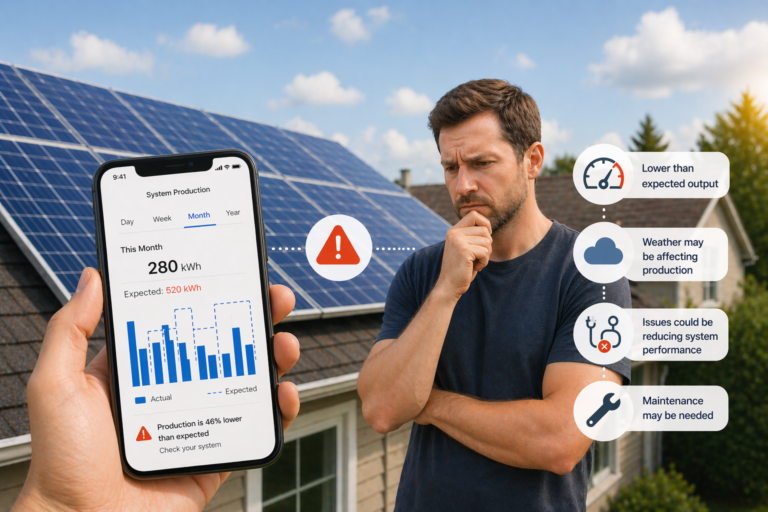
If your solar system suddenly looks weak, do not start with the electricity bill.
A higher bill can mean lower solar output, but it can also mean worse weather, shorter days, more daytime cooling, new EV charging, or less favorable export credits. Real underperformance usually shows up in the solar data itself: lower output on comparable sunny days, recurring inverter warnings, or one part of the array lagging behind the rest.
| What you notice | More likely explanation | Check first |
|---|---|---|
| Output looks lower than last month | Normal seasonal change or weather variation | Compare with similar sunny days, not a different season |
| Bills are worse but solar production looks normal | Higher household usage or lower exports | Check import/export data before blaming the panels |
| One part of the system looks weak | Shade, dirt, one failed panel, or one weak string | Use panel-level or string-level views if available |
| App data has gaps or looks frozen | Monitoring or communications issue | Check inverter status, gateway, and internet link |
| Clear days now produce less than similar clear days used to | Possible real underperformance | Work through the checks below in order |
1. Compare against the right days
The fastest bad diagnosis is comparing the wrong periods.
Do not compare a cloudy week with a bright week and call it underperformance. Do not compare winter against midsummer and assume something is broken. Start with:
- a clear day against another clear day
- this month against the same season, not a different season
- recent output against the system's own past pattern, not a neighbor's system with a different roof, tilt, or shading profile
The Australian Government's consumer guidance says monitoring helps you spot a dip in generation over time. Fronius makes the same point from the monitoring side: compare actual yield, current values, and the daily curve instead of staring at one headline number.
2. Check the inverter or app for obvious faults first
Before building a theory around dirty panels or failing modules, look for the simple signals:
- inverter fault or warning codes
- recent shutdowns or repeated restarts
- app alerts or email notices
- missing data caused by a gateway or internet outage rather than a production problem
This step matters because some "low production" complaints are really visibility problems. If the system stopped uploading data for part of the day, the graph may look weak even when the array itself was fine.
If your inverter or app only gives a basic daily total and almost no history, the problem may be your monitoring depth rather than the system. In that case, start with Solar Monitoring System Australia: What Homeowners Should Buy in 2026.
3. Look for new shade, dirt, or obvious physical changes
Underperformance often starts with something simple that changed after installation:
- tree growth
- new shade from a structure or antenna
- storm debris, leaves, or bird fouling
- visible panel damage
Do not overcorrect here. A bit of dust on a typical pitched roof is usually not the first place to look. But new shading, heavy grime, storm debris, or one visibly affected section of the array can absolutely explain a drop.
The government's solar maintenance guidance also notes two useful homeowner habits:
- keep an eye on whether new trees or buildings are starting to shade the array
- have the system professionally inspected and serviced periodically rather than waiting until the bill feels wrong
4. Look at the shape of the day, not just the total
Daily totals hide useful clues.
On a good clear day, solar output usually ramps up in the morning, peaks around the middle of the day, and falls away later. When the shape looks wrong, it often tells you more than the final kWh number:
- a weak midday peak can point to genuine production loss
- sudden repeated dropouts can point to faults or temporary shutdowns
- an unusual shoulder or midday dip can point to shade
This is where a decent inverter app or monitoring portal becomes much more useful than a monthly bill. Fronius explicitly highlights daily curve comparisons for exactly this reason: they help you spot deviations much faster than waiting for a billing cycle.
5. Separate lower production from higher self-consumption
This is the check homeowners skip most often.
If your app says solar production is close to normal but exports are down and your bill is up, the system may not be underperforming at all. You may simply be using more solar on site.
Common reasons:
- a new EV charging schedule
- a hot water timer or diverter using more midday energy
- more daytime cooling or heating
- a battery charging more aggressively during the day
That is why the bill is a poor first diagnostic tool. The bill tells you what happened at the meter, not whether the array itself produced less energy.
If you need to separate solar production from grid imports and exports more clearly, read How to Read Smart Meter Interval Data Before You Buy Solar or a Battery in Australia (2026).
6. Use string-level or panel-level views if you have them
If your monitoring can show more than one aggregate system total, use it.
This is where better monitoring earns its keep:
- string-level data can show whether one part of the array is lagging
- panel-level data can reveal one shaded, dirty, or faulty module
- whole-home import/export data can show whether the problem is really higher usage rather than lower generation
Enphase's homeowner guidance is especially clear on the panel-level point: an array view makes it much easier to spot one weak panel or one shaded section when overall production looks low.
If your current setup only shows one number for total generation, that does not prove the system is healthy or unhealthy. It just means your visibility is limited.
7. Review what changed right before the drop
If the system looked fine for months and then "underperformed" after a specific change, start there.
Useful questions:
- Did the drop start after a storm?
- Did a tree or new structure begin casting shade?
- Did a battery, EV charger, or hot water control strategy change?
- Did export limiting or other inverter settings change?
- Did monitoring hardware or internet connectivity change?
Sometimes the system is behaving exactly as configured, but the household changed what "normal" looks like.
When to stop diagnosing and book service
Call your installer or service provider when you see one of these patterns:
- recurring inverter faults or shutdowns
- visible damage, scorching, cracked panels, or damaged isolators
- one string or one panel group consistently lagging behind the rest
- a persistent drop on comparable clear days with no obvious weather or usage explanation
- monitoring that suggests a hardware issue rather than a data gap
Do not turn this into a rooftop guessing game. Homeowners can compare data, check for obvious shading, and inspect safely from the ground. Electrical and on-roof diagnosis should stay with qualified installers.
The practical bottom line
Most "underperforming solar" complaints turn out to be one of four things: wrong comparison period, higher daytime usage, new shading, or a monitoring blind spot.
Real hardware underperformance does happen, but it usually becomes obvious when you compare the right days, check the inverter history, and look for one weak section instead of staring at the bill alone.