Best Whole-Home Energy Monitor in 2026: Emporia Vue 3 vs Shelly EM vs Schneider Energy Monitor
A good whole-home energy monitor should do more than show a big number for "house power right now." The right choice depends on what you are trying to learn: which circuits are costing money, whether solar is being used well, whether you need local data for automation, or whether the monitor should become part of a smarter electrical panel over time.
For most buyers in 2026, the short answer is this:
- Choose Emporia Vue 3 if you want the broadest circuit-level visibility for the money and are comfortable with a cloud-first app.
- Choose Shelly EM if you care more about local protocols, Home Assistant, MQTT, HTTP, and flexible automation than monitoring every circuit in the panel.
- Choose Schneider Energy Monitor if your home is already moving toward the Schneider / Square D ecosystem and you want energy monitoring to sit closer to panel control and future load-management hardware.
That sounds simple, but the details matter. These products solve overlapping problems in very different ways.

Whole-home monitors usually live inside or near the electrical panel, so installation quality, CT placement, panel space, and data architecture matter as much as the app.
The quick comparison
| Feature | Emporia Vue 3 | Shelly EM | Schneider Energy Monitor |
|---|---|---|---|
| Best fit | Cost-effective circuit visibility | Local data and automation | Schneider panel ecosystem |
| Measurement style | Main CTs plus optional branch CTs | Two CT channels | Main CT-based home monitoring |
| Circuit-level detail | Strong: up to 16 branch circuits per Vue kit | Limited: two measured channels | App-led disaggregation and ecosystem control rather than many physical branch CTs |
| Local data | Weak: internet required for key features | Strong: local web, MQTT, HTTP, WebSocket, RPC | Limited for general DIY data reuse; app/ecosystem-led |
| Home Assistant fit | Not official/local-first | Strong through Shelly integration | Not the primary fit |
| Solar monitoring | Good when CT placement and configuration are correct | Useful for simple single-phase solar import/export or targeted channels | Solar variants and Schneider ecosystem context matter |
| Installation complexity | Panel CT installation, many small CTs if using 8/16 circuit kit | Smaller retrofit device, but still electrical work | Panel installation in Schneider/Square D context |
| Buyer risk | Cloud dependency and panel clutter | Only two channels; not full circuit map | Ecosystem lock-in and regional availability |
When Emporia Vue 3 is the best choice
Emporia Vue 3 is the most obvious pick when the buyer's main question is: "Which circuits are using the energy?" The 16-sensor kit is designed around two main 200 A CTs plus up to 16 branch-circuit CTs, and Emporia's current official product page positions it around real-time usage, circuit tracking, solar/net metering, notifications, and app-based energy management.
That makes Vue 3 a strong fit for homes where the pain is not just total consumption, but unexplained circuit behavior: electric water heating, HVAC, pool pumps, workshop loads, EV charging, laundry, oven use, or a mystery overnight base load. It is also useful for property owners who want a consistent app view across multiple panels or multiple Vue units.
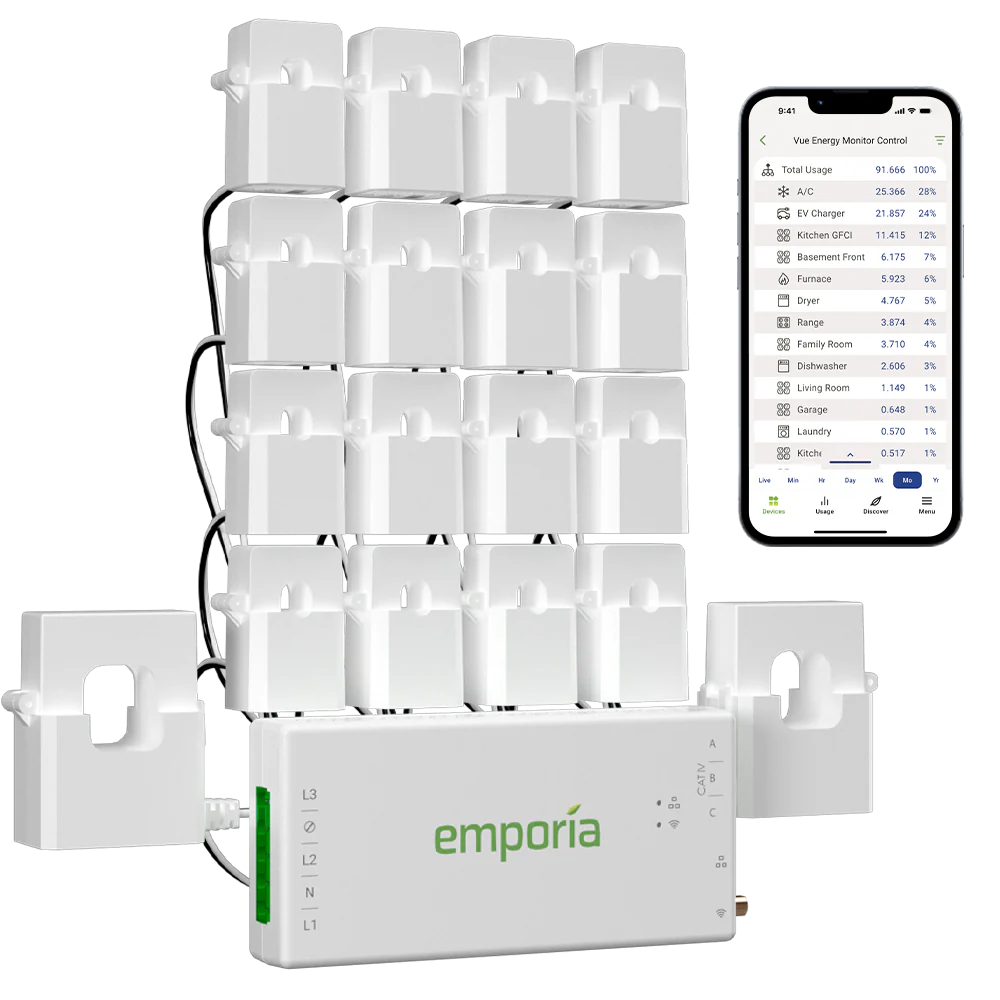
Emporia Vue 3 is the most circuit-rich option in this comparison, especially when the buyer wants physical CTs on multiple branch circuits.
The trade-off is data ownership. Emporia's current product page states that an internet connection is required for key features including real-time energy monitoring, unlimited cloud storage, and automatic updates. That does not make it a bad product. It does mean Vue 3 is a better match for users who want a polished, cloud-managed energy app than for users designing a local-first monitoring stack.
Choose Emporia Vue 3 if:
- You want to compare many circuits without buying separate meters for each load.
- You are more interested in app usability than local API flexibility.
- You want solar/net metering visibility and can place CTs correctly around the solar interconnection.
- You are trying to identify expensive circuits before making appliance, insulation, battery, or EV charger decisions.
- You accept that the strongest experience depends on Emporia's cloud platform.
Be careful if your panel is crowded. A 16-sensor monitor can create a lot of CT leads, and a neat install matters. Also check whether your solar is line-side or load-side connected, because that affects where CTs must sit if you want net import/export and solar production to make sense.
When Shelly EM is the better monitor
Shelly EM is not trying to be a 16-circuit panel monitor. Its strength is different: it is a compact two-channel CT meter with strong local integration options. Shelly's current EM Gen3 page lists Wi-Fi and Bluetooth connectivity, up to two current transformers, local data logs, MQTT, WebSocket, HTTP, RPC, scripting, webhooks, and JSON export through RPC.
That makes Shelly EM a good fit when you know exactly what you want to measure and you care about what happens after the measurement. For example, you might monitor a main feed plus solar, an EV charger plus heat pump, a subpanel plus one major load, or a single-phase import/export point that needs to feed Home Assistant.
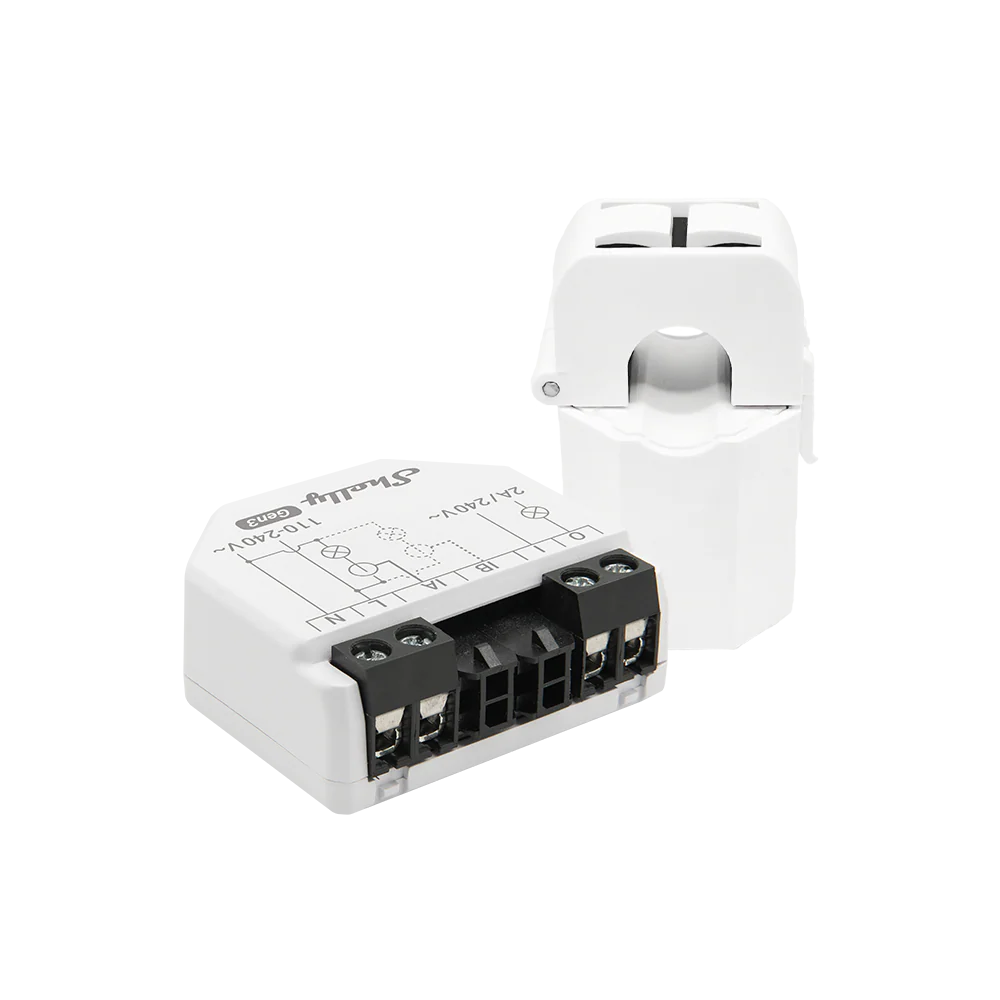
Shelly EM is usually the better fit when local data paths and automation matter more than mapping every breaker in the panel.
For Home Assistant users, this is a major distinction. Shelly devices are supported by Home Assistant's Shelly integration, and Shelly's own product material emphasizes local-only monitoring and automations as part of the EM Gen3 use case. If the goal is to trigger automations from live power values, send readings into MQTT, keep data locally, or avoid being tied to one vendor dashboard, Shelly EM is often easier to build around than a cloud-first consumer monitor.
Choose Shelly EM if:
- You want local API, MQTT, HTTP, WebSocket, RPC, scripting, or Home Assistant integration.
- You only need one or two measured channels, not every branch circuit.
- You want a compact retrofit meter for a known load, solar boundary, or subpanel.
- You are comfortable designing your own dashboard or automation logic.
- You value data reuse more than app-led appliance detection.
The main limitation is coverage. Two channels are enough for targeted monitoring, but not for a full circuit-by-circuit map of a large home. If your real goal is to find which of 12 circuits is wasting energy, Emporia Vue 3 is usually the cleaner starting point.
When Schneider Energy Monitor makes sense
Schneider Energy Monitor is a different kind of choice. It is not just a standalone gadget; it sits inside Schneider Electric's residential energy ecosystem. Schneider's current WISEREMZ page describes a monitoring unit with one pair of current transformers, Ethernet IP or ZigBee communication, Schneider Home app access, live energy tracking, and the ability to add more control with Square D control relays and Schneider X Series connected wiring devices.
That makes it most interesting for homes already using Square D / Schneider hardware, or for buyers who want monitoring to become part of a broader electrical-panel control path. If you are thinking about connected wiring devices, load control, panel-level energy management, or a more integrated Schneider Home setup, Schneider Energy Monitor can make more sense than buying a standalone monitor that sits outside the rest of the panel ecosystem.
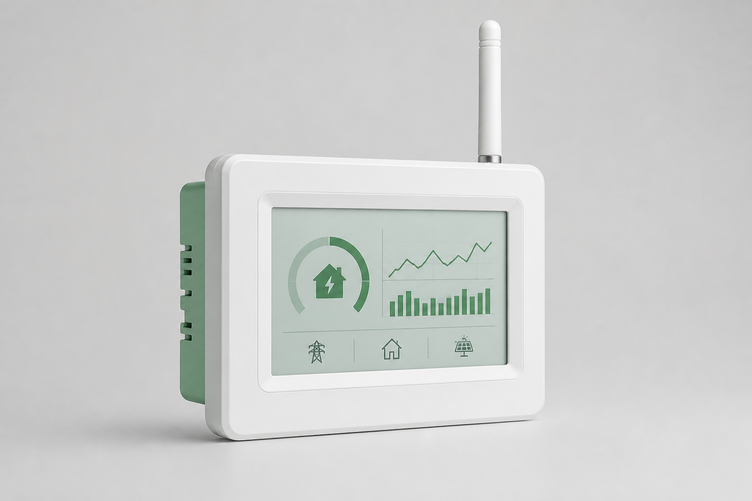
Schneider Energy Monitor is strongest when the monitor is part of a wider Schneider / Square D home energy setup, not just a one-off dashboard purchase.
Choose Schneider Energy Monitor if:
- Your electrical panel and future upgrade path already lean toward Schneider or Square D.
- You want monitoring to connect with control relays or Schneider Home ecosystem devices.
- You prefer a manufacturer-backed panel ecosystem over a DIY data stack.
- You care about live tracking, but do not need a physical CT on every branch circuit.
- You are planning future load control, not just energy visualization.
The risk is ecosystem fit. If you are not already in Schneider's orbit, the monitor may feel less flexible than Shelly for local data work and less circuit-detailed than Emporia for low-cost branch monitoring. It is best judged as part of a panel roadmap, not as a generic energy monitor in isolation.
The most important buying question: what do you need to see?
Before choosing a monitor, define the visibility problem in one sentence.
If the sentence is "I do not know which circuits are driving the bill," pick a circuit-rich monitor. Emporia Vue 3 is the strongest of these three for that job.
If the sentence is "I need clean data for automations, dashboards, or local control," pick a local-friendly meter. Shelly EM is the stronger fit.
If the sentence is "I want energy monitoring to become part of my smarter electrical panel plan," look closely at Schneider Energy Monitor.
The wrong purchase usually happens when buyers confuse these three goals. Circuit-level insight, local data access, and panel ecosystem control are not the same thing.
Solar homes need extra care
Solar makes energy monitoring more valuable, but it also makes CT placement more sensitive. A monitor can show confusing data if the main CTs are placed on the wrong side of a solar connection, if solar production is mixed with household load, or if import/export direction is reversed.
For solar homes:
- Emporia Vue 3 can be a strong solar/net metering option when CTs are placed and configured correctly.
- Shelly EM can work well for a simple single-phase boundary or targeted solar/load channel, especially when feeding Home Assistant.
- Schneider Energy Monitor should be evaluated against the exact Schneider solar/panel variant and installer plan, not just the monitor name.
If solar export value is low, the most useful monitor is often the one that helps you find controllable daytime loads: hot water, EV charging, pool pumps, HVAC pre-cooling, battery charging, or flexible appliance use. That requires not just a dashboard, but a clean measurement boundary.
Local data vs cloud app: do not skip this decision
Cloud-first monitoring is easier for many households. You get a mobile app, storage, alerts, and vendor-managed software. Emporia Vue 3 is the clearest example here.
Local-first monitoring is better when energy data needs to feed other systems. Shelly EM is the clearer fit here because it supports local protocols and is easier to integrate into Home Assistant or custom dashboards.
Ecosystem-first monitoring sits between those worlds. Schneider Energy Monitor is less about exporting raw data into whatever stack you want and more about participating in a Schneider Home / Square D control path.
A simple rule helps:
| If you mainly want... | Prefer... |
|---|---|
| The most circuit data for the money | Emporia Vue 3 |
| Local automations and open data paths | Shelly EM |
| Schneider panel and load-control ecosystem alignment | Schneider Energy Monitor |
| A quick app-led bill investigation | Emporia Vue 3 |
| A Home Assistant-friendly monitoring point | Shelly EM |
| A future smart-panel roadmap | Schneider Energy Monitor |
Installation and safety notes
All three choices involve panel-adjacent electrical work. Even when a monitor is marketed to homeowners, CT placement and power connections can be unsafe or misleading if handled casually. In many regions, work inside a switchboard or breaker panel should be done by a qualified electrician.
Ask these questions before buying:
- Is there enough physical room for the monitor, CTs, antenna, and wiring?
- Does the device support your supply type: single-phase, split-phase, or three-phase?
- Will CTs fit around the conductors that actually need to be measured?
- Is your solar connected in a way that the monitor can represent correctly?
- Do you need local data, or is a cloud app enough?
- Are you planning an EV charger, battery, heat pump, or smart panel later?
A monitor installed in the wrong place can create a confident-looking dashboard that is still wrong.
Final recommendation
For most homeowners who want the best whole-home energy monitor in the practical sense - the most useful visibility for everyday bill reduction - Emporia Vue 3 is the best first look. It gives broad circuit-level coverage at a price point that makes sense for finding real loads.
For technically minded buyers, solar users building dashboards, and Home Assistant households, Shelly EM is often the smarter long-term data choice, even though it monitors fewer channels.
For homes that already use Schneider / Square D equipment or want monitoring to become part of a broader panel-control strategy, Schneider Energy Monitor is the more ecosystem-aligned choice.
The best monitor is not the one with the most features. It is the one that answers the question your current electrical system is hiding.
Related EnergyMeterHub resources
- Emporia Vue 3 device page
- Shelly EM device page
- Schneider Energy Monitor device page
- Is a Whole-Home Energy Monitor Worth It for a Normal House?
- How to Plan a Home Energy Monitoring Setup That You Will Not Outgrow in a Year
- Home Assistant Energy Dashboard setup guide
Sources
- Emporia Vue 3 official product page: https://shop.emporiaenergy.com/products/emporia-vue-3
- Shelly EM Gen3 official product page: https://us.shelly.com/products/shelly-em-gen3-50a
- Home Assistant Shelly integration: https://www.home-assistant.io/integrations/shelly/
- Schneider Electric WISEREMZ product page: https://www.se.com/us/en/product/WISEREMZ/monitor-control-schneider-energy-monitor-wifi-ethernet-zigbee-1-pair-of-cts/
- Pexels cover image: https://www.pexels.com/photo/electrician-inspecting-a-circuit-panel-indoors-34054475/