If you want to meter a heat pump, EV charger, or hot water system separately, the best first step is usually not a full electrical rebuild. It is choosing the right measurement boundary for the question you are actually trying to answer.
If you only want to know how much one load uses, a dedicated circuit meter or branch monitor is often the right answer. If you also want to know whether that load is absorbing solar, increasing evening imports, or just shifting demand around the house, separate metering still needs whole-home context.
That distinction matters because many homes buy more monitoring and still end up with the wrong answer. A charger app may tell you how many kilowatt-hours went into the car. It does not automatically tell you whether that charging used midday surplus solar or expensive evening imports. A heat pump controller may show runtime, but not always trustworthy energy use. A timer may explain when hot water was allowed to run, but not the real electrical cost.
The short version
- use dedicated circuit monitoring when you need trustworthy kWh data for one high-value load
- use charger-native data only when you mainly care about charging sessions, not whole-home solar impact
- do not assume thermostat, inverter, or appliance apps replace proper load metering
- if the home has solar, pair separate-load data with a main meter when the real question is self-consumption, export, or bill impact
- keep parent and child measurements structured so you do not double count one load against the whole house
Quick comparison table
| Load you want to meter | Usually best first approach | When that is often enough | When whole-home context still matters |
|---|---|---|---|
| EV charger | Charger-native metering or a dedicated circuit meter | Charging history, rough energy cost, reimbursement, and habit tracking | Solar share, import impact, load management, and whether charging is really causing the bill increase |
| Heat pump or ducted HVAC | Dedicated circuit meter or a panel monitor with branch CTs | Seasonal kWh tracking, before-and-after upgrade comparison, and identifying one large load | Comparing the heat pump against total household demand, battery behavior, or solar availability |
| Electric resistance hot water | Dedicated circuit meter or controller-linked measurement | Checking timer changes, midday shifting, and whether the tank is a large enough controllable load | Confirming whether the tank is truly soaking up surplus solar or just moving grid imports to a different hour |
| Heat-pump water heater | Dedicated circuit meter on the unit's supply circuit | Unit-specific consumption and operating-pattern comparison | When export, import, or household demand are still unclear around the same time |
Start with the decision, not the device
Before choosing hardware, decide what question you actually want answered.
If the question is:
- "How much power does this one load use?"
- "Did this upgrade reduce consumption?"
- "Which load should I shift into the solar window first?"
then separate metering makes sense.
If the real question is:
- "Why is the house still importing so much?"
- "Is this load using exported solar or peak-rate grid power?"
- "Is the battery too small, or is one load creating the problem?"
then a separate meter alone is usually not enough. That is where Main Meter vs Circuit Meter for Solar Homes: Which One Do You Actually Need? and How to Add Consumption Monitoring to a Solar Home That Only Has Inverter Data become the more useful starting points.
The mistake is not adding branch monitoring. The mistake is asking a branch monitor to explain the whole home.
EV charger: when the charger app is enough and when it is not
An EV charger is often the easiest large load to meter separately because many chargers already provide session history, charging time, and cumulative energy data.
That can be enough when you mainly want to:
- estimate charging cost
- separate vehicle charging from the rest of the bill
- support reimbursement or habit tracking
- check whether the car is using the charger as expected
But charger-native data becomes less complete when the real question is bigger than the charger itself.
For example:
- Is charging mostly happening during cheap hours or expensive hours?
- Is the car absorbing surplus solar or just increasing total evening imports?
- Is the charger actually the biggest load problem, or is it only obvious because it is the easiest one to see?
That is why EV charging often needs two layers of visibility:
- charger or circuit-level data for the charger itself
- whole-home import, export, and load context for the house
If EV charging is the main reason you want separate metering, How to Monitor a Home EV Charger Properly Without Rebuilding Your Whole Electrical Setup, EV Charger Selector, and EV Charging Window Calculator are the best follow-on paths.
Heat pump: why runtime is not the same as energy
Heat pumps are exactly the kind of load that often looks clear in an app but still benefits from real electrical metering.
That is because runtime is not the same thing as energy consumption. A heat pump can modulate, cycle, and behave very differently across seasons, setpoints, outside temperature, and backup-heating conditions. Two days with similar runtime can still produce meaningfully different kWh results.
A dedicated circuit meter is usually the best answer when you want to:
- compare an old system against a new one
- understand winter operating cost
- see whether pre-heating or scheduling changed the total energy use
- separate HVAC demand from the rest of the house
If the heat pump is on a shared circuit, or if the electrical layout is unclear, slow down before buying hardware. Separate metering is only trustworthy when the monitored circuit actually represents the load you think it does.
For homes planning a broader monitoring stack rather than one isolated circuit, Solar Monitoring Planner and Smart Meter Selector are better first filters than jumping straight to a specific meter model.
Hot water: simple load, but not always a simple answer
Electric hot water is one of the most common candidates for separate metering because it is often both:
- a large electrical load
- a potentially shiftable load
That makes it useful for homes trying to improve self-consumption, test a timer change, or decide whether a control device is worth adding.
But hot water still needs the right measurement method.
For a standard resistive tank, a dedicated circuit meter is often enough to show:
- how much energy the system is really using
- whether midday scheduling reduced evening reheating
- whether the tank is large enough to absorb meaningful daytime solar
For a heat-pump water heater, separate metering is even more useful because runtime alone tells you less than you think. The system may run longer at lower power, defrost, or respond differently across weather conditions.
If the real goal is to use excess solar better, the most useful next question is not only "How much does hot water use?" It is "Does this load line up with my export window well enough to matter?" That is where How to Use Energy Data to Spot Solar Self-Consumption Opportunities You Are Missing and Excess Solar Priority Calculator become more useful than a meter reading by itself.
Which hardware path usually fits best
Different monitoring paths suit different homes. The best choice depends on whether you are solving one local question or building a longer-term measurement stack.
1. Two-channel clamp monitor
This is often the easiest retrofit path when you want to monitor one or two important circuits without redesigning the whole panel.
It is usually a strong fit when:
- the home wants separate tracking for one heavy load
- electrician time needs to stay modest
- the setup may expand later
- local integrations or simple app visibility both matter
Concrete examples in EnergyMeterHub's current device set include Shelly EM and IAMMETER WEM2067 for homes where the electrical topology matches their intended use.
2. Multi-circuit panel monitor
This is the better direction when the household already suspects it will want more than one branch load, or wants to compare several heavy circuits under one system.
It is usually a better fit when:
- EV charging, hot water, and HVAC may all need tracking
- the home wants cleaner whole-panel visibility
- future solar, battery, or load-management questions are likely
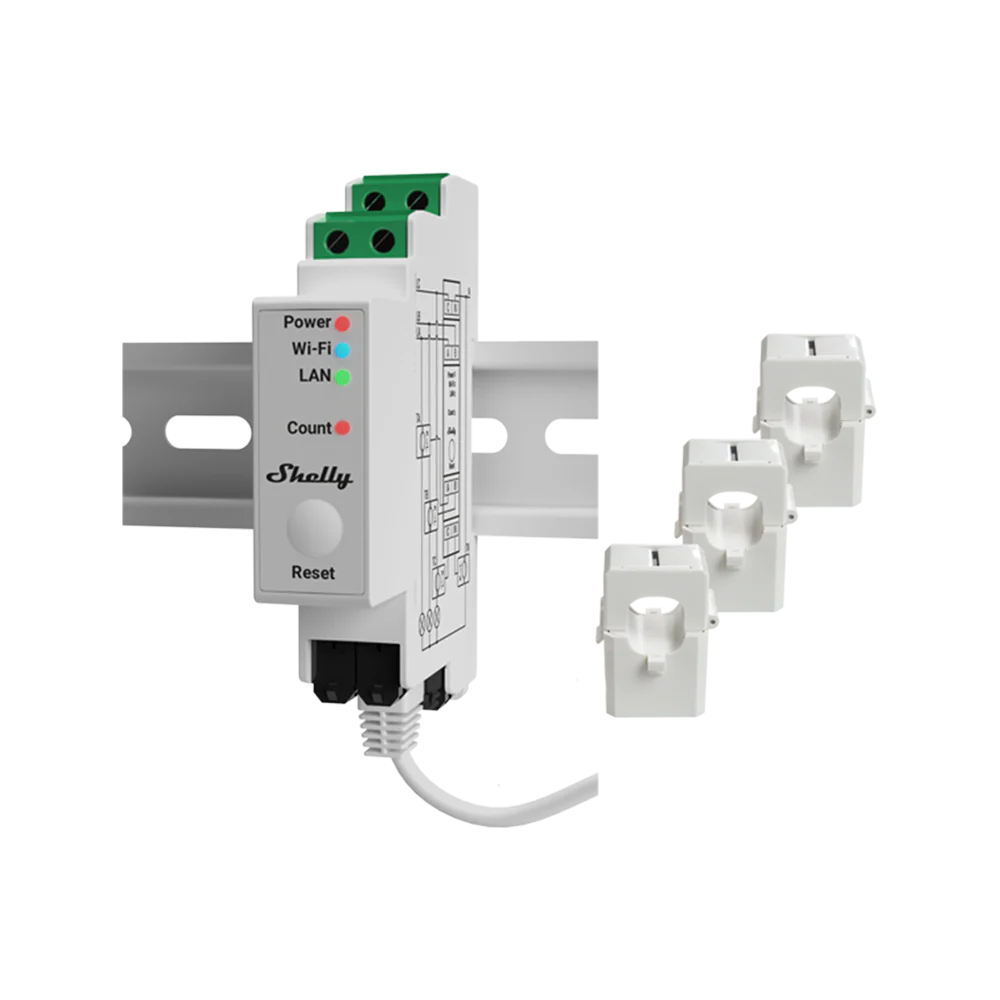
If that sounds familiar, a panel-oriented path such as Shelly Pro 3EM or a similar branch-capable monitoring design is often more future-friendly than adding one isolated sensor at a time.
3. DIN-rail sub-meter
This is often the cleanest electrician-led option when the goal is a permanent, clearly scoped meter on a dedicated circuit or subpanel.
It makes the most sense when:
- the target load has a clearly isolated supply circuit
- installation neatness and stable measurement matter more than fast DIY retrofit
- the home wants a long-term meter rather than a temporary diagnostic view
4. Native app only
This is acceptable when the use case is narrow and the consequences of incomplete context are low.
That usually means:
- you only want rough EV charging totals
- you only want to confirm one appliance is active
- you are not making solar, tariff, or load-management decisions from the data
The moment the household starts asking how that load affects imports, exports, or total solar value, native-app-only monitoring usually stops being enough.
Common mistakes to avoid
Metering a shared circuit and assuming it represents one device
If the circuit also feeds other loads, the number may still be useful, but it is no longer a clean device answer.
Treating runtime as if it were kWh
This is especially risky for heat pumps and heat-pump water heaters.
Forgetting that solar homes need boundary data too
A separate-load meter can tell you what the load used. It cannot tell you by itself whether that energy came from solar, battery discharge, or the grid.
Double counting parent and child loads
If the house has a main meter and a branch meter, those values need structure. Home Assistant's upstream-device model exists for exactly this reason.
Adding fine-grained metering before confirming the circuit layout
The cleanest dashboard in the world cannot fix a meter placed on the wrong boundary.
Recommended upgrade paths
Path 1: One obvious heavy load, no major solar-analysis need
Add a dedicated circuit meter first.
This is the simplest route when you mainly want trustworthy kWh data for one load.
Path 2: Solar home with poor whole-home visibility
Start with a main meter, or add the branch meter only as part of a clearer whole-home design.
If the real question is self-consumption, import reduction, or export timing, a separate load meter is only part of the answer.
Path 3: Home likely to expand into a broader monitoring stack
Choose hardware that can support a hierarchy instead of a dead-end single reading.
That usually means thinking ahead about whole-home visibility, branch visibility, local data access, and where the data will be analyzed later.
If you are still choosing the architecture, Solar Monitoring Planner is the best first tool. If you are deciding which meter class fits the home, use Smart Meter Selector next.
Bottom line
The best way to meter a heat pump, EV charger, or hot water system separately is to match the measurement method to the decision you actually need to make.
If you only want trustworthy usage for one major load, a dedicated circuit meter is often the right answer. If you want to understand solar timing, import impact, or whether that load is the real reason the house still behaves badly, separate metering needs whole-home context as well.
In other words, the best separate meter is not the one with the most features. It is the one that answers the right boundary question without pretending to explain the whole house when it cannot.
Related reading
- How to Monitor a Home EV Charger Properly Without Rebuilding Your Whole Electrical Setup
- Main Meter vs Circuit Meter for Solar Homes: Which One Do You Actually Need?
- How to Add Consumption Monitoring to a Solar Home That Only Has Inverter Data
- How to Use Energy Data to Spot Solar Self-Consumption Opportunities You Are Missing
- Smart Meter Selector
- Solar Monitoring Planner
- EV Charger Selector
- Excess Solar Priority Calculator
- Shelly EM
- Shelly Pro 3EM
- IAMMETER WEM2067