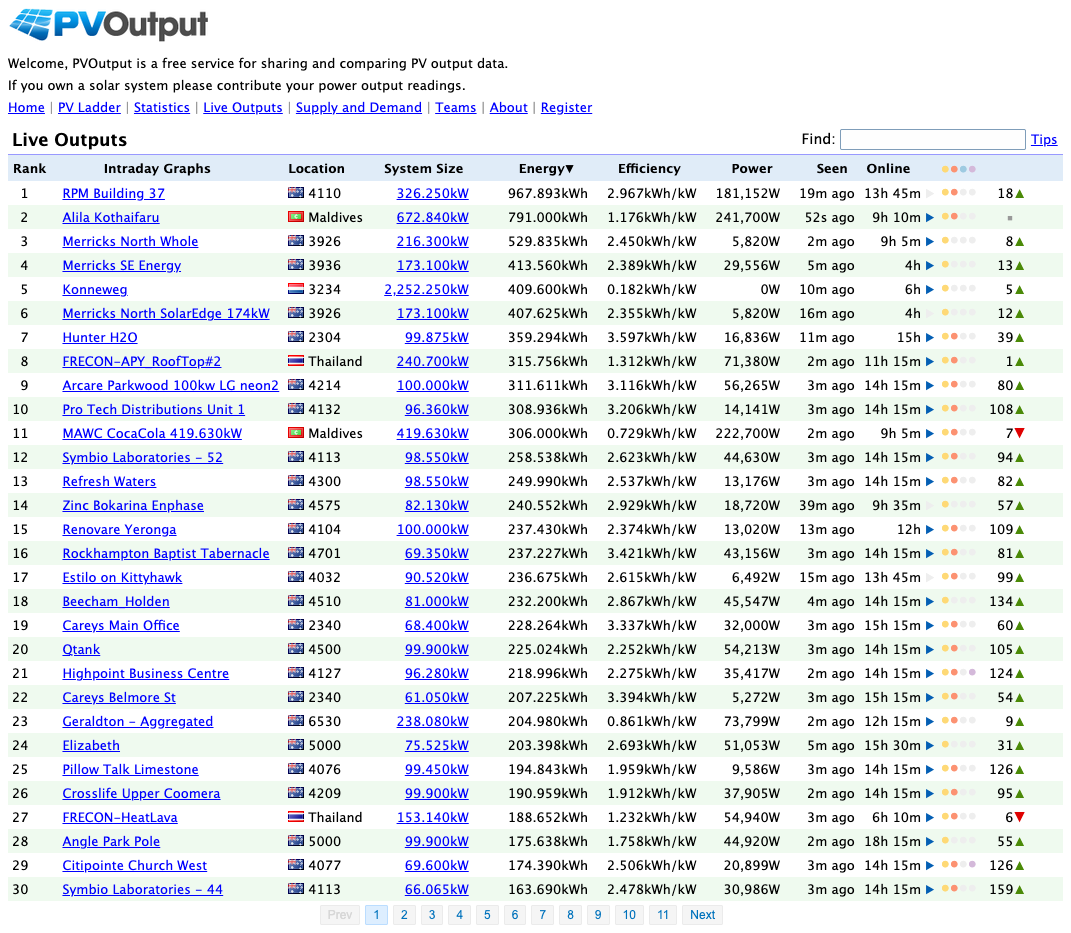
A lot of solar homeowners start with the inverter app because it is already there. That is sensible. The trouble starts later, when the questions get more specific. Is the system underperforming, or is the weather bad? Is the house importing more than it should? Can you compare your site against nearby systems? Can you keep the same monitoring workflow if the inverter changes?
That is the gap PVOutput still fills in 2026.
It is not the prettiest platform in this category, and it is not the easiest one for a completely non-technical household. But it still does a few things unusually well: it accepts data from many hardware paths, it supports both generation and consumption, and it gives public comparison context that many brand portals still do not offer.
The short version
- Choose PVOutput if you want a cloud service that is hardware-flexible, comparison-friendly, and still useful when your monitoring stack is a mix of brands or scripts.
- Choose Home Assistant if local control, automations, and cross-device dashboards matter more than public benchmarking.
- Stick with the vendor app if you mainly want a simple phone view of one inverter and do not want to maintain anything extra.
What makes PVOutput different
According to the official PVOutput overview, the service supports automatic uploads, live and historical graphing, comparison with similar systems, bulk loading, an open API, and alerting. That combination still matters because many solar apps are good at showing your own inverter data, but weak at comparing your site against the outside world or accepting data from mixed hardware.
As of April 3, 2026, the public PVOutput homepage shows:
- 77,910,438 outputs recorded
- 2,864,926 panels
- 1.61 TWh produced
- 852.61 MW installed
- $403.41M saved in electricity costs
- 1,726,575 tonnes of carbon emissions saved
Those counters do not automatically make the platform better, but they do show that PVOutput is still operating at a meaningful scale rather than surviving as a forgotten hobby page.
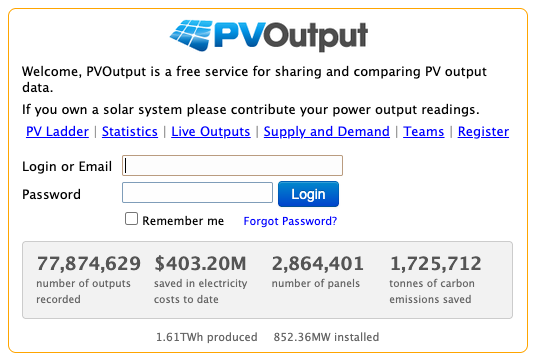
PVOutput homepage view. The interface is dated, but the platform is still active and still built around shared system data rather than one-brand lock-in.
PVOutput vs Home Assistant vs a vendor solar app
| Option | Best at | Main trade-off | Better for |
|---|---|---|---|
| PVOutput | Cloud logging, public comparison, hardware flexibility, uploader-friendly workflows | Less polished UI, some useful features gated behind donation mode | Solar owners who want a neutral cloud destination and outside comparison |
| Home Assistant | Local dashboards, automations, multi-device energy views, local-first control | More setup and maintenance, depends on having clean source sensors | Homes with smart-home goals, EV charging logic, tariffs, and mixed devices |
| Vendor app | Fast setup, one support path, low friction for one system | Often shallow on whole-home consumption, export analysis, and long-term flexibility | Households that mainly want simple visibility and fault notices |
That split is the real buying decision. PVOutput is not trying to replace Home Assistant as a local automation platform, and Home Assistant is not trying to be a public solar comparison network.
Home Assistant's official energy documentation says its energy feature can combine grid, solar, battery, gas, water, and device data, and that it is not restricted to specific hardware. That is exactly why it is stronger for local dashboards and whole-home automation.
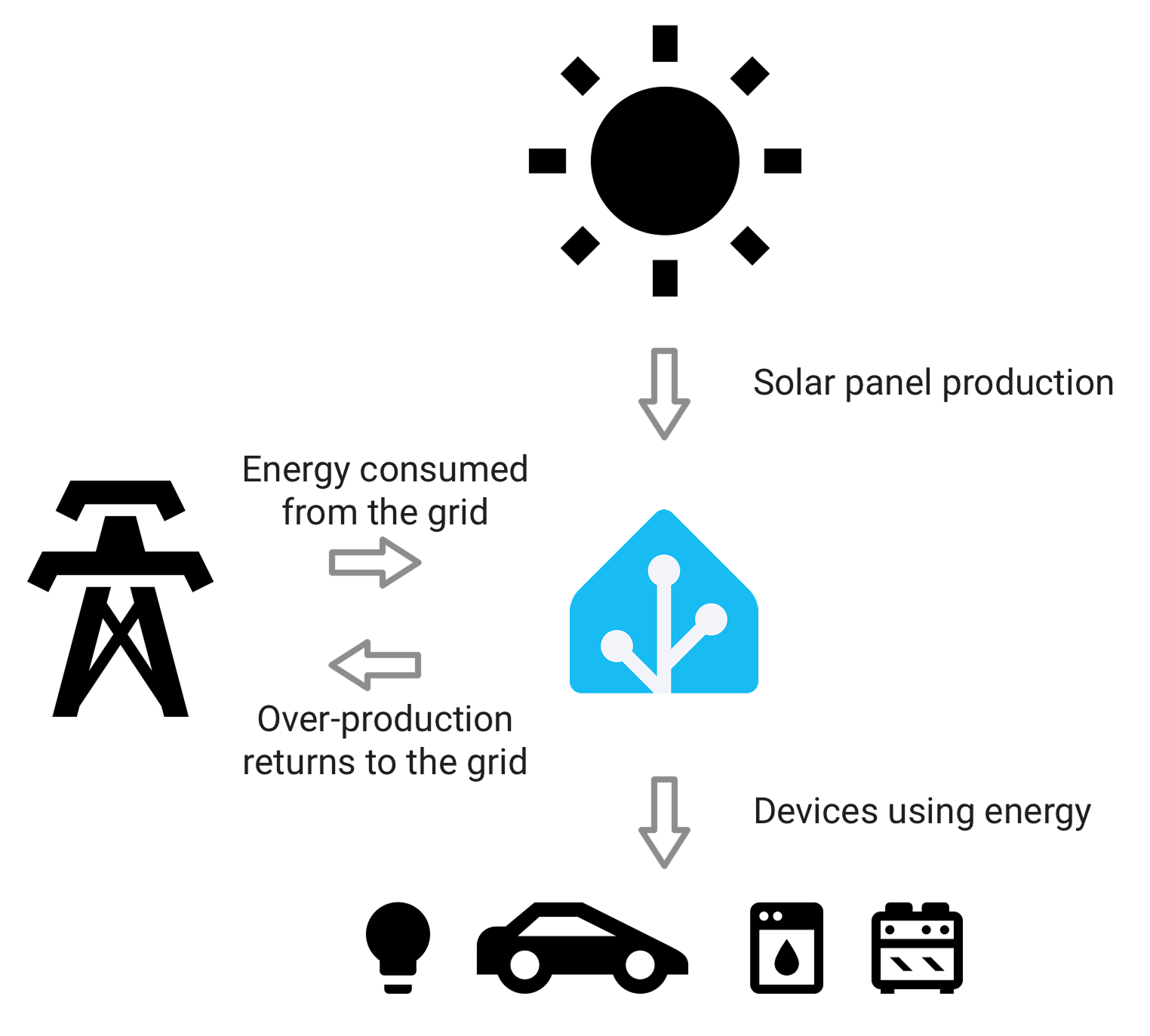
Home Assistant is usually the stronger choice when the goal is one local energy dashboard across several devices and automations.
The numbers that matter before you build around PVOutput
PVOutput's official documentation is unusually clear about its practical limits. These are the numbers worth checking before you decide it will be your main destination for solar data.
| Item | Standard account | Donation mode | Why it matters |
|---|---|---|---|
| API requests | 60 per hour | 300 per hour | Important if you upload from a gateway, script, or custom collector |
| Add Batch Status size | 30 records | 100 records | Helps with buffered uploads and catch-up workflows |
| Live data backload window | 14 days | 90 days | Relevant if your logger goes offline and you need to backfill |
| Live interval options | 5 minutes default, also 10 or 15 minutes | Same | Sets the granularity of your live charts and trend analysis |
| Extended live channels | Not available | v7 to v12 | Useful for battery, voltage, temperature, or custom values |
| Systems per account | 1 normal path | Up to 10 systems | Useful for installers, hobbyists, or multi-site owners |
| Donation threshold | Not applicable | AUD 15 for 1 year | A small amount, but still a real decision if you want the better limits |
This is where PVOutput feels more like a long-running monitoring platform than a glossy consumer app. It tells you what the service can do, and what the limits are, in fairly direct terms.
Where PVOutput is still better than many inverter apps
A mainstream inverter portal is usually better at onboarding and easier for a household that never wants to think about the monitoring stack again. But PVOutput can be more useful in a few specific situations:
- when your inverter app only shows generation clearly, not consumption and net context,
- when you want a second opinion beyond the default vendor dashboard,
- when you want to compare your site against nearby or similar systems,
- when your hardware may change over time but you do not want to rebuild the whole reporting workflow,
- and when you already have a script, gateway, or custom uploader path.
PVOutput's service integration page also shows why the platform still appears in real-world discussions. The official integration service still documents supported formats such as Tesla Powerwall, Growatt ShineNET, Enphase API / Envoy, Solar-Log, and Current Cost, while the contributed software list includes tools for GoodWe, Sungrow, SAJ, IoTaWatt, Eastron SDM630, SMA, and Raspberry Pi based uploaders.
That does not mean every one of those paths is equally easy in 2026. It does mean PVOutput still has a broader hardware culture around it than many people expect.
Where PVOutput is weaker than Home Assistant
PVOutput is a cloud service first. That means it is naturally weaker than Home Assistant in a few areas:
- it is not the best place to build household automations,
- it is not the best place to unify non-energy smart-home devices,
- it is not the best place to keep everything entirely local,
- and it is not the best place for highly custom dashboards inside the home.
If your real goal is tariff logic, EV charging around solar surplus, appliance automations, or one local dashboard for the whole house, Home Assistant is usually the stronger long-term platform.
If your real goal is a neutral cloud logbook with public comparison and flexible data intake, PVOutput still has a real place.
Best fit
PVOutput is a strong fit if you want:
- a cloud destination that is not tied to one inverter brand,
- public comparison against other systems,
- a practical API for uploads and retrieval,
- generation and consumption history in one place,
- or a secondary monitoring layer beyond the default app.
It is a weaker fit if you want:
- the cleanest consumer app experience,
- a fully local system with no cloud dependence,
- zero setup effort,
- or a deep home automation engine.
Bottom line
PVOutput is not the best monitoring platform for every home, but it is better than many people assume because it solves a different problem from both Home Assistant and the average vendor app.
It is best for homeowners who care about comparison, flexibility, and hardware independence more than polished design. If your monitoring setup is already drifting beyond one simple inverter portal, PVOutput can still be one of the more useful cloud tools to add in 2026.
If you want the local-first alternative, read these next:
- Home Assistant integration page
- Home Assistant Energy Dashboard: Integrating Smart Meters
- Solar Monitoring System Australia: What Homeowners Should Buy in 2026