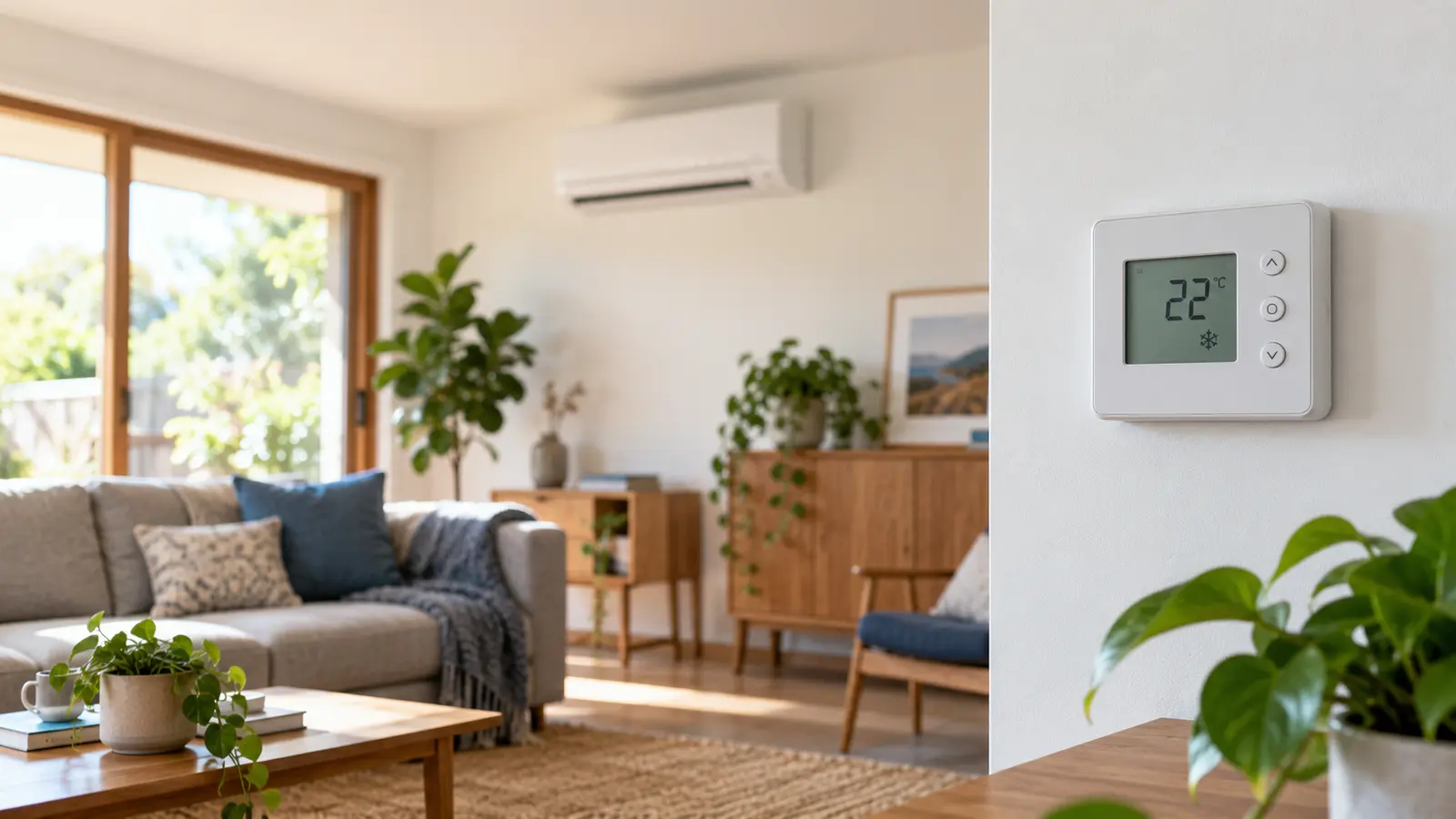
The best thermostat setting is not one magic number. A practical starting point for many homes is 18-20°C (64-68°F) for heating and 24-26°C (75-79°F) for cooling, then adjusting one degree at a time for comfort, humidity, health needs and the way the building actually performs.
Those ranges are starting points, not rules. A well-insulated home with low air leakage may feel comfortable at a less aggressive setting than a draughty house. A humid climate may require longer cooling or dehumidification even when the air temperature looks reasonable. Infants, older adults and people with some health conditions may also need a narrower comfort range.
The useful question is therefore not “What number does everyone recommend?” It is: What is the least energy-intensive setting that keeps the occupied part of this home comfortable and safe?
Quick answer: sensible starting settings
| Situation | Practical starting point | What to do next |
|---|---|---|
| Home occupied, heating season | 18-20°C / 64-68°F | Try the lower end, then raise by 1°C if needed |
| Home occupied, cooling season | 24-26°C / 75-79°F | Try the upper end, then lower by 1°C if needed |
| Sleeping | Use bedding, fans and a modest setback | Avoid a large change that causes a long recovery cycle |
| Home empty for several hours | Set back heating or relax cooling | Protect pets, plants, pipes and humidity-sensitive materials |
| High humidity | Prioritize humidity control as well as temperature | Check whether “dry” mode or dedicated dehumidification is appropriate |
| Vulnerable occupants | Follow health advice and comfort needs first | Treat efficiency as a secondary constraint |
A one-degree adjustment sounds small, but it changes the temperature difference your building must maintain against outdoor conditions. The effect on energy use varies with climate, insulation, equipment, runtime and tariff, so treat any universal percentage-saving claim as an estimate rather than a promise.
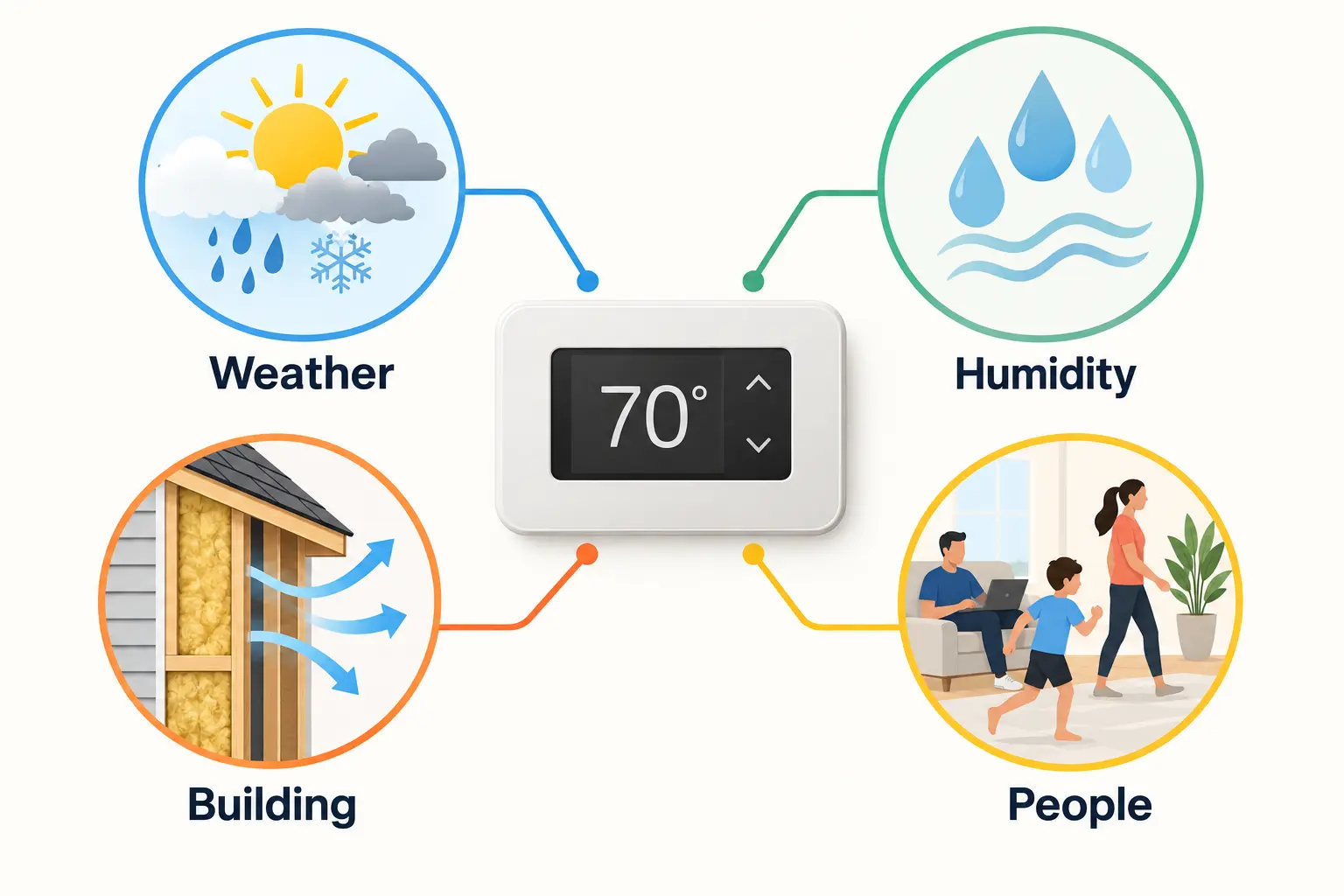
The thermostat display is only one input. Weather, humidity, the building envelope and the people inside all change what feels comfortable and how much energy the system uses.
Why extreme thermostat settings usually do not heat or cool faster
A common mistake is setting heating much higher, or cooling much lower, because the room feels uncomfortable. In most systems, this does not make the equipment deliver warm or cool air faster. It simply moves the shut-off point farther away, so the system is more likely to run longer and overshoot the temperature you actually wanted.
There are exceptions. Multi-stage, variable-speed and inverter-driven systems can change output according to demand. Their control logic may respond differently to a large temperature gap. Even then, an extreme setpoint is a poor control strategy because it makes comfort less predictable and can increase peak demand.
Instead:
- Select the temperature you actually want.
- Give the system time to respond.
- Check that doors, windows, filters, vents and zones are in the correct state.
- Investigate the building or equipment if recovery remains unusually slow.
If an air conditioner must run continuously on a normal day and still cannot approach the setpoint, the issue may be undersized equipment, dirty filters, blocked airflow, duct leakage, refrigerant or commissioning problems, poor insulation, high solar gain or simply an unrealistic setpoint for the weather.
Heating: find the lowest comfortable setpoint
During heating season, start near the lower end of the comfort range and make small changes. Clothing, bedding, sunlight, air movement and radiant temperatures from walls and windows can matter as much as the thermostat number.
A practical heating routine
- Start around 18-20°C (64-68°F) while occupied.
- Keep frequently used rooms comfortable and reduce conditioning in unused zones where the system permits.
- Close curtains or blinds after sunset, but let useful winter sun enter during the day.
- Seal obvious draughts before compensating with a higher thermostat setting.
- Use a modest setback when sleeping or away rather than turning the home into a deep-cold recovery problem.
- Check indoor humidity: very dry air can feel cooler and may affect comfort.
A thermostat does not measure comfort directly. It measures temperature at one location. If it sits in a hallway, near a sunny window, above an appliance or in a draught, the reading may not represent the occupied room. A simple independent thermometer placed where people actually spend time can reveal the difference.
Health and building protection come first. The World Health Organization discusses 18°C as a safe indoor temperature for the general population during cold seasons, with higher minimums potentially needed for vulnerable groups. Local guidance, medical advice and the risk of frozen pipes or condensation should take priority over a savings target.
Cooling: use the highest comfortable setpoint
In cooling season, the efficient direction is the reverse: choose the highest setpoint that remains comfortable. Fans can widen the comfortable range because moving air helps people feel cooler, but a fan does not lower room temperature. Turn it off when the room is empty unless it serves another ventilation purpose.
A practical cooling routine
- Start around 24-26°C (75-79°F).
- Use external shading, blinds and curtains to reduce solar heat gain before increasing cooling.
- Run ceiling or portable fans in occupied rooms.
- Close windows while mechanical cooling is operating unless the system is designed for mixed-mode ventilation.
- Pre-cool only when it aligns with the building, tariff and occupancy; avoid hours of unnecessary operation.
- In humid weather, judge comfort by humidity as well as temperature.
Lowering the thermostat to 18°C on a hot afternoon rarely creates faster relief. It can encourage long runtime, excessive dehumidification, cold surfaces and higher cost. If 25°C feels uncomfortable, first check humidity, direct sun, air distribution and whether the thermostat is measuring the right location.
Setbacks: useful, but not always “the bigger the better”
Official efficiency guidance often recommends scheduling less heating or cooling when a home is unoccupied. The principle is sound: reducing the indoor-outdoor temperature difference for several hours can reduce heat transfer through the building envelope.
However, the best setback depends on the system.
Conventional heating and cooling
A moderate schedule can work well when the equipment has enough capacity to recover before occupancy. Programmable and smart thermostats help because the change happens consistently.
Heat pumps
Heat pumps deserve more care. A large heating setback can trigger inefficient auxiliary resistance heat in some systems or create a long, uncomfortable recovery. Variable-speed heat pumps often perform efficiently when maintaining a relatively stable temperature. Follow the heat-pump and thermostat manufacturer's guidance, and test small setbacks before using aggressive schedules.
Hydronic and high-thermal-mass systems
Underfloor heating, concrete slabs and some radiator systems respond slowly. A sharp schedule change may take hours to appear. These systems often suit gentle adjustments and earlier scheduling rather than deep setbacks.
Time-of-use tariffs
A higher-priced period can change the economic answer. Pre-heating or pre-cooling before a peak tariff may reduce cost even if total energy use is similar or slightly higher. The building effectively becomes short-duration thermal storage. Measure the result rather than assuming it saves money.
Zoning often matters more than one perfect number
Conditioning less space can produce a larger benefit than chasing a one-degree thermostat adjustment. If your system supports zoning, focus comfort on occupied rooms and avoid sending equal airflow everywhere by default.
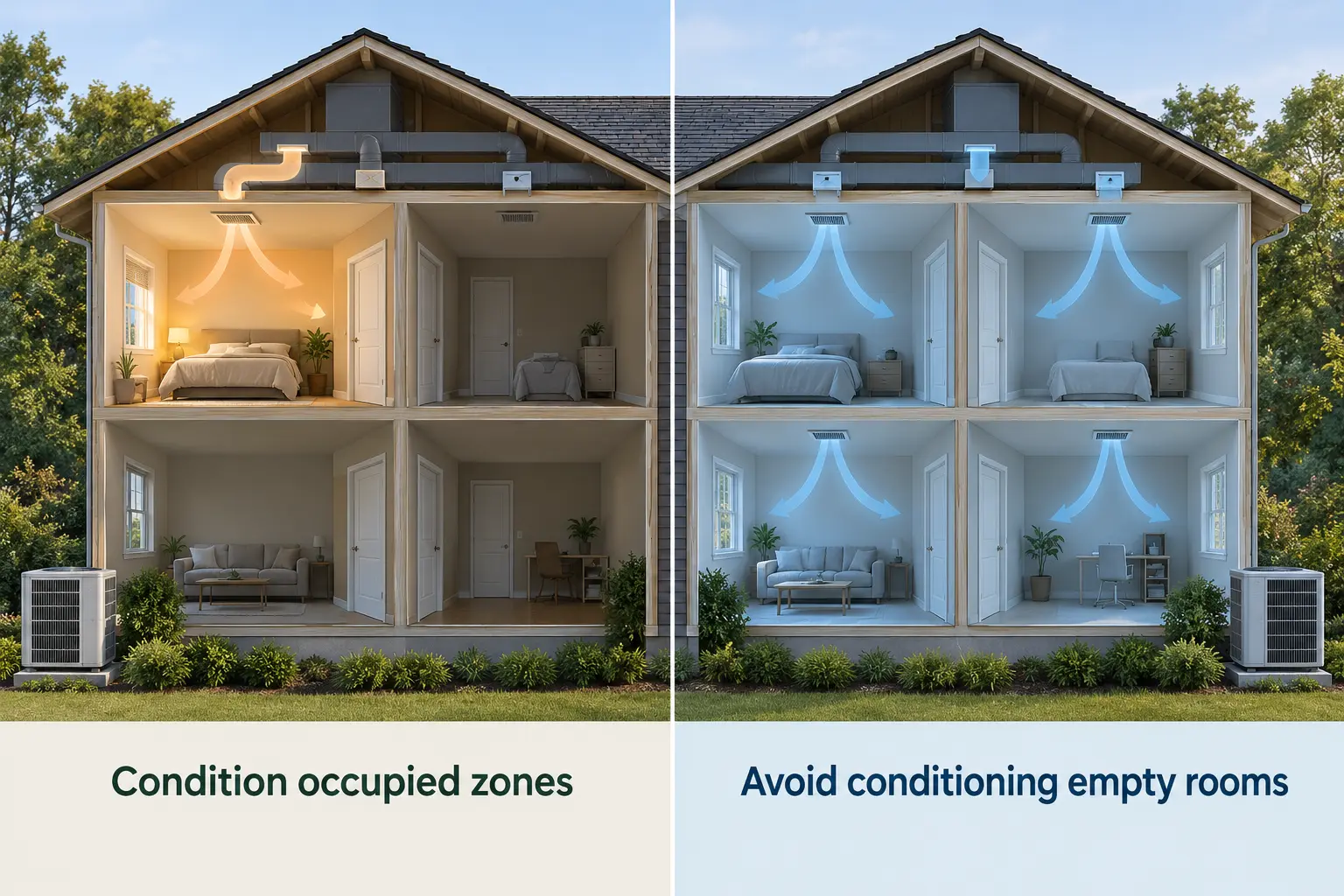
Zoning is valuable when the controls, airflow and building layout support it. Do not close large numbers of vents on a system that was not designed for that pressure change.
Good zoning requires more than closing doors:
- Ducted systems need suitable dampers, bypass design and commissioning.
- Minimum airflow must be preserved to protect the equipment.
- Return-air paths must still work.
- Thermostats or sensors should represent the active zones.
- Unconditioned rooms should not create moisture, condensation or pipe-freezing risks.
For a detailed comparison of equipment and zoning implications, see Ducted vs Split-System Air Conditioning: Which Costs Less to Run?.
Humidity can make a “correct” setting feel wrong
Two rooms at the same temperature can feel very different when humidity changes. High humidity reduces the body's ability to cool through evaporation. Very low humidity can make winter air feel less comfortable and may cause dry skin or irritated airways.
Cooling systems remove moisture while operating, but oversized equipment can cool a room quickly and stop before removing enough humidity. On the other hand, setting the temperature excessively low just to control moisture wastes energy and can create cold surfaces.
If humidity is the real problem:
- Measure it with a reasonable hygrometer.
- Check bathroom and kitchen extraction.
- Address water leaks and uncontrolled outdoor-air entry.
- Use appropriate dehumidification in persistently humid climates.
- Ask an HVAC professional whether the system is sized and configured correctly.
Do not use a single humidity target as a universal rule. Climate, building construction and condensation risk matter.
Smart thermostats help only when the control strategy fits the system
A smart thermostat can automate schedules, geofencing, remote control and runtime reporting. ENERGY STAR notes that certified smart thermostats are independently verified against energy-saving criteria, but compatibility still matters.
Before installing one, confirm:
- The thermostat supports the HVAC type, number of stages and reversing-valve logic.
- Heat-pump auxiliary heat is controlled correctly.
- A common wire or approved power arrangement is available.
- Remote sensors can be placed in representative occupied areas.
- The schedule will not fight zoning, inverter controls or the manufacturer's own controller.
- Cloud dependence and data access match your expectations.
A smart thermostat cannot repair leaky ducts, poor insulation or incorrect refrigerant charge. It makes a sound control strategy easier to repeat.
How to measure whether a new setting actually saves energy
Bills are too coarse for a clean thermostat experiment because weather, occupancy and tariffs change. Interval data from a smart meter, whole-home monitor or circuit-level meter gives a better view.
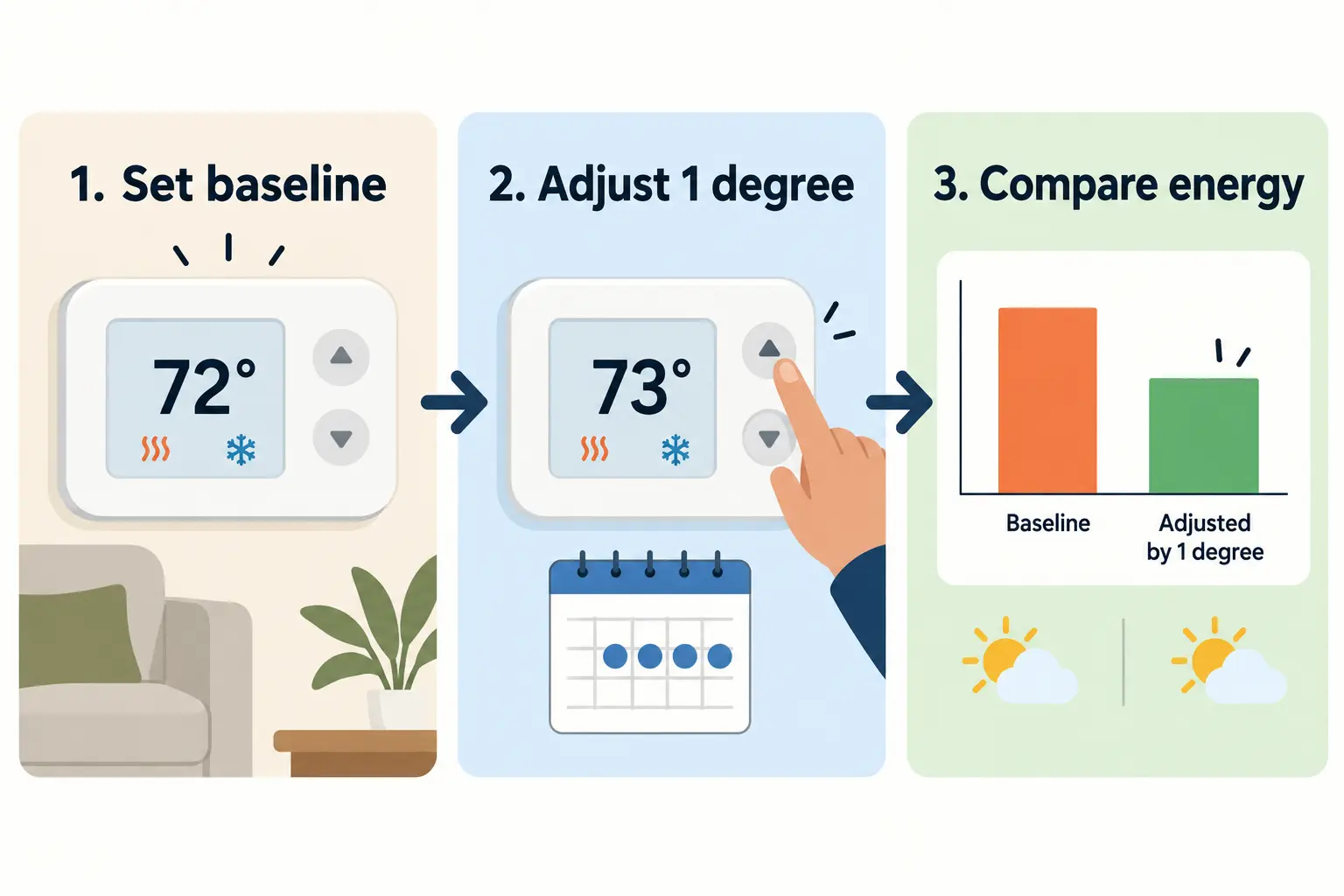
Use a simple three-step test
- Establish a baseline. Keep the current setting for several comparable days. Record outdoor temperature, HVAC energy, total household energy, occupancy and comfort.
- Change one variable. Adjust heating down or cooling up by 1°C (about 2°F). Keep schedules and other major loads as consistent as practical.
- Compare similar weather. Look at daily HVAC kWh, runtime, peak demand and comfort. Degree-day data can improve the comparison when weather varies.
For a plug-in air conditioner or portable heat pump, an appropriately rated plug-in energy meter may work. Permanently wired HVAC usually requires circuit monitoring installed by a qualified electrician. The article How to Track One Appliance Separately Without Rewiring Your Home explains the available measurement paths.
If you only have utility interval data, compare the HVAC-heavy hours and normalize for weather. How to Use Smart Meter Data to Find the Hours That Cost You Most provides a practical workflow.
A seven-point checklist before changing the setpoint again
When comfort or cost is disappointing, work through this list:
- Confirm the actual room temperature. Compare the thermostat with an independent thermometer.
- Check humidity. Temperature may not be the main comfort problem.
- Inspect airflow. Clean filters and check that vents, returns and indoor units are unobstructed.
- Reduce avoidable heat transfer. Use shading, curtains, draught sealing and sensible door management.
- Condition the right space. Use rooms and zones intentionally.
- Review the schedule. Avoid conditioning an empty home without a clear tariff, humidity or safety reason.
- Measure the result. Use kWh and runtime, not a single bill total or a thermostat's marketing estimate.
If equipment is noisy, short-cycles, freezes, leaks water, smells unusual, trips protection or cannot maintain a reasonable temperature, arrange professional service rather than compensating with a more extreme setpoint.
The bottom line
For many households, 18-20°C for heating and 24-26°C for cooling are sensible places to begin. The cost-efficient setting is the least aggressive temperature that keeps occupied spaces comfortable, safe and dry enough for the climate and building.
Move in one-degree steps, use zoning and shading before demanding more from the equipment, and compare energy data across similar weather. That process produces a setting tailored to the home instead of copying a number that may have been written for a different climate, system or occupant.