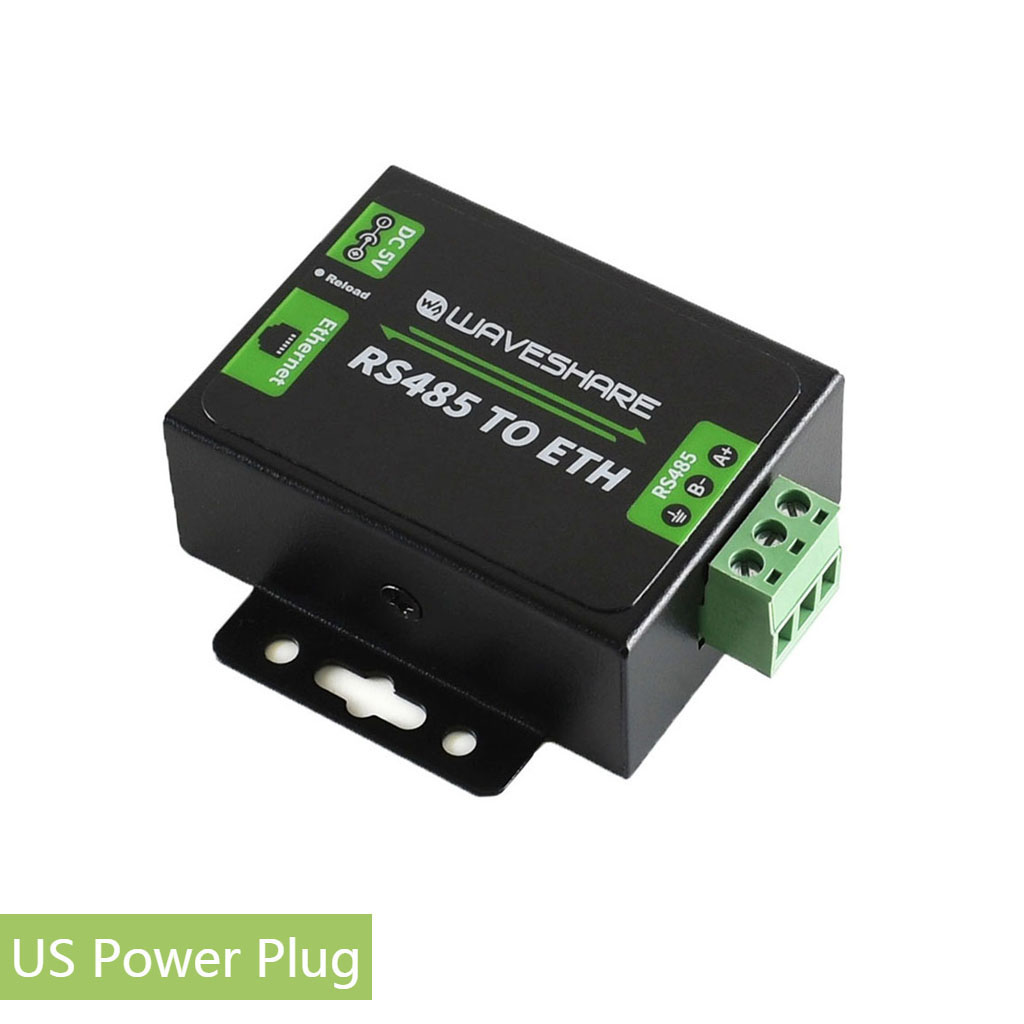
A Waveshare RS485 TO ETH (B) is enough when you already have a documented RS485 device and simply need a low-cost, wired bridge to Ethernet. It is the wrong tool when you need an energy meter, automatic device discovery, a polished monitoring app, plug-and-play Home Assistant entities, strong remote-access security, or installer-grade support from one accountable vendor.
That distinction matters because an RS485 gateway can make an existing meter reachable over the network, but it cannot fix missing registers, incorrect wiring, duplicate slave addresses, poor data quality, or an unclear software plan.
Quick verdict
| Your requirement | Fit |
|---|---|
| Put one or more documented Modbus RTU meters on a wired LAN | Good fit |
| Replace a USB-to-RS485 adapter located beside a server | Often a good fit |
| Let Home Assistant poll known meter registers over Ethernet | Good fit for technical users |
| Send selected serial data to MQTT or HTTP after custom setup | Possible, but integration work remains |
| Measure household current or energy without a separate meter | Wrong tool |
| Get automatic entities, charts, tariffs, and alerts out of the box | Wrong tool |
| Expose a serial bus directly to the public internet | Wrong architecture |
| Run a critical commercial system with formal vendor support requirements | Usually look for an industrial managed gateway |
The product is best understood as connective infrastructure. It extends an RS485 bus to software; it does not turn every attached instrument into a finished energy-monitoring solution.
What the Waveshare gateway actually does
The Waveshare RS485 TO ETH (B) device page represents a single-channel DIN-rail RS485-to-Ethernet gateway. According to the official Waveshare wiki and user manual, it can operate as:
- a transparent TCP or UDP serial server;
- a Modbus TCP-to-Modbus RTU gateway;
- a virtual serial-port endpoint;
- an MQTT gateway;
- an RS485-to-JSON or HTTP upload gateway;
- a local collector for RS485 instruments and sensors.
The standard B version uses 9-24 V DC terminal power and a 10/100 Mbps RJ45 connection. Its serial settings cover 300-115200 bps and configurable data bits, parity, and stop behavior. TCP server mode supports multiple connections, while Modbus gateway mode can translate network requests into RTU requests on the downstream bus.
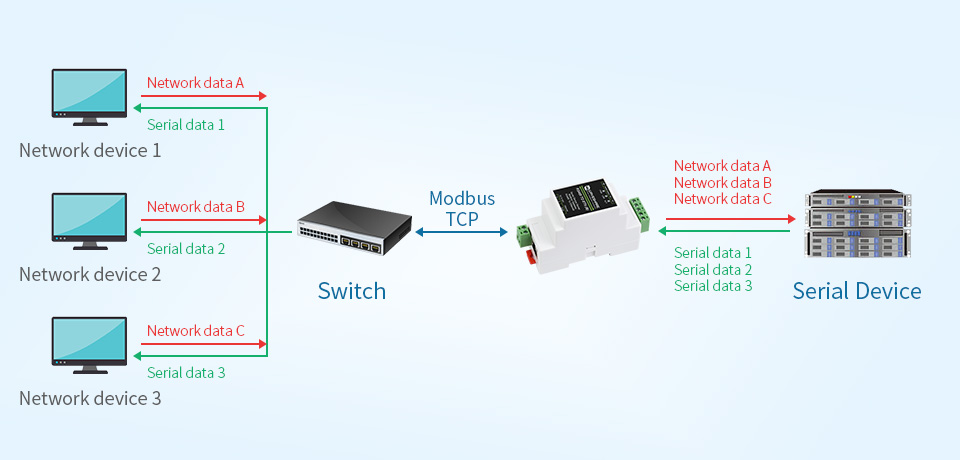
The important word is gateway. It has no voltage input, current transformer, revenue-grade measurement engine, or tariff model. The actual values still come from the attached meter, inverter, PLC, or sensor.
When it is enough
1. You already own a supported RS485 meter
The cleanest use case is an existing meter with a reliable manual, known Modbus address, documented register map, and correct panel installation. Products such as the Eastron SDM630 expose measurements over Modbus RTU but do not necessarily provide Ethernet themselves.
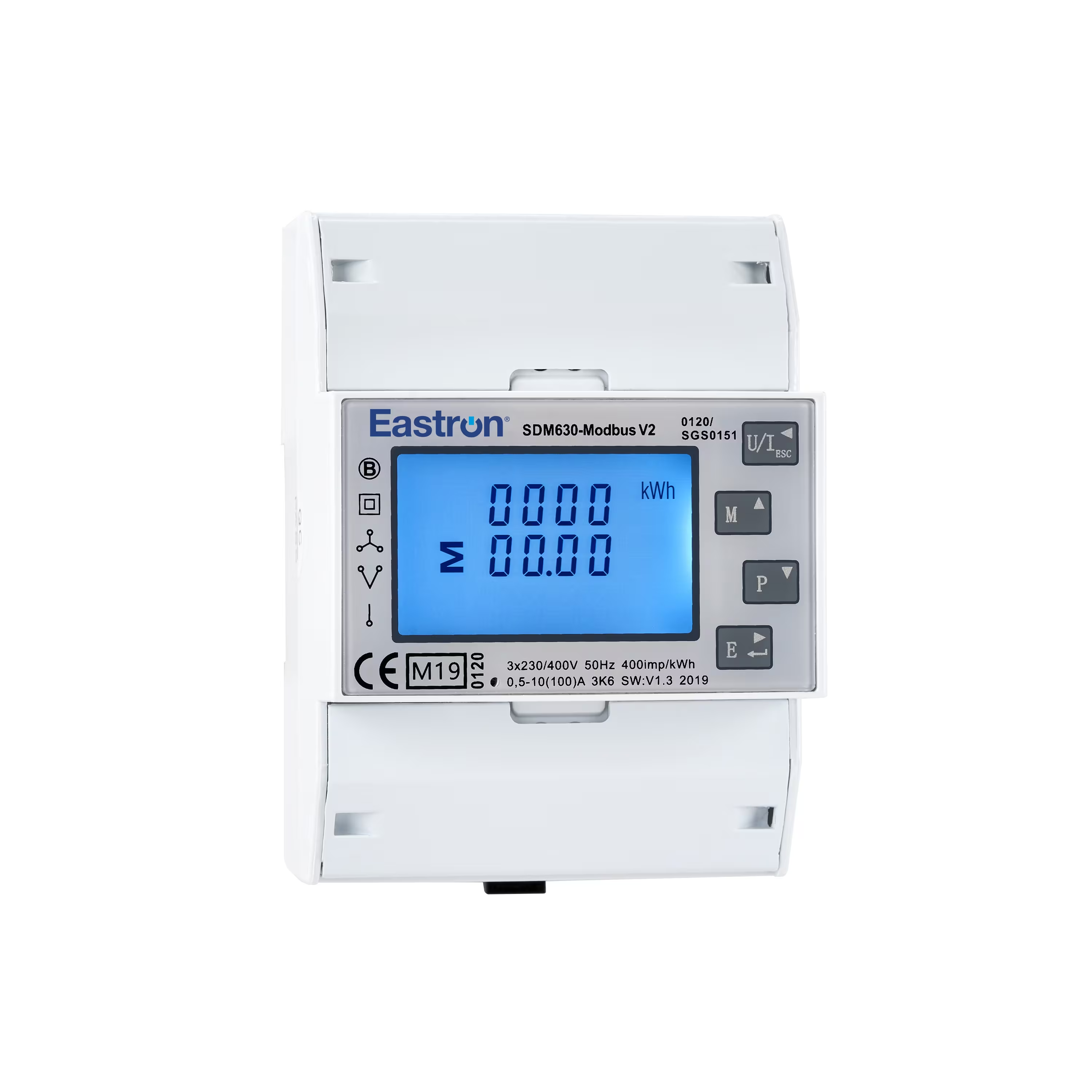
In that arrangement, the meter performs the measurement and the Waveshare unit transports queries and responses:
Energy meter -> RS485 bus -> Waveshare gateway -> Ethernet LAN -> monitoring software
This is particularly useful when the meter is in a switchboard but the server running Home Assistant, Node-RED, a historian, or a building-management application is elsewhere.
2. You want wired network reach without moving the server
A direct USB-to-RS485 adapter is simple when the server is physically close to the meter. It becomes awkward when the switchboard and server are in different rooms, when USB cable length is a problem, or when the server may be replaced.
An Ethernet gateway lets the software connect by IP address. That can make server maintenance easier and avoids tying the RS485 bus to one machine's USB port. Use a reserved DHCP lease or static IP so the endpoint does not unexpectedly move.
3. Your software already understands Modbus
The gateway becomes much more valuable when the software side is already defined. Home Assistant's official Modbus integration supports TCP, UDP, serial, and RTU-over-TCP connections, but entities still need the correct slave ID, register address, data type, scaling, byte order, and polling interval.
For the Waveshare unit's Modbus TCP-to-RTU conversion mode, a typical Home Assistant hub begins like this:
modbus:
  - name: energy_bus
    type: tcp
    host: 192.168.1.50
    port: 502
    timeout: 5
    message_wait_milliseconds: 100
Sensor definitions must come from the downstream meter's register manual. Do not copy register numbers from a different model merely because the enclosure looks similar.
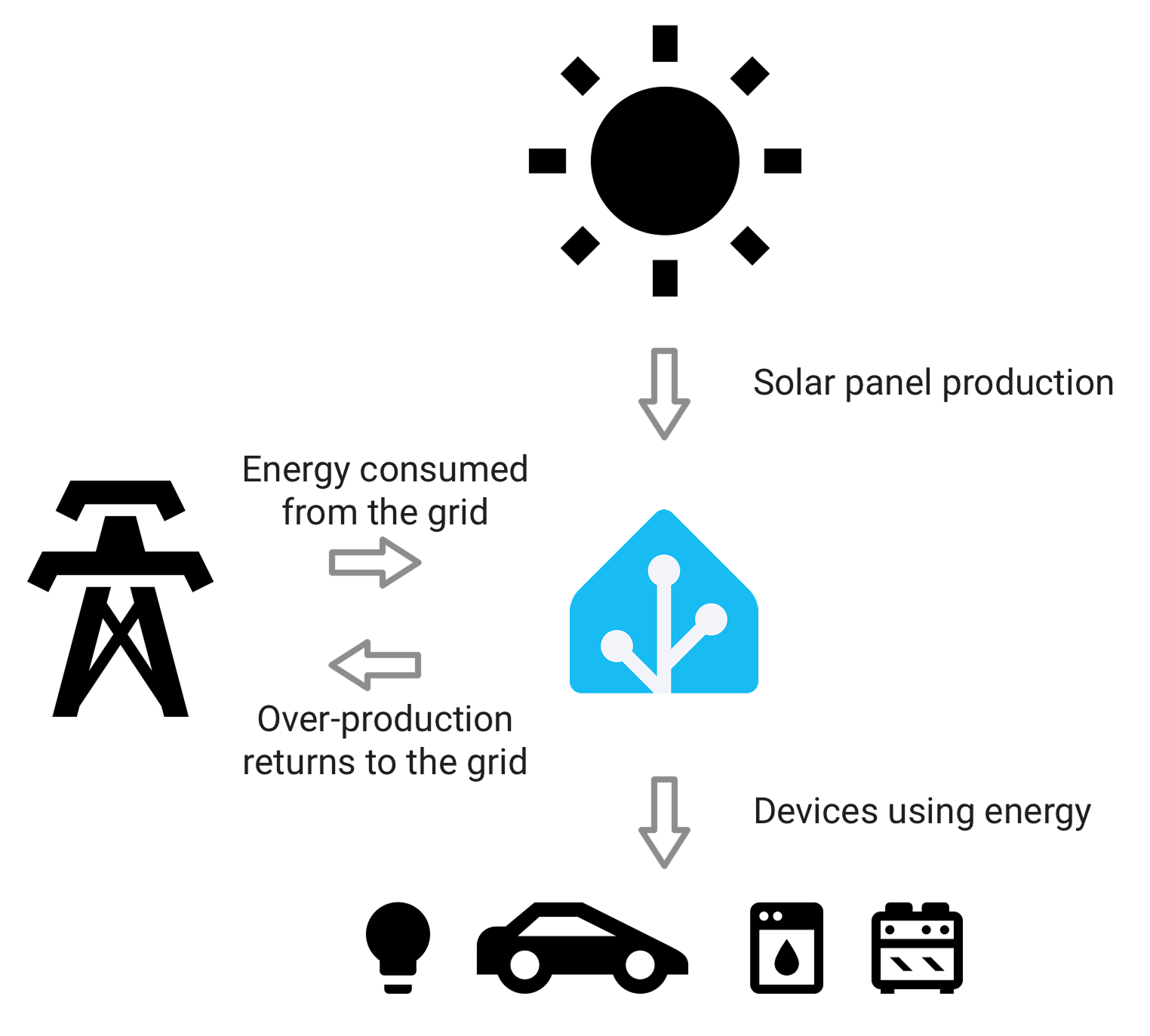
The gateway is therefore enough for a technically confident user who can test Modbus traffic and build the final entities. It is not plug-and-play Home Assistant hardware.
4. You need several devices on one correctly designed bus
RS485 can carry multiple addressed devices on one bus. This can be economical for a panel with several sub-meters, provided that:
- every device has a unique slave address;
- baud rate, parity, and stop bits match;
- the bus uses a daisy-chain topology rather than uncontrolled star wiring;
- polarity is consistent;
- termination and biasing follow the device manuals;
- cable length, shielding, grounding, and local electrical rules are respected;
- polling is slow enough for the serial bus.
A gateway does not remove the single-bus constraint. Even if several Ethernet clients can connect, requests ultimately share one serial path. Aggressive polling from multiple applications can still cause congestion or inconsistent results.
When it is the wrong tool
You need measurement hardware
If no compatible meter is installed, buy the meter first. The Waveshare device cannot measure grid import, solar export, voltage, current, power factor, or energy on its own.
A combined Wi-Fi or Ethernet energy meter may be simpler when starting from zero because the measurement and network interface are designed as one product. See the broader guide to when an RS485-to-Ethernet gateway is actually needed before adding another box to the panel.
You want a finished consumer experience
Choose a complete monitoring platform when the priority is fast commissioning, an app, automatic charts, tariffs, alerts, remote access, or support for household members. A generic gateway supplies transport, not the experience.
The total project can include:
- the gateway;
- a compatible RS485 meter;
- a DC power supply;
- electrical installation;
- Ethernet cabling;
- register mapping;
- software configuration;
- dashboards and long-term storage;
- backups and ongoing maintenance.
A low gateway price does not guarantee a low total cost if several hours of integration work are required.
Your downstream device uses a closed or undocumented protocol
An RS485 connector does not guarantee Modbus RTU. Some inverters and industrial devices use proprietary frames, vendor-specific timing, or restricted registers. Transparent serial transport may move the bytes, but software still needs to understand them.
Before buying, obtain the exact model's communication manual. Confirm protocol, electrical interface, serial settings, slave addressing, function codes, register map, data types, scaling, and whether the vendor permits third-party polling.
You need easy native Home Assistant discovery
Home Assistant can communicate with standard Modbus devices, but the generic integration is deliberately manual. The gateway does not normally create ready-made entities or Energy dashboard statistics by itself.
MQTT does not automatically solve this. The Waveshare unit can publish data to an MQTT broker, but Home Assistant still needs usable topics and payloads, entity definitions or discovery messages, correct units, and appropriate state classes. The official Home Assistant MQTT documentation also requires a broker and recommends a private, managed setup such as Mosquitto.
You need secure internet-facing remote access
Keep the gateway on a trusted local network. Do not port-forward its web interface or Modbus TCP port to the internet. The manual documents web configuration, TCP/UDP services, remote tools, and password options, but those features are not a substitute for a VPN, firewall policy, network segmentation, patch management, and modern identity controls.
For remote viewing, expose the monitoring application through a properly secured access method rather than exposing the field gateway itself.
You need one vendor to own the complete outcome
For a hobbyist or small local installation, a low-cost gateway may be entirely reasonable. For billing, compliance, production control, or multi-site commercial monitoring, the selection criteria change. Buyers may need documented environmental ratings, isolation, surge protection, cybersecurity maintenance, redundant power, event logging, formal support, and a clear warranty path.
The PoE/isolation variant or a higher-grade managed industrial gateway may be more appropriate, but exact requirements should come from the system designer rather than the shopping price.
Standard B, PoE B, or another gateway?
Waveshare lists two closely related B versions with similar software functions:
| Version | Power and isolation | Best fit |
|---|---|---|
| RS485 TO ETH (B) | 9-24 V DC terminal power; standard Ethernet | Protected indoor panel or cabinet where suitable DC power already exists |
| RS485 TO POE ETH (B) | PoE or 6-36 V DC; power and signal isolation | Installations where PoE simplifies wiring or isolation is a design requirement |
| Multi-channel or managed industrial gateway | Varies by model | Multiple independent buses, stronger environmental requirements, managed security, or formal support |
Do not assume the lowest-cost standard version has the same protection characteristics as the PoE/isolation model. Confirm the exact SKU before ordering.
A practical pre-purchase checklist
Buy the gateway only after you can answer all of these:
- What exact RS485 device and model will be connected?
- Is its protocol Modbus RTU or something else?
- Do you have the correct register map?
- What are its slave ID, baud rate, parity, data bits, and stop bits?
- Will the gateway use Modbus TCP conversion or transparent RTU-over-TCP?
- Which software will poll or receive the data?
- Can that software interpret the required registers and data types?
- Is there a suitable 9-24 V DC supply, or should you choose the PoE version?
- Is Ethernet available at the installation point?
- Who will perform the electrical and low-voltage installation?
- How will IP addressing, backups, credentials, and firmware be maintained?
- How will you test readings against the meter display or another trusted source?
If several answers are unknown, the project is not ready for hardware selection.
Commissioning sequence that avoids wasted time
Start with one device and one register:
- Have a qualified person complete the panel-side installation where mains wiring is involved.
- Verify RS485 A/B polarity and the meter's serial settings.
- Give the gateway a reserved local IP address.
- Set a strong web login key and keep the device off untrusted networks.
- Select the intended conversion mode. Use Modbus TCP-to-RTU only when the client is sending Modbus TCP.
- Test one stable register, such as voltage, using a Modbus client.
- Compare the returned value with the meter display and confirm scaling and byte order.
- Add power and energy registers only after the basic path works.
- Increase polling gradually and watch for timeouts or stale data.
- Document the final wiring, addresses, registers, firmware, and recovery settings.
When troubleshooting, divide the path into layers: meter reading, RS485 electrical bus, gateway serial settings, Ethernet reachability, protocol mode, register interpretation, and dashboard configuration. This is faster than changing several settings at once.
Final recommendation
Choose the Waveshare RS485 TO ETH (B) when you need a compact, inexpensive bridge between a known RS485 device and a local Ethernet application, and you are comfortable owning the integration. It is especially sensible for documented Modbus meters, wired local networks, and Home Assistant or Node-RED projects where manual configuration is acceptable.
Choose something else when you need measurement hardware, automatic discovery, polished analytics, simple remote access, or enterprise support. The gateway is useful because it does one infrastructure job flexibly; projects go wrong when it is expected to be the meter, software platform, dashboard, and security boundary as well.