Project overview
energy-device-gateway is the self-hosted control-plane option in this project family. Instead of running the bridge logic on a tiny embedded device, you run it on normal hardware such as a NAS, mini PC, home server, or Docker host and get a fuller browser console in return.
The gateway is built for people who want local control first:
- read supported meters and inverters on the LAN
- normalize the data into one shared payload model
- inspect the runtime state in a browser
- protect the setup with login
- optionally forward the same data to
IAMMETER-compatible services
That makes it useful as both a day-to-day monitoring layer and a practical staging point before data is sent elsewhere.
Why choose the gateway version
Compared with the embedded edge firmware, the gateway gives you more room to operate:
- normal filesystem storage for configuration and runtime state
- easier backups and host-level monitoring
- a richer live view for troubleshooting
- a more familiar deployment path for Docker and server users
- browser-based password management and service controls
It is the better choice when you already have always-on hardware and want the monitoring bridge to feel more like a dependable service than a small appliance.
Real console screenshots
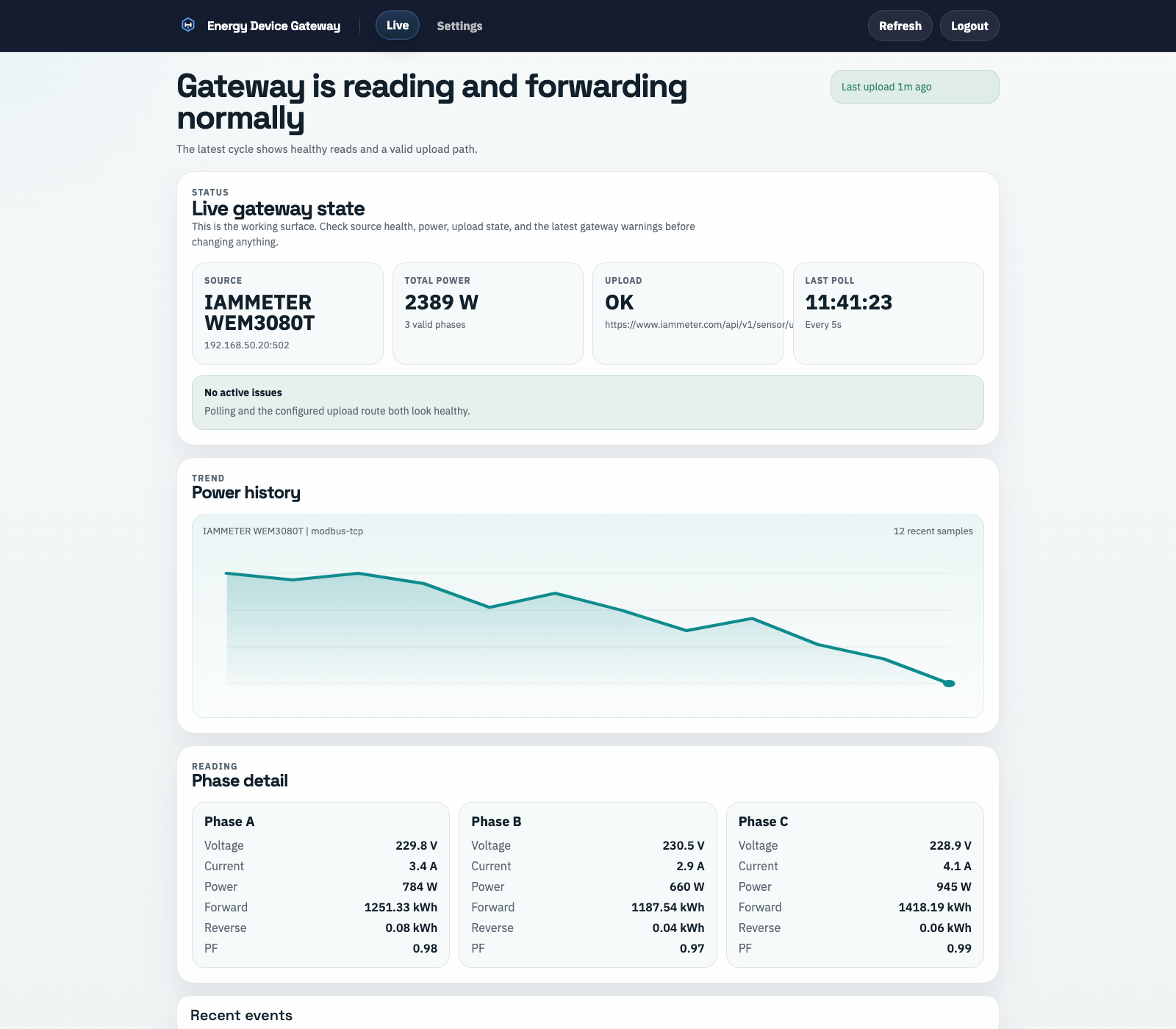
The live view is designed for operational checking rather than marketing screenshots: source health, latest upload result, trend, phase detail, and recent events are all visible without leaving the page.
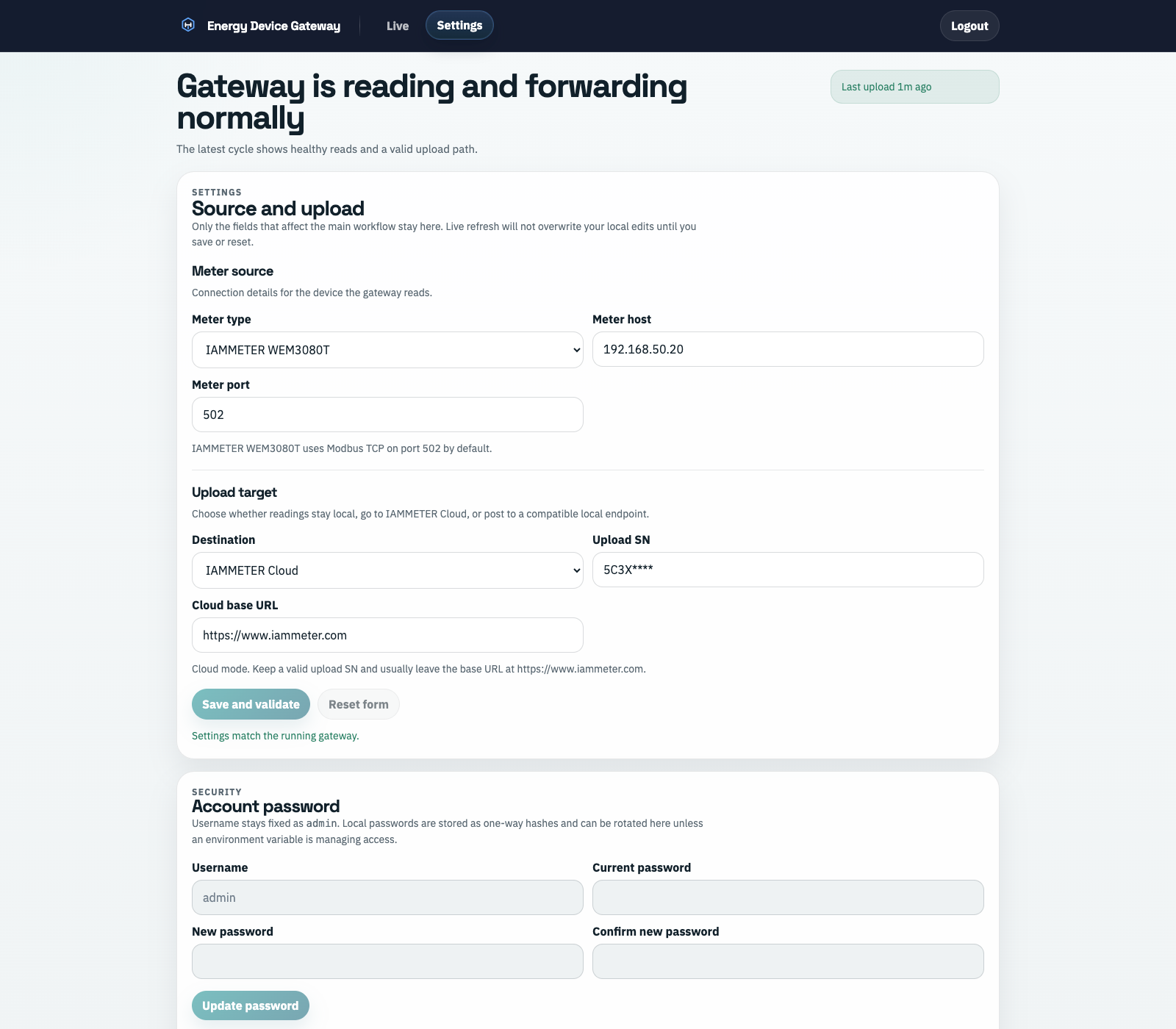
The settings area keeps source selection, host details, upload target, and access-control tasks together so the gateway can be maintained as a long-running local service.
Supported device families
The current scope is intentionally selective and focused on source devices that are useful in real monitoring setups:
IAMMETER WEM3080TFronius SunSpecinvertersShelly Pro 3EM
The gateway converts them into one normalized runtime model, which means the browser console and uploader do not need a separate workflow for each device family.
Best-fit scenarios
energy-device-gateway fits especially well when you want:
- a self-hosted local monitoring layer on hardware you already own
- one browser console for runtime checks, settings, and upload validation
- a cleaner path for backups, logs, and later expansion
- a service that can stay online quietly in the background instead of a laptop-only dev tool