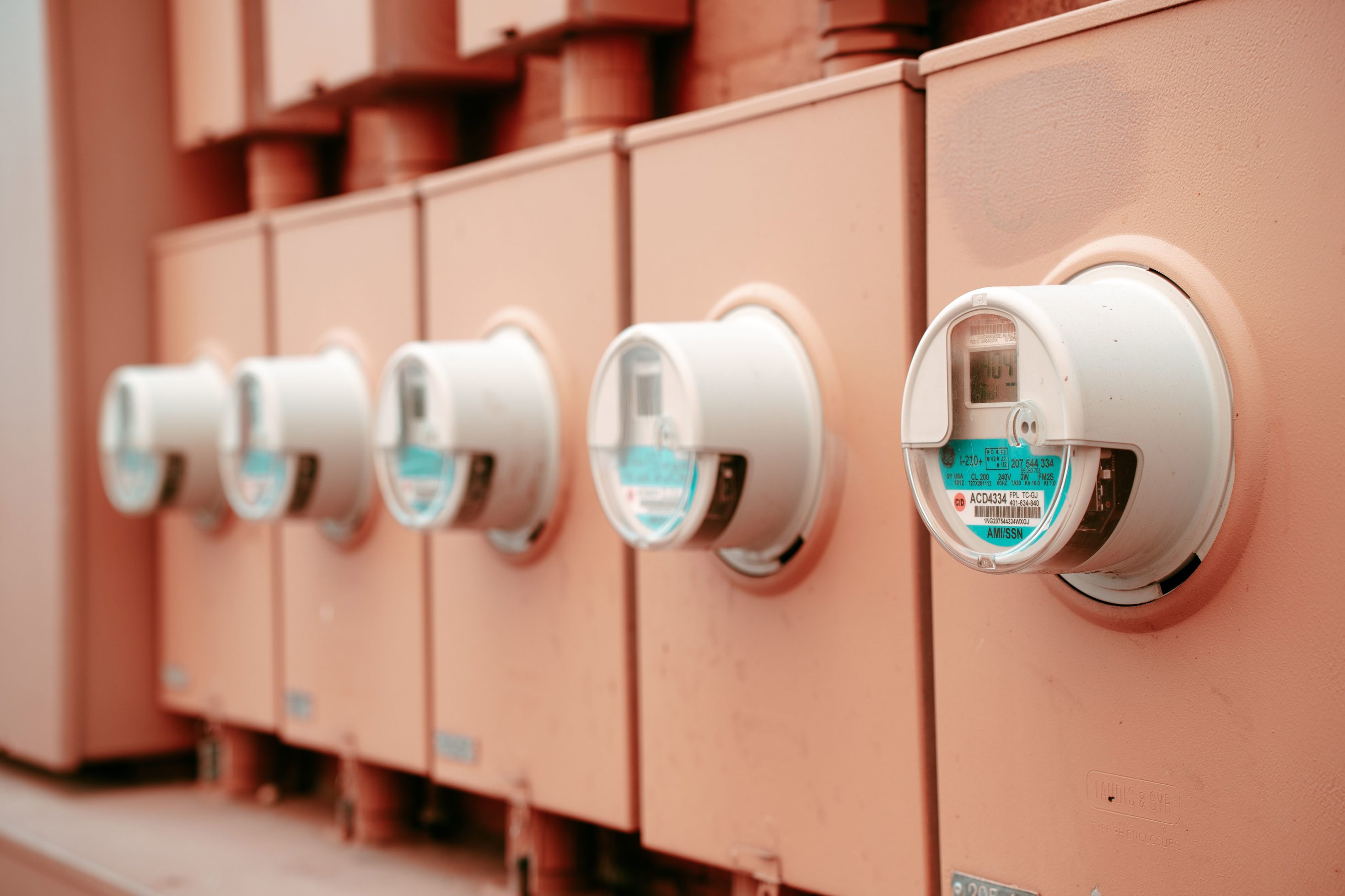
A P1 smart meter reader and a DIN-rail kWh meter can both improve home energy visibility, but they solve different problems. A P1 reader is the easiest path when your utility smart meter already exposes useful live data. A DIN-rail kWh meter is the cleaner path when you need to measure a specific circuit, inverter, EV charger, heat pump, or sub-board directly.
The mistake is treating them as interchangeable. One reads the utility meter's view of the home. The other adds a new measurement point. That difference affects installation, data ownership, solar analysis, appliance tracking, and how much the setup can grow later.
The Short Answer
Choose a P1 smart meter reader if you want the least invasive way to see whole-home import, export, and sometimes gas data from a compatible smart meter. Choose a DIN-rail kWh meter if you need a dedicated measurement point for a circuit or device that the utility meter cannot separate.
| Decision point | P1 smart meter reader | DIN-rail kWh meter |
|---|---|---|
| Installation | Plugs into a compatible smart meter port | Installed in the electrical panel by a qualified person |
| Best for | Whole-home utility-meter visibility | Dedicated circuit, solar inverter, EV charger, heat pump, or sub-board monitoring |
| Solar import/export | Good if the smart meter exposes import/export data | Good when installed at the correct grid, inverter, or circuit boundary |
| Appliance-level tracking | Limited unless the appliance has its own data source | Stronger, because the circuit can be metered directly |
| Electrical disruption | Usually minimal | Requires panel work |
| Data ownership | Depends on device and local API support | Depends on meter platform and protocol |
| Long-term flexibility | Excellent as a simple home visibility layer | Better for system design, sub-metering, and mixed energy assets |
Neither path is automatically better. The right answer depends on what you need to measure, not just which device looks easier to buy.
What a P1 Reader Actually Measures
A P1 reader connects to a P1, DSMR, HAN, or similar consumer-access port on a compatible utility smart meter. In markets where that port is available, the reader can turn the existing meter into a near-real-time home energy data source.
That makes it attractive because it avoids opening the switchboard. The utility meter is already measuring the grid boundary. The P1 reader simply gives the household a better way to see that data through an app, local API, Home Assistant integration, or dashboard.
A P1 reader is strongest when you care about:
- Current whole-home import from the grid.
- Current export to the grid from solar.
- Daily and monthly grid energy history.
- Gas meter data where the smart meter exposes it.
- Quick setup without adding CT clamps or DIN-rail hardware.
- Local dashboard access from an existing meter data path.
It is weaker when you need to separate one load from another. The P1 port can tell you what the home is doing at the grid boundary, but it usually cannot tell you exactly how much the EV charger used unless that charger is separately measured or separately integrated.
That is the core trade-off: simple whole-home visibility versus direct sub-metering.
What a DIN-Rail kWh Meter Actually Measures
A DIN-rail kWh meter is installed at a chosen point in the electrical system. It may be direct-connected, CT-based, single-phase, three-phase, Modbus, Wi-Fi, or vendor-app based. The key point is that it creates a new measurement boundary.
That boundary might be:
- A solar inverter AC output.
- An EV charger circuit.
- A heat pump or hot-water circuit.
- A garage sub-board.
- A battery or hybrid inverter path.
- A whole-home feed when the utility meter data is not available.
This makes a DIN-rail meter more flexible, but also more design-dependent. If it is installed in the wrong place, it will answer the wrong question very accurately. That is why meter placement matters as much as meter selection.
DIN-rail meters are often the better path when the homeowner or installer needs energy accounting, not just visibility. For example, a household may want to know whether a heat pump is actually reducing energy cost, whether an EV charger is using solar surplus, or whether a sub-board is responsible for overnight demand.
Why the Same Home Might Need Both
In many homes, the best setup is not P1 reader versus DIN-rail meter. It is P1 reader plus one or more dedicated meters.
A P1 reader gives the grid boundary. A DIN-rail meter gives a specific circuit or device boundary. Together, they can answer better questions:
- How much power is the home importing right now?
- How much solar is being exported instead of used?
- How much of the daily load came from the EV charger?
- Did the heat pump shift energy away from peak tariff periods?
- Is a sub-board creating the unexplained overnight load?
This layered approach is especially useful when the home has solar, a battery, an EV charger, or several flexible loads. It keeps the whole-home picture grounded in utility-meter data while adding detail where the decisions actually happen.
The downside is complexity. More meters create more data streams, and more data streams need cleaner labels, time alignment, and dashboard design. If the household only wants a quick check of import and export, a P1 reader alone may be enough.
Where Solar Monitoring Changes the Answer
Solar homes make this decision more important because the most interesting number is often not total consumption. It is the relationship between production, import, export, self-consumption, and flexible loads.
A P1 reader can be excellent for grid import/export. If your smart meter exposes reliable bidirectional data, it may give you the most trustworthy view of what crossed the utility boundary. That is useful for checking bills, tariffs, and whether the home is exporting surplus solar during the day.
But a P1 reader does not replace solar production data. It only sees net flow at the utility boundary. If the inverter produced 30 kWh and the home exported 10 kWh, the missing 20 kWh may have been self-consumed, stored in a battery, or used by daytime loads. The P1 reader helps with the grid side, but it does not automatically separate every internal flow.
A DIN-rail meter can fill that gap when installed on the inverter output, EV charger, or other important circuit. That is why solar homes often benefit from one grid-boundary data source plus selected dedicated meters, rather than trying to make one device explain the whole system.
For a broader monitoring architecture, the Solar Monitoring Planner is a useful next step.
How Local API and Home Assistant Fit In
Both paths can work well with Home Assistant, but the experience depends on the specific device.
A good P1 reader with a local API can be a clean Home Assistant source because it avoids panel work and reports the data the utility meter already knows. In European P1-oriented markets, products such as HomeWizard P1 Meter are appealing because they make the utility-meter data path more accessible for normal households.
A DIN-rail meter can be stronger when the home needs more than the utility-meter boundary. Wi-Fi meters, Modbus meters, and local-API meters can feed circuit data into Home Assistant, Grafana, InfluxDB, vendor dashboards, or self-hosted monitoring tools. That is where products such as Wi-Fi kWh meters, Shelly meters, IAMMETER meters, Eastron Modbus meters, and other panel-grade devices become useful.
The practical question is not just “does it support Home Assistant?” It is:
- Is the data local or cloud-only?
- Does it report power fast enough for the intended use?
- Does it expose import and export separately?
- Does it preserve long-term energy totals cleanly?
- Can the household still use the data if the vendor app changes?
If data access matters more than app polish, see How to Choose an Energy Meter If You Care More About Data Access Than App Design.
When a P1 Reader Is the Better First Buy
Start with a P1 reader when these conditions are true:
- Your smart meter has a compatible consumer data port.
- You mainly want whole-home import/export visibility.
- You do not need to measure one appliance separately yet.
- You want a low-disruption setup.
- You care about local data but do not want switchboard work.
- Your solar questions are mostly about grid import and export.
This is often the best first monitoring step for households that feel blind today but do not yet know which circuit deserves extra metering. It gives enough visibility to decide whether further hardware is actually worth adding.
The main watch-out is market fit. P1-style readers are not universal. They depend on smart-meter type, regional standards, port activation rules, and what the meter exposes.
When a DIN-Rail Meter Is the Better First Buy
Start with a DIN-rail kWh meter when these conditions are true:
- You need to monitor a specific circuit or device.
- Your smart meter does not expose a useful local data port.
- You want solar inverter output measured separately.
- You need EV charger, heat pump, or hot-water energy totals.
- You are planning a more structured Home Assistant or local monitoring setup.
- You need a meter that fits an inverter, export-control, or sub-metering workflow.
This path has more installation friction, but it can produce more useful decision data. If you are trying to evaluate whether a heat pump is worth it, whether EV charging is landing in the right tariff window, or whether a solar inverter is being measured cleanly, a dedicated meter is often the better tool.
The Buying Mistake to Avoid
The most common mistake is buying the easier device when the real problem needs a dedicated measurement point.
A P1 reader is wonderfully simple, but it cannot magically split the home into circuits. A DIN-rail meter is more powerful, but it can be overkill if the household only wants grid import and export. The right first step is to write down the question you want answered:
- “How much am I importing and exporting?” points toward a P1 reader or grid-boundary meter.
- “How much does my EV charger use?” points toward a dedicated circuit meter or charger data path.
- “Is my solar being used at home or exported?” may need both grid import/export and inverter production.
- “Which loads drive my evening bill?” may need interval data first, then selected circuit monitoring.
That question-first approach prevents overbuying and under-measuring at the same time.
Bottom Line
A P1 smart meter reader is the cleanest path when the existing utility meter already exposes the data you need. A DIN-rail kWh meter is the better path when you need to create a new measurement boundary for a circuit, inverter, EV charger, heat pump, or sub-board.
For many homes, the best monitoring stack grows in stages: start with the grid boundary, learn what the data reveals, then add dedicated metering only where it changes a real decision. That keeps the system useful without turning the switchboard into a data project for its own sake.