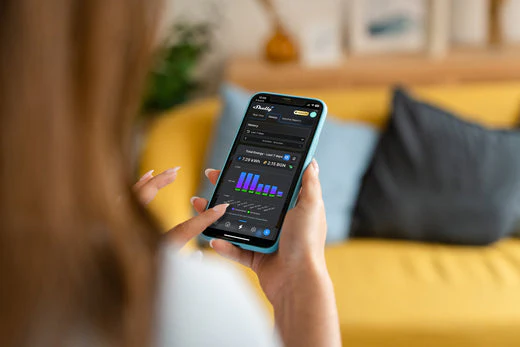
A Wi-Fi energy meter is not automatically better than a traditional DIN-rail meter. It is better when the job is small enough, close enough to a reliable wireless network, and focused on fast visibility rather than formal panel integration.
A traditional DIN-rail meter is still the safer default for installer-led switchboard work, three-phase projects, commercial sub-metering, long-term Modbus integration, and situations where the meter must behave like a fixed electrical component rather than an app-connected smart device.
The mistake is treating this as a modern-versus-old comparison. The real question is where the meter will live, who will maintain it, what data path the project needs, and how painful it would be if the connection becomes unreliable.
The Short Version
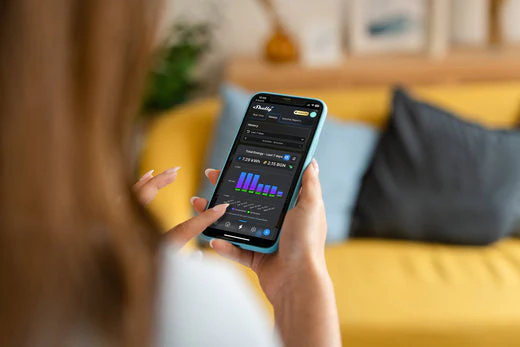
Choose a Wi-Fi energy meter when you need quick monitoring, limited rewiring, easy app setup, and direct integration with platforms such as Home Assistant, MQTT, HTTP, or a vendor cloud dashboard.
Choose a traditional DIN-rail meter when the project needs electrical-panel discipline, predictable wired communication, multi-phase robustness, utility-style measurement behavior, or integration through a gateway, inverter, data logger, or building-management system.
A Wi-Fi meter is often a good fit for:
- a single-phase home that wants whole-home visibility without building a full metering cabinet
- appliance or circuit monitoring where a compact CT-based device is enough
- solar homes that need import/export visibility but do not need a full industrial meter stack
- Home Assistant users who want energy data without adding RS485 wiring
- small commercial spaces where the installation is simple and Wi-Fi coverage is controlled
A DIN-rail meter is usually a better fit for:
- three-phase panels where phase mapping and voltage reference matter
- solar inverter ecosystems that expect a specific RS485 or Modbus meter
- switchboards where equipment should be serviceable by electricians over many years
- metering jobs that must keep working even if the Wi-Fi network changes
- commercial, landlord, plant-room, or sub-metering work where reliability matters more than app polish
What Counts as a Wi-Fi Energy Meter?
A Wi-Fi energy meter is a meter that sends data directly over the local wireless network. Some are compact CT-based retrofit devices. Some are still DIN-rail mounted, but they avoid a separate RS485 gateway because Wi-Fi is built in.
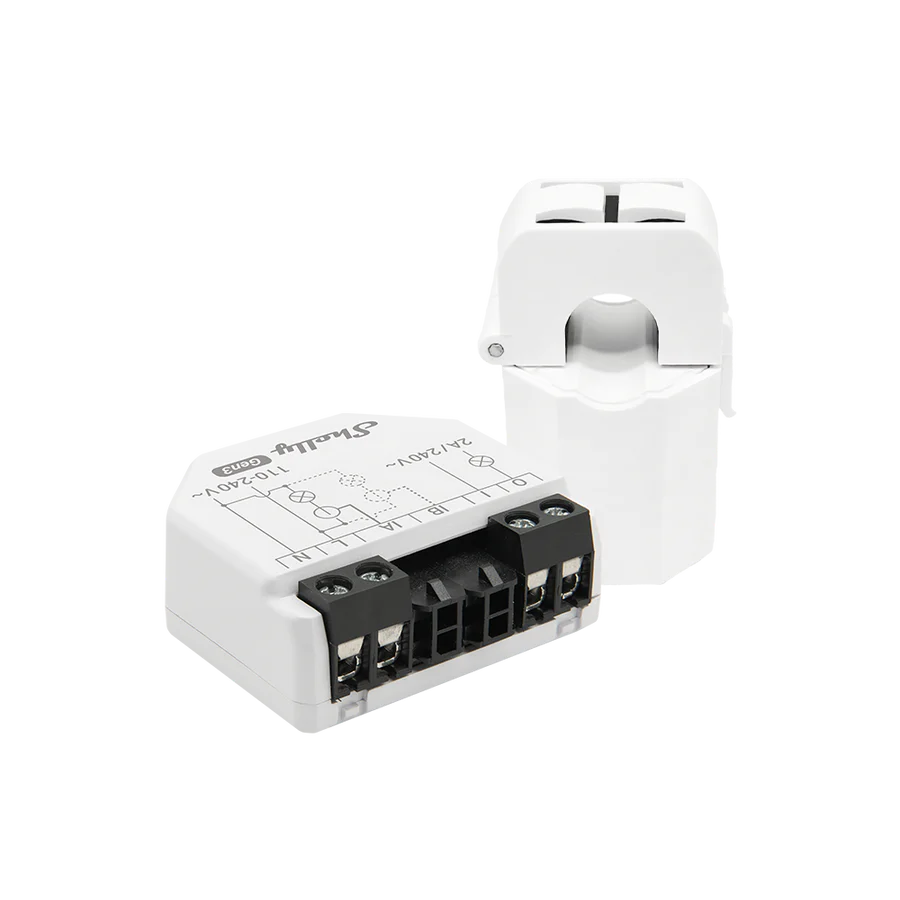
For example, Shelly describes the EM Gen3 as a compact smart energy meter that uses up to two current transformers, can work in a local Wi-Fi network, includes an embedded web interface, and supports local-only monitoring and automation. IAMMETER's WEM3080 is also a Wi-Fi energy meter, but it is closer to a classic panel meter in shape: it is a two-pole DIN-rail device with Wi-Fi, local HTTP access, cloud options, and third-party integrations.
That means the physical form is not the whole story. A meter can be DIN-rail mounted and still behave like a Wi-Fi-first device. Another meter can be DIN-rail mounted and depend on RS485 Modbus, a gateway, and upstream software.
What Counts as a Traditional DIN-Rail Meter?
A traditional DIN-rail energy meter is normally built to sit inside a distribution board or metering enclosure. It often has a front display, hard-wired voltage and current connections, pulse outputs, RS485 Modbus RTU, M-Bus, or Ethernet Modbus TCP depending on the model.
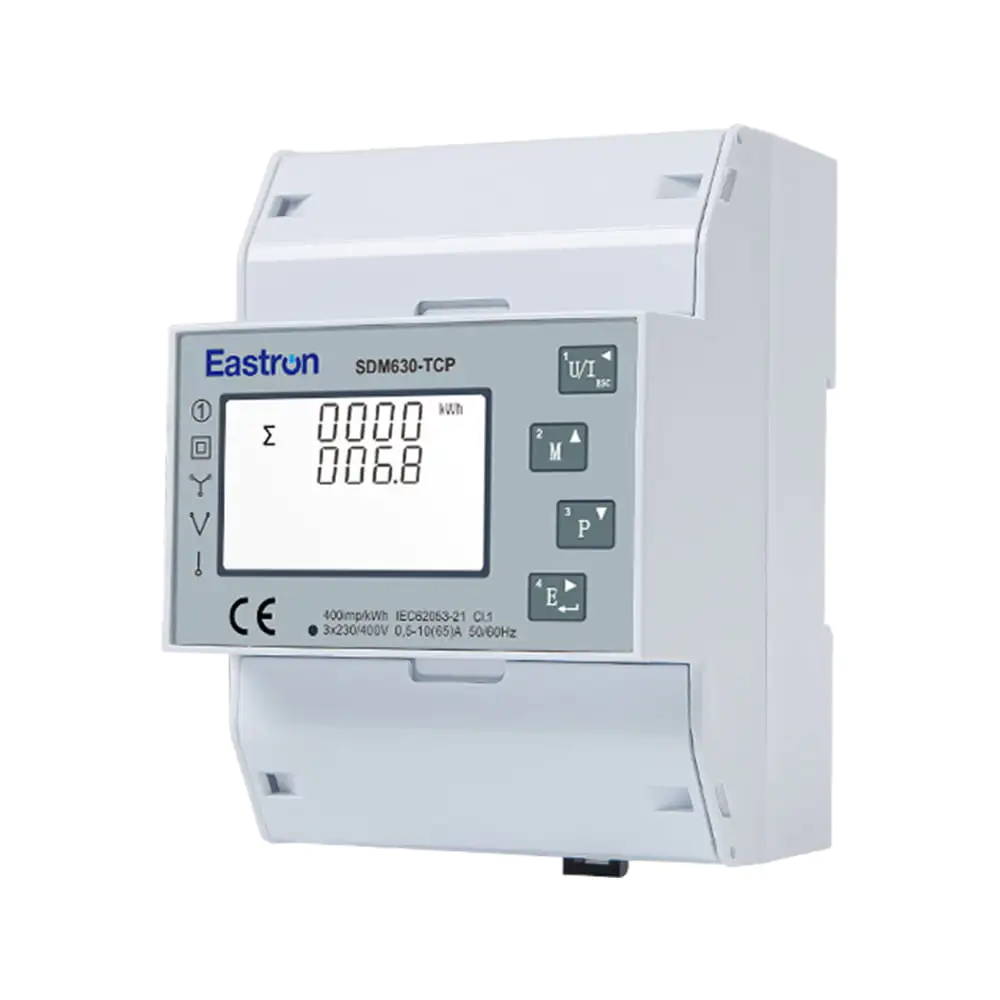
The Eastron SDM630 family is a useful reference point. Eastron Europe presents the SDM630 as a single/three-phase DIN-rail mounted meter with 100 A input options, a backlit display, Modbus and pulse-output variants, and electrical parameters such as voltage, current, power factor, frequency, demand, active energy, and harmonic distortion. Eastron also lists SDM630-TCP variants with Ethernet Modbus TCP for remote reading and programming.
This type of meter is less about a friendly app and more about being a stable measurement component. The user interface may be another system entirely: an inverter portal, a gateway, Home Assistant, Grafana, a building-management system, or an energy analytics platform.
When Wi-Fi Makes More Sense
1. The Project Is a Retrofit, Not a New Metering Architecture
Wi-Fi meters make the most sense when the goal is to add visibility without redesigning the electrical architecture.
If a homeowner wants to understand whole-home consumption, a heat pump circuit, a water heater, a garage workshop, or a small solar import/export point, a compact Wi-Fi meter can be much faster to deploy than a DIN-rail meter plus RS485 gateway. It can often provide useful data quickly, especially where split-core CTs avoid disconnecting large conductors.
This does not remove the need for safe installation. Energy meters still sit around dangerous voltages, and panel work should be handled according to local electrical rules. But from a system-design point of view, Wi-Fi reduces the number of integration parts.
2. The User Actually Wants an App or Browser Interface
Many traditional meters are excellent at measurement but poor at direct user experience. They show numbers on a small LCD, then expect another device to collect and visualize the data.
A Wi-Fi meter can be more practical when the buyer wants:
- quick charts in a mobile app
- a browser interface for setup
- cloud access without running their own server
- Home Assistant integration without RS485 cabling
- MQTT or HTTP data without an additional gateway
This matters for energy-saving behavior. A technically accurate meter that nobody checks may have less value than a slightly simpler meter that makes daily patterns obvious.
3. The Site Has Reliable Wi-Fi Where the Meter Will Live
Wi-Fi meters are only as useful as the network around them. They work best when the switchboard, plant room, garage, or utility area has stable 2.4 GHz coverage, a sensible SSID policy, and no frequent router changes.
If the meter location is a metal enclosure at the far end of a property, Wi-Fi can become the weak point. In those cases, a DIN-rail meter with wired Modbus, Ethernet, or a nearby gateway may be a better long-term choice.
A simple rule helps: if you would not trust a security camera, access point, or payment terminal to the same wireless conditions, be careful about trusting your main energy data to them.
4. You Need Local Data, But Not an Industrial Bus
Wi-Fi does not have to mean cloud-only. Several modern Wi-Fi meters expose local interfaces, including HTTP, MQTT, WebSocket, Modbus/TCP, or vendor APIs. IAMMETER documents several Home Assistant integration paths, including HTTP, Modbus/TCP, MQTT, and MQTT discovery. Shelly lists MQTT, HTTP, WebSocket, and RPC support for EM Gen3.
That makes Wi-Fi attractive for serious home monitoring. You can keep the hardware simple while still feeding a local dashboard, automation engine, or data store.
The important buying question is not just "Does it have Wi-Fi?" It is:
- Can I read data locally?
- How often can I read it?
- Can multiple systems subscribe without breaking vendor cloud upload?
- What happens if the internet is down?
- Is the API documented enough for my use case?
When a Traditional DIN-Rail Meter Is Still Better
1. The Meter Is Part of a Solar Inverter Ecosystem
Many solar inverters expect particular meters, protocols, wiring patterns, or Modbus register maps. If the inverter requires a supported RS485 meter for export control, battery control, or self-consumption logic, a generic Wi-Fi monitor may not be a substitute.
This is where buyers often confuse visibility with control. A Wi-Fi meter may show grid import/export beautifully, but that does not mean the inverter can use it for closed-loop control. For solar, battery, and export-limiting work, supported-device lists matter.
2. The Job Is Three-Phase and Accuracy Depends on Correct Phase Mapping
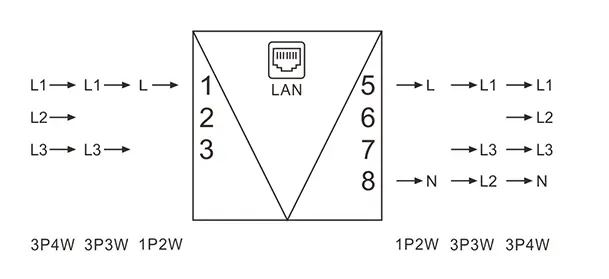
Three-phase monitoring is less forgiving than simple single-phase appliance monitoring. Voltage references, CT orientation, phase order, and channel mapping all have to line up. If the meter is feeding billing estimates, solar export decisions, load balancing, or site-level reporting, a panel-grade meter is often the cleaner choice.
A direct-connected DIN-rail meter like the SDM630-TCP is designed around phase wiring, front-panel diagnostics, Modbus addressing, and a fixed electrical installation. That does not make it easier for a casual homeowner, but it often makes it easier for an installer or integrator to verify.
3. The Network Must Be Boring
For long-term metering, boring is good. RS485 Modbus is not glamorous, but it is predictable when wired correctly. Ethernet Modbus TCP is similarly attractive when the project already has structured cabling.
Traditional DIN-rail meters are often the better choice when:
- the data logger is in the same cabinet
- several meters must share a bus
- the site has many tenants, circuits, or sub-loads
- Wi-Fi credentials may change over time
- future electricians need to understand the setup quickly
- the system must be maintainable without the original homeowner or hobbyist present
4. The Meter Needs to Be a Component, Not the Product
A Wi-Fi meter often sells the whole experience: hardware, app, cloud, firmware, and integrations. A traditional DIN-rail meter is more likely to be one component in a larger stack.
That component mindset is useful in professional energy monitoring. The meter measures. The gateway collects. The software interprets. The dashboard presents. Each layer can be changed without replacing everything.
The Practical Decision Framework
Use this checklist before choosing.
| Question | Wi-Fi meter tends to fit | DIN-rail Modbus or Ethernet meter tends to fit |
|---|---|---|
| Who will install and maintain it? | Homeowner-plus-electrician, smart-home user, light retrofit | Electrician, solar installer, system integrator |
| What is being measured? | One appliance, one circuit, simple whole-home use, small solar visibility | Main incomer, three-phase board, sub-metering, inverter control, commercial loads |
| How will data be read? | App, cloud dashboard, Home Assistant, MQTT, HTTP | RS485 Modbus, Ethernet Modbus TCP, inverter gateway, BMS, data logger |
| What happens if Wi-Fi changes? | Data may pause until reconfigured | Wired metering path usually continues |
| Is local automation important? | Good if APIs are documented and local polling is supported | Good if the automation stack can poll Modbus reliably |
| Is formal panel integration important? | Sometimes, depending on product and enclosure | Usually stronger |
| Is future serviceability important? | Depends on documentation and installer familiarity | Usually easier for electrical professionals |
Good Use Cases for Wi-Fi Energy Meters
Home Assistant Energy Dashboards
If the goal is to feed Home Assistant with import, export, voltage, current, and power data, Wi-Fi meters can be very attractive. The setup can be lighter than RS485, and modern devices may support multiple integration methods.
For this use case, prioritize local interfaces over app design. A beautiful cloud app is useful, but Home Assistant users should check whether the meter supports local polling, MQTT, Modbus/TCP, or another stable integration path.
Single-Circuit Loads
Heat pumps, electric water heaters, workshops, pool pumps, and EV chargers often deserve separate monitoring. A Wi-Fi CT meter can be enough if the goal is understanding run time, power draw, and daily energy use.
For EV charging or large heat pumps, still check phase, voltage reference, CT rating, enclosure space, and whether the meter is approved for the installation environment.
Solar Self-Consumption Visibility
A Wi-Fi meter can help a solar owner see when the home is exporting, importing, or consuming behind the inverter. That is useful for shifting loads, validating tariff behavior, and deciding whether a battery, diverter, or smart charger is worth considering.
But if the meter must drive inverter export limiting, battery charge logic, or charger load management, choose equipment supported by those systems rather than assuming any Wi-Fi meter can provide the control signal.
Good Use Cases for DIN-Rail Meters
Three-Phase Homes and Small Commercial Boards
Three-phase sites benefit from meters that make phase wiring explicit and serviceable. A DIN-rail meter with a display and documented Modbus map gives installers more ways to verify that phase voltage, phase current, and energy totals make sense.
Solar and Battery Systems With Supported Meter Lists
If an inverter vendor specifies compatible meters, follow that list unless there is a strong reason not to. The meter is not just a measuring tool in these systems; it may be part of the control loop.
Multi-Meter Installations
If a project needs multiple meters across apartments, circuits, plant rooms, EV bays, or tenant loads, wired metering becomes much easier to document and maintain. RS485 bus planning takes effort, but it scales more cleanly than a pile of unrelated Wi-Fi devices.
Common Buying Mistakes
The first mistake is buying for the app instead of the measurement boundary. A great app cannot fix a meter installed on the wrong conductor, the wrong phase, or the wrong side of a solar inverter.
The second mistake is buying a traditional Modbus meter without planning the gateway. A DIN-rail meter may be accurate and reliable, but it still needs a path into software. That path might be an inverter, RS485-to-Ethernet gateway, data logger, Home Assistant, or industrial controller.
The third mistake is assuming Wi-Fi means easy forever. Setup may be easy on day one, but energy monitoring is a long-life system. Router changes, cloud policy changes, firmware updates, and lost credentials all matter.
The fourth mistake is assuming DIN-rail means professional. Some Wi-Fi meters are DIN-rail mounted. Some traditional meters are poorly integrated. Judge the whole system, not just the plastic shape.
Final Recommendation
A Wi-Fi energy meter makes more sense when the project is retrofit-friendly, app or Home Assistant driven, close to reliable Wi-Fi, and mainly about visibility. It is often the practical answer for homeowners and small sites that want useful data without building a full metering stack.
A traditional DIN-rail meter makes more sense when the project is panel-centric, three-phase, inverter-controlled, commercial, multi-meter, or expected to be serviced by different people over many years. It is less convenient at first, but often stronger as infrastructure.
The best choice is the one that matches the real job. For energy monitoring, that means choosing the data path and measurement boundary before choosing the brand.
Sources
- Shelly EM Gen3 official product and documentation page
- Shelly EM Gen3 technical documentation
- IAMMETER WEM3080 datasheet
- IAMMETER Home Assistant integration guide
- Eastron Europe SDM630 Modbus product page
- Eastron SDM630-TCP product page
- EnergyMeterHub Eastron SDM630 device profile
- EnergyMeterHub IAMMETER WEM3080T device profile