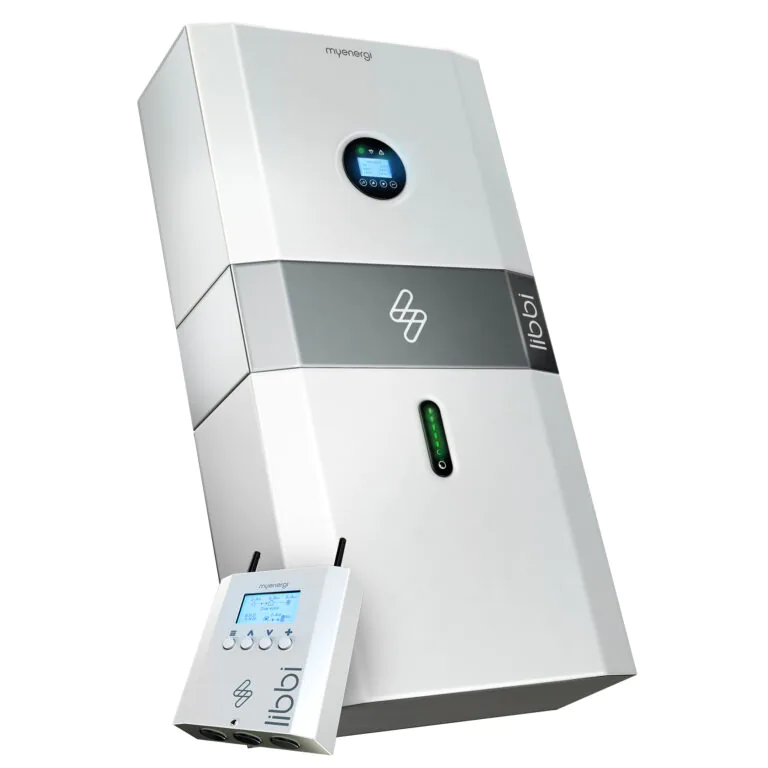
Device Comparison
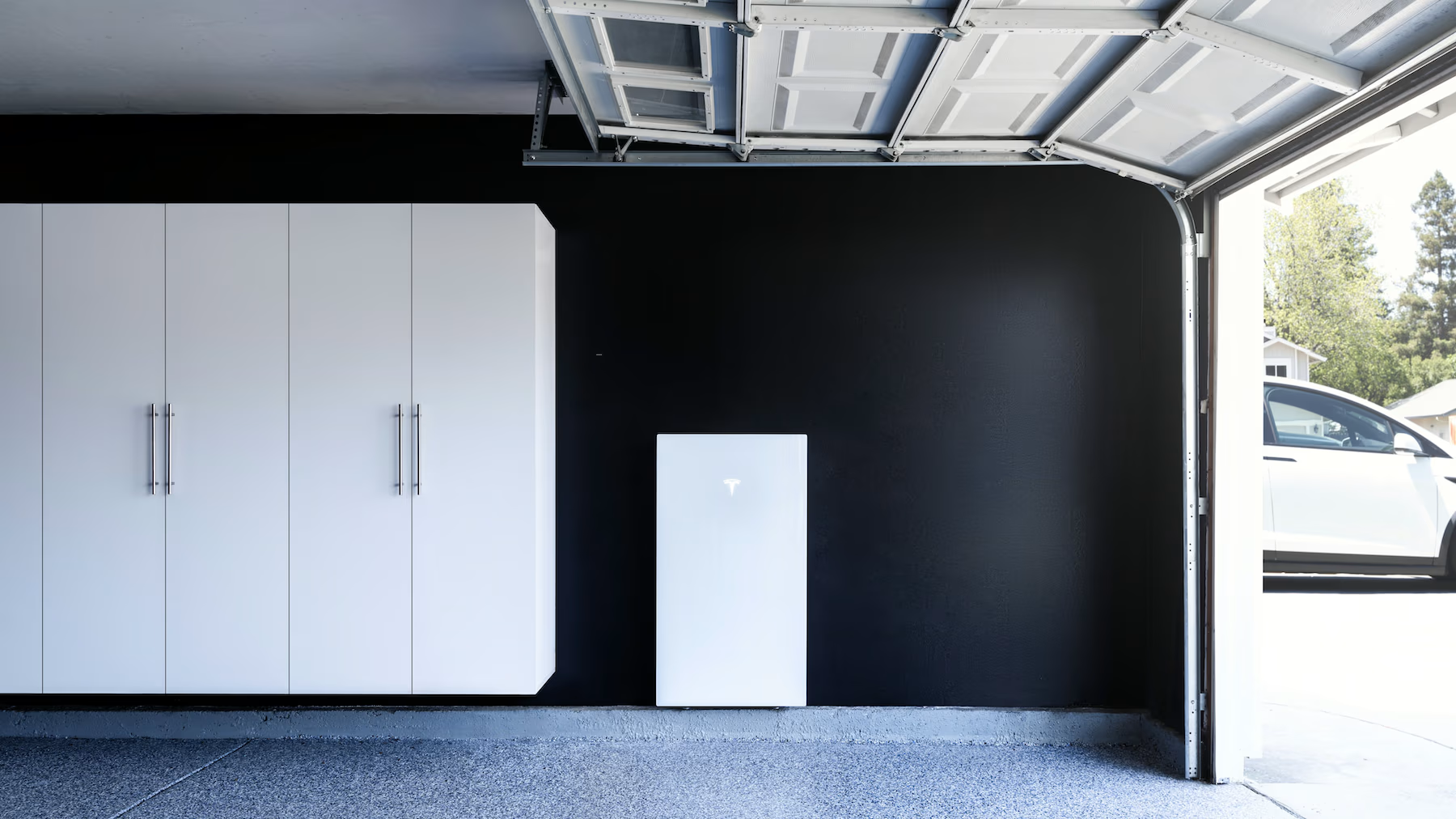
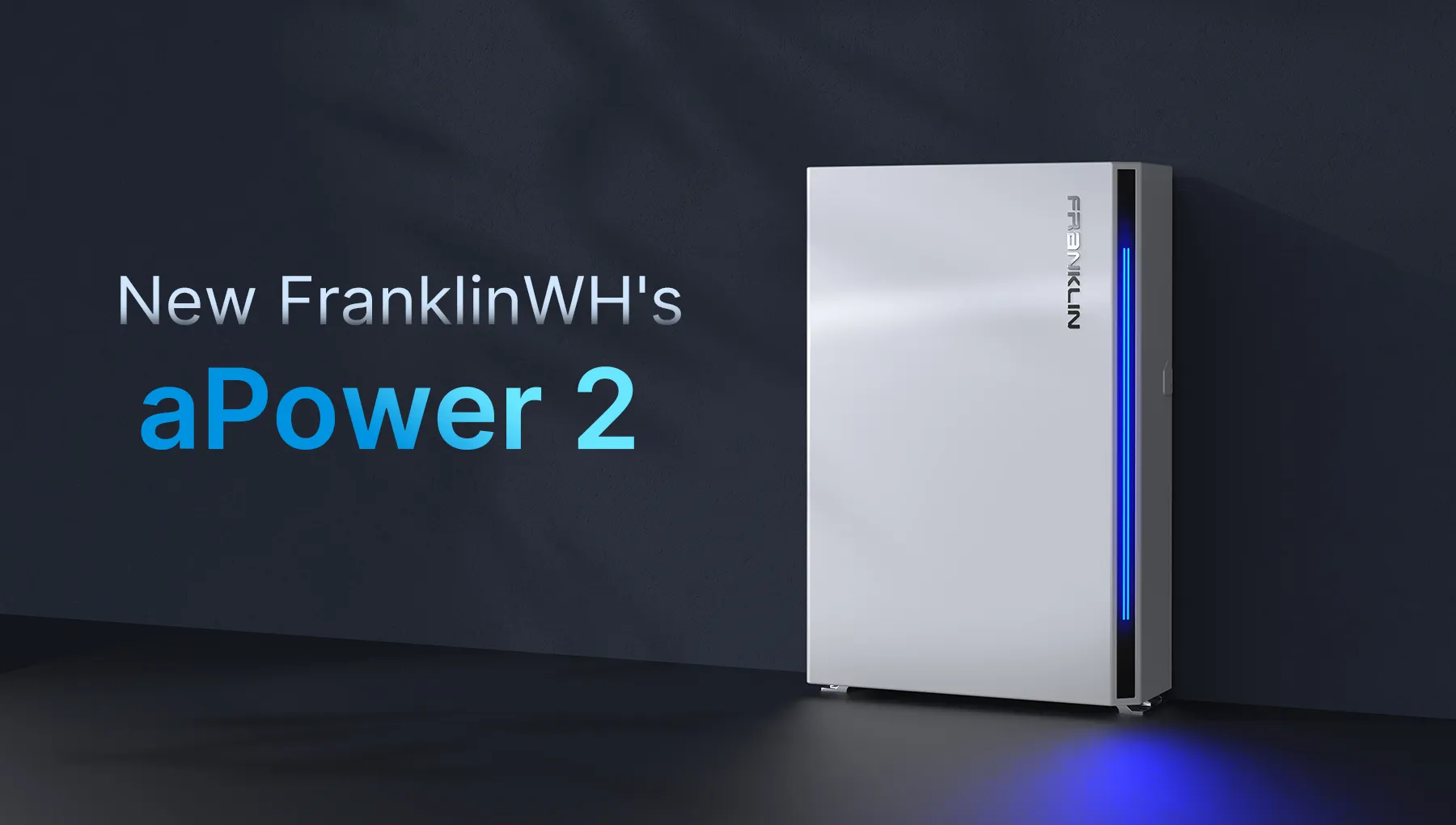
myenergi libbi vs Tesla Powerwall 3 vs FranklinWH aPower 2
Compare 3 battery storage options by installation fit, monitoring, local data access, source-checked specs, and buying context.
Free Compare
Build your own comparison
Which To Choose
Start with the practical fit, then read the table.
myenergi libbi
Best fit when about 4.6 kWh usable storage, backup needs like optional blackout backup to a dedicated socket or lighting circuit; backup output depends on inverter model and installation design., and future expansion.
Tesla Powerwall 3
Best fit when about 13.5 kWh usable storage, backup needs like seamless whole-home or partial-home backup is a core supported use case; Tesla's current support documentation says non-backup configuration is not supported for Powerwall 3., and future expansion.
FranklinWH aPower 2
Best fit when about 15 kWh usable storage, backup needs like whole-home backup / Emergency Backup when installed as a compatible FranklinWH system with aGate., and future expansion.
Use this comparison when you are choosing between battery storage options and need to separate practical setup fit from headline specifications.
At A Glance
Key fit signals before the full table
A quick pass over the most decision-shaping details for each device in this featured comparison.
myenergi libbi
- Usable capacity
- 4.6 kWh
- Nominal capacity
- 5.12 kWh
- Chemistry
- LFP (LiFePO4)
- Charge/discharge
- 5 kW
Tesla Powerwall 3
- Usable capacity
- 13.5 kWh
- Nominal capacity
- 13.5 kWh
- Chemistry
- Lithium-ion; subtype not specified in reviewed public Tesla Powerwall 3 sources.
- Charge/discharge
- 11.5 kW
FranklinWH aPower 2
- Usable capacity
- 15 kWh
- Nominal capacity
- 15 kWh
- Chemistry
- Lithium iron phosphate (LFP)
- Charge/discharge
- 10 kW
Before You Decide
Checks that matter before price.
- Separate bill-shifting size from backup size before comparing models.
- Check usable capacity, discharge power, and expansion path together.
- Confirm whether the battery fits your existing inverter or needs a new system stack.
- Compare warranty terms and installer support, not only kWh per dollar.
| Install fit | |||
|---|---|---|---|
| Phase support | Single-phase 230 V systems in the reviewed core English source set | North American split-phase residential systems; regional variants differ | Residential whole-home backup system context via FranklinWH system components |
| Installation | Installer-installed modular home battery; current range includes single-phase and separate three-phase systems. | Certified installer wall- or floor-mounted indoor/outdoor residential battery installation. | Indoor / outdoor wall- or floor-mounted AC-coupled battery; Type 3R enclosure with IP67 battery pack and inverter rating. |
| Measurement | Modular LFP home battery storage and hybrid-inverter energy system for solar self-consumption, grid charging, and optional dedicated-circuit backup. | Residential battery-storage and integrated solar inverter system for backup, self-consumption, and time-of-use energy management. | AC-coupled residential battery storage for solar, grid, generator, EV, self-consumption, time-of-use, and backup operation. |
| Max current | Unknown | 48 A | Unknown |
| Inverter fit | |||
| Backup support | Optional blackout backup to a dedicated socket or lighting circuit; backup output depends on inverter model and installation design. | Seamless whole-home or partial-home backup is a core supported use case; Tesla's current support documentation says non-backup configuration is not supported for Powerwall 3. | Whole-home backup / Emergency Backup when installed as a compatible FranklinWH system with aGate. |
| Battery fit | |||
| Nominal capacity | 5.12 kWh | 13.5 kWh | 15 kWh |
| Usable capacity | 4.6 kWh | 13.5 kWh | 15 kWh |
| Chemistry | LFP (LiFePO4) | Lithium-ion; subtype not specified in reviewed public Tesla Powerwall 3 sources. | Lithium iron phosphate (LFP) |
| Charge/discharge power | 5 kW | 11.5 kW | 10 kW |
| Warranty | 10 years | 10 years | 15 years |
| Expansion | Single-phase: 1-4 modules / 20.4 kWh nominal. Three-phase: modules added in pairs, up to 8 modules / 40 kWh marketed capacity. | Up to 4 Powerwall 3 units plus 3 Expansion units (7 total); each Expansion adds 13.5 kWh. | 15 kWh per unit; up to 15 units / 225 kWh per aGate |
| Monitoring | |||
| Protocol | Ethernet / Wi-Fi / RS485 / Proprietary 868/915 MHz / myenergi app | Tesla App / Wi-Fi / Ethernet / Cellular | FranklinWH App / aGate |
| Local API | No | No | No |
| Cloud dependency | myenergi app/cloud is used for remote monitoring and control; core operation depends on the installed libbi controller/inverter system. | Internet is required for app/remote features, firmware updates and the full 10-year warranty; prolonged disconnection may limit warranty coverage to 4 years. | FranklinWH App is the documented user interface; aPower 2 operates within the FranklinWH aGate system rather than as a standalone local-API battery. |
| Home Assistant | No | No | No |
| Solar fit | |||
| Solar import/export | Yes | Yes | Yes |
| Buying context | |||
| Price range | Unknown | Installer supplied; usually quoted as a complete installed system | Unknown |
| Availability | UK, Ireland, Netherlands, Belgium, Luxembourg, Germany, Poland, France and Australia through regional myenergi sales or installer routes; configuration varies by country. | Tesla Powerwall markets including the United States and other country-specific Tesla Energy sales/installer regions; availability varies by location. | United States and Canada for SKU APR-10K15V2-US; other FranklinWH regional products and variants must be checked separately. |
| Source check | |||
| Last verified | Sep 30, 2026 | Oct 1, 2026 | Sep 24, 2026 |
| Product page | Official page | Official page | Official page |
| Documentation | Official docs | Official docs | Official docs |
Verdict
Start with myenergi libbi when about 4.6 kWh usable storage, backup needs like optional blackout backup to a dedicated socket or lighting circuit; backup output depends on inverter model and installation design., and future expansion. Put Tesla Powerwall 3 higher on the list when about 13.5 kWh usable storage, backup needs like seamless whole-home or partial-home backup is a core supported use case; Tesla's current support documentation says non-backup configuration is not supported for Powerwall 3., and future expansion. For the final choice, check the full table for installation constraints, local data access, and source-verified unknowns.
FAQ
Common decision questions.
Which battery storage should I choose?
Choose the option that matches your installation constraints and data path first. For 3 battery storage options, the full table is most useful after you know whether local data access, cloud convenience, backup behavior, solar visibility, or expansion matters most.
What should I check before comparing prices?
Check installation fit, required accessories, official documentation, monitoring platform support, and any unknown fields in the source-checked table. Price is only useful once those constraints are clear.
Are unknown fields a reason to avoid a device?
Not always. Unknown means the field was not confirmed from the reviewed source data. Treat it as a question for the installer, reseller, or manufacturer before making a purchase decision.