Device Comparison
HomeWizard P1 Meter vs HomeWizard kWh Meter 1-Phase
A simple comparison between reading an existing smart meter and adding a DIN-rail kWh meter.
Free Compare
Build your own comparison
Which To Choose
Start with the practical fit, then read the table.
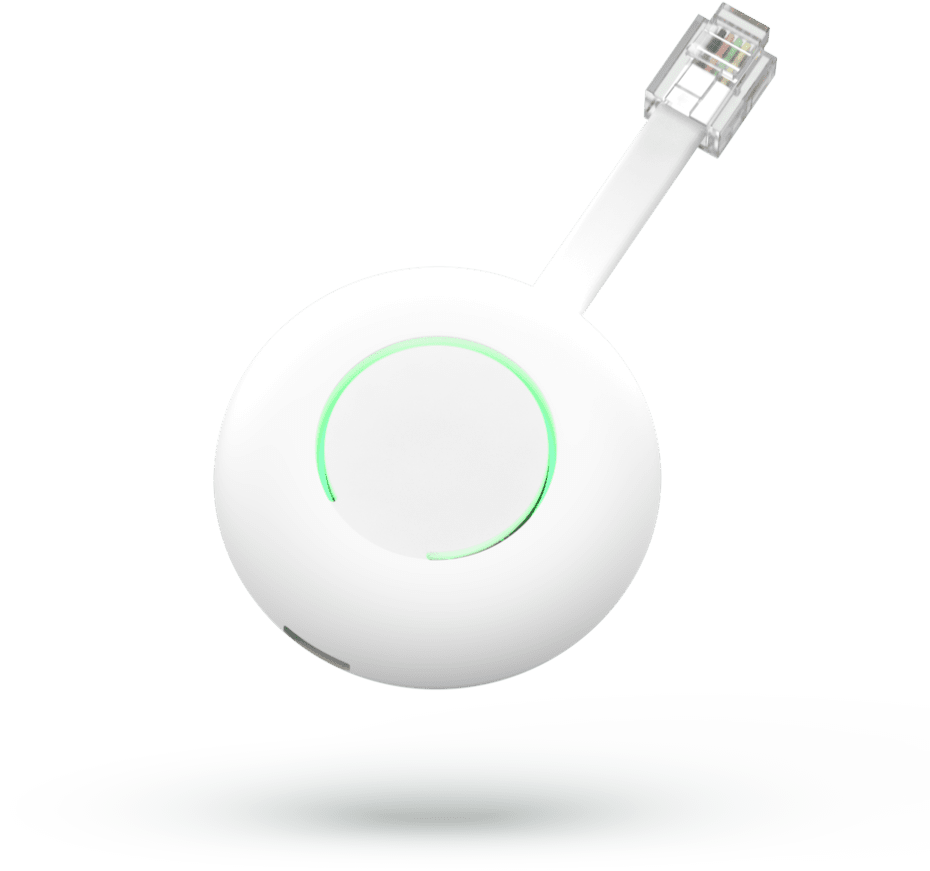
HomeWizard P1 Meter
Best fit when protocol coverage such as P1/HAN smart-meter port using DSMR-style telegram data from one connected compatible utility smart meter; exposed upstream through HomeWizard local API v1/v2., local data access, and Home Assistant integration.
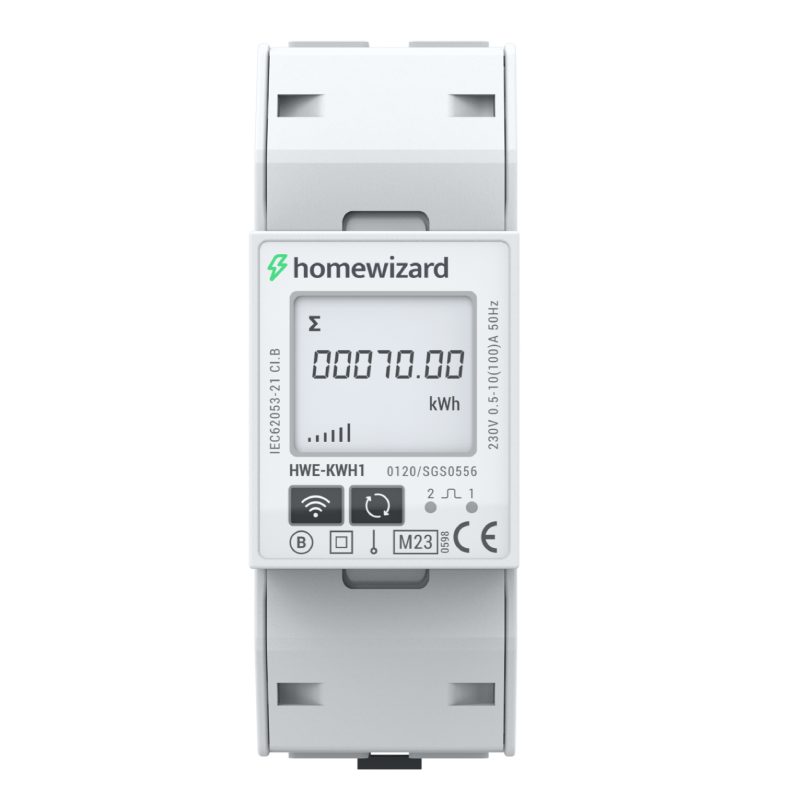
HomeWizard kWh Meter 1-Phase
Best fit when single-phase, nominal 230 V AC (176-276 V operating range), 50/60 Hz., solar import/export visibility, and local dashboards and Home Assistant.
Use this comparison when choosing the easiest HomeWizard path: plug into the utility smart meter, or add a dedicated DIN-rail meter for a circuit, solar inverter, EV charger, or heat pump.
At A Glance
Key fit signals before the full table
A quick pass over the most decision-shaping details for each device in this featured comparison.
HomeWizard P1 Meter
- Connectivity
- 2.4 GHz Wi-Fi 802.11b/g/n with local HTTP/JSON API access on the same LAN; initial setup uses the HomeWizard Energy app.
- Protocols
- P1/HAN smart-meter port using DSMR-style telegram data from one connected compatible utility smart meter; exposed upstream through HomeWizard local API v1/v2.
- Role
- P1 smart-meter reader and Wi-Fi data logger for electricity import/export, gas, per-phase telemetry, and solar-surplus visibility.
- Max devices
- 1
HomeWizard kWh Meter 1-Phase
- Phase
- Single-phase, nominal 230 V AC (176-276 V operating range), 50/60 Hz.
- Installation
- Indoor 2-module (36 mm) 35 mm DIN-rail installation; direct line-and-neutral wiring after suitable circuit protection by a qualified installer.
- Measurement
- Direct-connected single-phase import/export kWh and power meter for monitored circuits, solar panels, EV chargers, heat pumps, or the main connection.
- Max current
- 100 A
Before You Decide
Checks that matter before price.
- Start with the devices and protocols already installed in the home.
- Check whether the gateway is mainly for logging, cloud upload, automation, or all three.
- Prefer local recovery and local visibility when the gateway sits in the critical data path.
- Confirm cloud dependency before relying on it for long-term monitoring.
| Install fit | ||
|---|---|---|
| Phase support | Reads 1-phase or 3-phase data from a compatible smart meter P1 port | Single-phase, nominal 230 V AC (176-276 V operating range), 50/60 Hz. |
| Installation | Plug-in indoor P1-port smart-meter reader; powered by SMR5 P1 port or USB-C on older meters. | Indoor 2-module (36 mm) 35 mm DIN-rail installation; direct line-and-neutral wiring after suitable circuit protection by a qualified installer. |
| Measurement | Gateway/data logger reading smart-meter P1 telemetry for electricity import/export, gas, and solar surplus; not a direct current-carrying meter. | Direct-connected single-phase import/export kWh and power meter for monitored circuits, solar panels, EV chargers, heat pumps, or the main connection. |
| Max current | 0 A | 100 A |
| Meter fit | ||
| Accuracy class | Unknown | Active energy IEC 62053-21 Class 1 / EN 50470-3 Class B (MID). |
| Current sensing | Reads data from the utility smart meter P1 port | Built-in direct current path, 10 A base current, 0.5 A minimum current and 100 A maximum; no external CT. |
| Gateway fit | ||
| Connectivity | 2.4 GHz Wi-Fi 802.11b/g/n with local HTTP/JSON API access on the same LAN; initial setup uses the HomeWizard Energy app. | Unknown |
| Downstream protocols | P1/HAN smart-meter port using DSMR-style telegram data from one connected compatible utility smart meter; exposed upstream through HomeWizard local API v1/v2. | Unknown |
| Connected devices | 1 | Unknown |
| Role | P1 smart-meter reader and Wi-Fi data logger for electricity import/export, gas, per-phase telemetry, and solar-surplus visibility. | Unknown |
| Monitoring | ||
| Protocol | Wi-Fi / Local API | 2.4 GHz Wi-Fi / local JSON API v1 and HTTPS API v2 / WebSocket |
| Local API | Yes | Yes |
| Cloud dependency | Optional for live LAN data; required for app history, Energy+, remote services, and smart-charging predictions. | Optional for local API and Home Assistant; required for the app, remote history and firmware updates. |
| Home Assistant | Yes | Yes |
| Solar fit | ||
| Solar import/export | Yes | Yes |
| Buying context | ||
| Price range | About EUR 25-EUR 40 | About EUR 30-EUR 60 |
| Availability | Europe through HomeWizard official store and localized markets; requires a compatible P1/HAN smart meter. HomeWizard lists 1-phase and 3-phase smart-meter data support. | Europe, UK, and selected European HomeWizard store markets. |
| Source check | ||
| Last verified | Sep 11, 2026 | Sep 28, 2026 |
| Product page | Official page | Official page |
| Documentation | Official docs | Official docs |
Verdict
Choose HomeWizard P1 Meter if the utility smart meter already exposes the data you need. Choose the kWh Meter 1-Phase when you need dedicated circuit or inverter metering that the P1 port cannot separate.
FAQ
Common decision questions.
Which energy gateway should I choose?
Choose the option that matches your installation constraints and data path first. For HomeWizard P1 Meter vs HomeWizard kWh Meter 1-Phase, the full table is most useful after you know whether local data access, cloud convenience, backup behavior, solar visibility, or expansion matters most.
What should I check before comparing prices?
Check installation fit, required accessories, official documentation, monitoring platform support, and any unknown fields in the source-checked table. Price is only useful once those constraints are clear.
Can these devices work with local dashboards or Home Assistant?
HomeWizard P1 Meter, HomeWizard kWh Meter 1-Phase list Home Assistant support in the catalog. HomeWizard P1 Meter, HomeWizard kWh Meter 1-Phase are marked with local API support. Confirm firmware, region, and integration maturity before treating this as a final compatibility guarantee.
Are unknown fields a reason to avoid a device?
Not always. Unknown means the field was not confirmed from the reviewed source data. Treat it as a question for the installer, reseller, or manufacturer before making a purchase decision.
Does the verdict replace the specification table?
No. The verdict is a practical shortcut. Use the table to confirm the exact constraints that matter for your home, especially installation, monitoring, and support details.